Effortless editing. Unskippable videos.
Try Canva's free online Video Editor.
Powerful video editing, without the complexity. Discover the all-in-one editing suite made for creators on a mission to stand-out.
AI-powered tools to handle the hard edits
Skip the endless scrubbing
Instantly surface the best bits of your footage with Highlights.
Create social-ready content with Magic Video
Just drop in your clips with a quick prompt, and AI does the rest.
Click to remove backgrounds
Remove the video background instantly, no green screen needed.
Catch the perfect timing
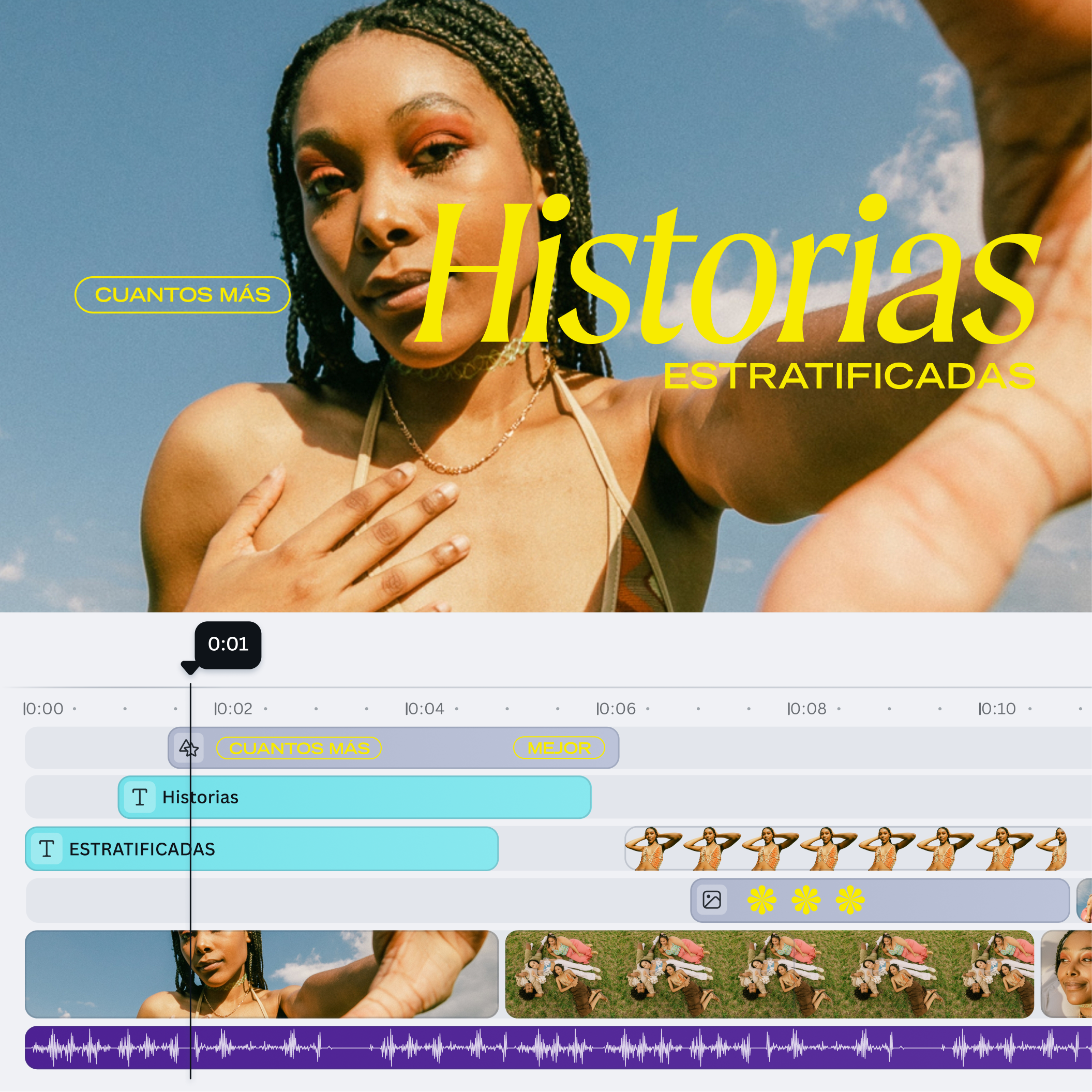
Trim, split, splice, and layer videos with precision.

Made for every feed
Resize a video to share everywhere and create multi-channel campaigns.
Be a motion maestro
Add one-click animation or create custom animations for graphics and text.
Skip the endless scrubbing
Instantly surface the best bits of your footage with Highlights.
Create social-ready content with Magic Video
Just drop in your clips with a quick prompt, and AI does the rest.
Click to remove backgrounds
Remove the video background instantly, no green screen needed.
Catch the perfect timing
Trim, split, splice, and layer videos with precision.
Made for every feed
Resize a video to share everywhere and create multi-channel campaigns.
Be a motion maestro
Add one-click animation or create custom animations for graphics and text.
Skip the endless scrubbing
Instantly surface the best bits of your footage with Highlights.
Create social-ready content with Magic Video
Just drop in your clips with a quick prompt, and AI does the rest.
Click to remove backgrounds
Remove the video background instantly, no green screen needed.
Catch the perfect timing
Trim, split, splice, and layer videos with precision.
Made for every feed
Resize a video to share everywhere and create multi-channel campaigns.
Be a motion maestro
Add one-click animation or create custom animations for graphics and text.
Skip the endless scrubbing
Instantly surface the best bits of your footage with Highlights.
Create social-ready content with Magic Video
Just drop in your clips with a quick prompt, and AI does the rest.
Click to remove backgrounds
Remove the video background instantly, no green screen needed.
Catch the perfect timing
Trim, split, splice, and layer videos with precision.
Made for every feed
Resize a video to share everywhere and create multi-channel campaigns.
Be a motion maestro
Add one-click animation or create custom animations for graphics and text.
Skip the endless scrubbing
Instantly surface the best bits of your footage with Highlights.
Create social-ready content with Magic Video
Just drop in your clips with a quick prompt, and AI does the rest.
Click to remove backgrounds
Remove the video background instantly, no green screen needed.
Catch the perfect timing
Trim, split, splice, and layer videos with precision.
Made for every feed
Resize a video to share everywhere and create multi-channel campaigns.
Be a motion maestro
Add one-click animation or create custom animations for graphics and text.
Create everyday movie-magic
Add movie-like motion effects.
Turn still images into cinematic moments with Image to Video - no motion skills needed.
Stock footage, shot by pro filmmakers.
Access free, high-quality stock footage from collections like Artlist Video.
Start with a trending template
Features that inspire creativity
Multi-layered timeline editing
Drag-and-drop timeline editor over multiple layers
Captions
Unlimited usage of captions with color, stylings and animations.
Animation effects and transitions
Animation and transition library
Automatic clip highlights and trimming (AI)
Clip footage on timeline manually
Image to video (AI)
Turn static images into five-second videos
Edit videos once, share everywhere.
Your questions, answered
Start designing with