- Subtitles
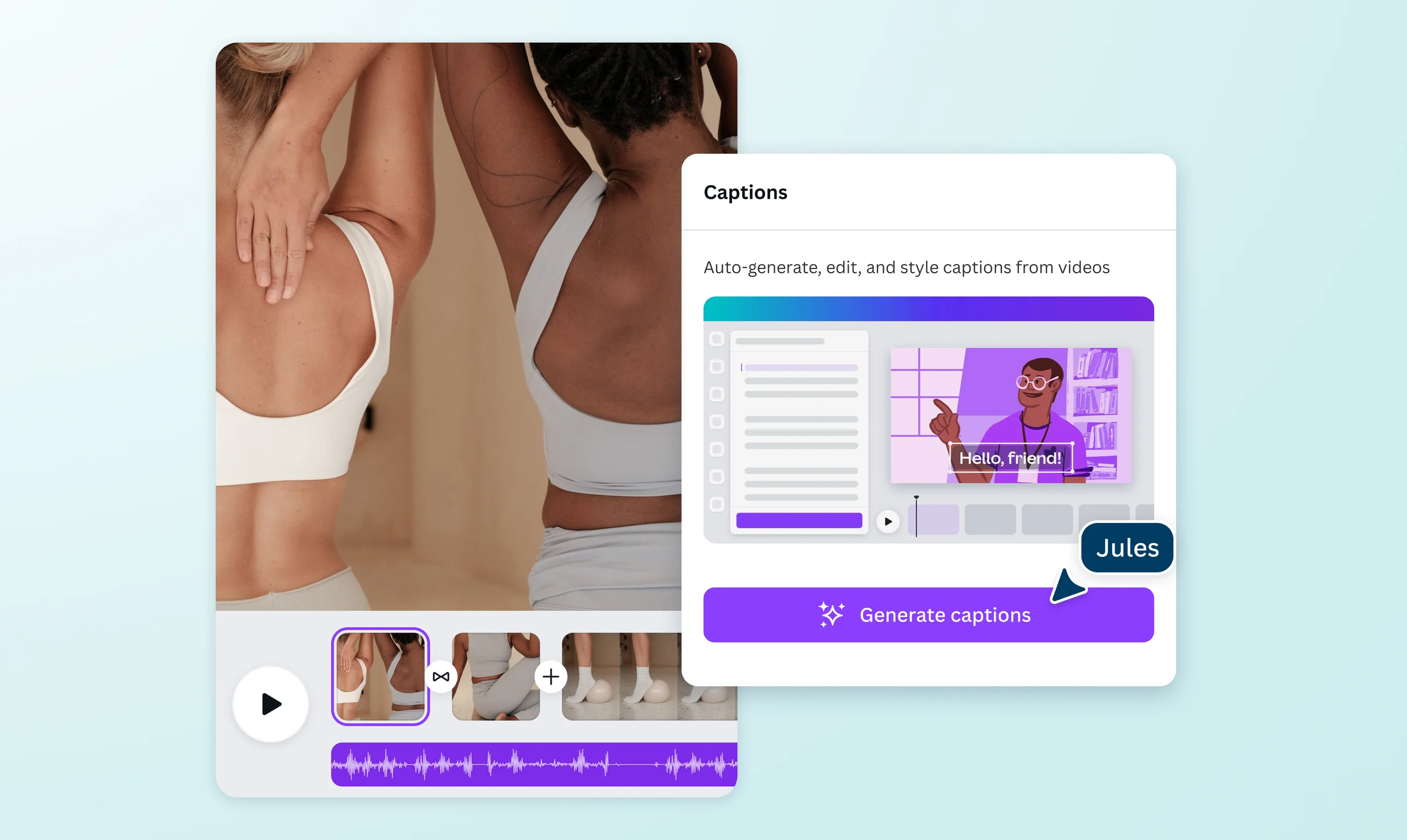

Add subtitles to video to get your message across
Subtitle a video to let your audience follow and understand your ideas better. Whether you’re a content creator, video storyteller, or growing brand, add subtitles to your video with Canva, then edit and customize them to fit your style.
or drop it here
Learn about Canva's upload formats and requirements. See how we use your content in our Privacy Policy.
Instant subtitles for every video
Instantly create subtitles from your video's speech to drive engagement and make your content accessible and stream-ready. With Canva's easy-to-use video subtitler, you can create, edit, and export videos with polished subtitles—no prior design skills needed. The best part? Add subtitles to your videos in just a few clicks, for free, as often as you need.
Seamless engagement for viewers

Add subtitles to your video so your audience can enjoy your content, no matter how they watch it. More than just words on the screen, subtitles help viewers stay engaged and follow your story—even without sound. Make your subtitles bounce, skate, or wiggle across the screen, or create your own animation with custom motion paths(opens in a new tab or window) for a truly dynamic viewing experience.
Bring key messages into focus

Dealing with complex or technical topics? Adding subtitles to your video helps viewers follow along, ensuring your key message shines through. Keep things on-brand with fonts from your Brand Kit(opens in a new tab or window) and position them nicely to fit your video layout. Want to reach a global audience? Translate subtitles into French, Dutch, and 100 other languages with Canva’s video translator(opens in a new tab or window) and make every story easier to understand.
Elevate your video content

Go beyond simply putting subtitles for videos. Canva has many intuitive tools to enhance your visual content. Adjust the size, align the text, and use colors to highlight words and phrases in your subtitle. Find icons(opens in a new tab or window) and stickers(opens in a new tab or window) that match your style, then blend them naturally into your video. From vlogs and tutorials to product demos, add subtitles to your videos for a better viewing experience.
How to add subtitles to a video

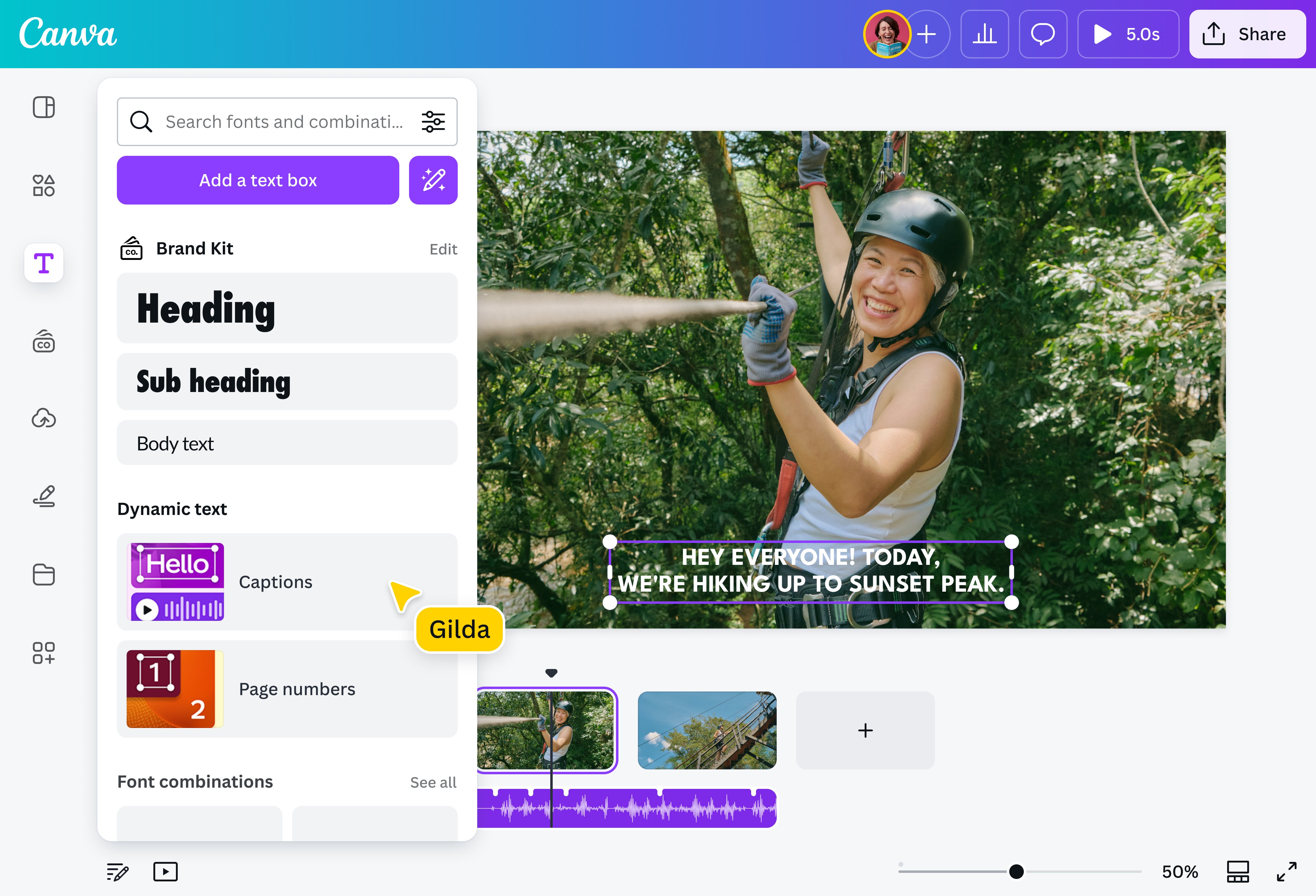
Frequently asked questions
- You can put subtitles on a video using our video subtitle generator. It’s completely free, and you can create subtitles from your video’s speech in just seconds. Plus, your subtitles are fully editable and stylable before you export your finished video. Want to add a personal touch? Upgrade to Pro to apply your brand font with just one click.
- Our video subtitler automatically creates subtitles from your video's speech. Once they're generated, you can review and edit the text to ensure your subtitles accurately reflect what's being said before exporting your finished video.
- Yes. Use our video translator to translate your subtitles into over 100 languages, including French, Dutch, German, Japanese, and more, so you can reach audiences around the world.
- Keep your subtitles informative and concise. Use punctuation to denote pauses and emotions. Break longer sentences into digestible chunks to avoid overwhelming the viewer. Stay true to the video's original tone and message while adapting slang and idioms where applicable to suit your target audience. Lastly, use clear and simple fonts to ensure your subtitles are readable across devices.

@mahimagirdhar