- Create Business Flyers
Create a Striking Business Flyer with Canva
Create a Striking Business Flyer with Canva


Easy drag-and-drop editor
3M+ free stock photos and graphics
Generate content and media with AI
Download or share designs easily
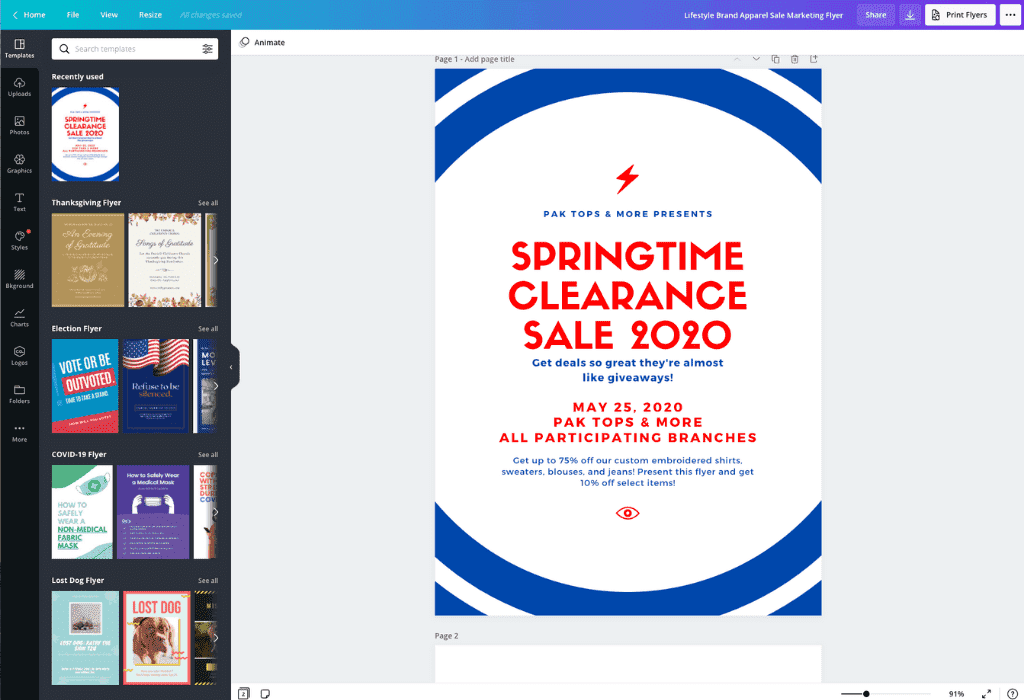
With our free business flyer maker and hundreds of beautiful layouts, you can have a dynamic flyer ready to print and promote your business in the time it takes to finish a cup of coffee.

Make a free, professional flyer that converts
Whether you have a boutique, a small business or are designing for a large firm, promotion is everything. Next time you have an important product launch or an upcoming event, don’t spend hours wrestling with complicated design software. Canva makes it easy to design an amazing business flyer(opens in a new tab or window) – even if you don’t have any graphic design experience. With only a few photos of your new product and a handful of sweet sentences, you can have a beautiful, effective business flyer ready for action, so you can get back to your day. Elevate your promotional efforts further with our versatile design templates for eye-catching rack cards(opens in a new tab or window), perfect for offline advertising in high-traffic areas. Bold, modern, whimsical, or homespun, whatever your brand or business identity, our extensive library of fonts, layouts, and graphics will make your message shine.
How to make a business flyer

Meet Magic Studio™: All the power of Canva’s AI
Magic Studio™ brings together the best AI-powered tools for you and your team to help you design with more ease, speed, and creativity.


Capture clicks and be eye-catching in print with Canva
Once your flyer is done, getting it ready for print is only a few clicks away. Send your amazing new business flyers straight to Canva Print and we’ll print them in stunning resolution, with gorgeous paper and finish options. Receive them right at your doorstep then post, mail and promote your business! With Canva it’s even easy to make your flyer ready to share online or through social media. Simply click “Share” to post your design to Facebook, X (Twitter), and more.Make a lasting impression for your business! Our fantastic layouts can be customized with your business’ logo, photos, and brand colors using simple drag-and-drop tools. If you want to use your flyer as a layout to promote more of your products, events, or services, simply duplicate it and keep designing. On site and need to make changes? Canva comes with you anywhere your business takes you. Access Canva anywhere online or download our free iPhone, iPad and Android apps to bring your company’s design workstation on the go.
Find the right photo in seconds
Our versatile library of over one million stock photos and graphics contains images to complement any business. With many photos for free and premium photos offered at a very competitive price, Canva empowers you to work quickly and not break your budget.
FAQ
Be sure to include all the essentials about your business on your flyer: company name and tagline, logo, business location, contact information like e-mail or phone number, website URL and social media handles. Use the body text of the flyer to promote your product or service.
Business flyers should be clear and readable, using 10 point font or larger, with two different typographies for the headline and text to draw the eye in. Your business logo should be visible and your message concise and on-brand. Include a call-to-action at the bottom.
A full-page flyer is 8.5 x 11 inches. This is a good size for posting around town or handing out at conferences. A half-page flyer is 5.5 x 8.5 inches. A long flyer is 3.75 x 8.25 inches, while an oversize flyer is typically 11 x 17 inches.

@navneet4


