- Create Club Flyer
Create an Awesome Club Flyer With Our Library of Free Layouts
Create an Awesome Club Flyer for Your Next Event


Easy drag-and-drop editor
3M+ free stock photos and graphics
Generate content and media with AI
Download or share designs easily
It’s easy to create an amazing club flyer in Canva, now with hundreds of free layouts to choose from.

Want to create a custom club flyer to impress?
In the entertainment business, making a good first impression is everything. When it comes to creating original marketing materials, good design is vital to impress!
The good news – Canva’s professionally designed club flyer layouts are the best on the web. They make it easy to create stunning marketing materials, even without any graphic design experience.
All you need to do is customize the images, fonts and colors to create a unique club flyer(opens in a new tab or window) your attendees will love. If you want to save time and money creating an awesome flyer for your next club event, be sure to sign up to Canva today.
Create an epic club flyer, even without any graphic design experience

Meet Magic Studio™: All the power of Canva’s AI
Magic Studio™ brings together the best AI-powered tools for you and your team to help you design with more ease, speed, and creativity.


A sell out-event starts with great marketing
Organizing a club event can be stressful – but designing your marketing materials doesn’t need to be. If you don’t have the time or budget to hire a graphic designer to create a flyer for your next event, Canva can help.
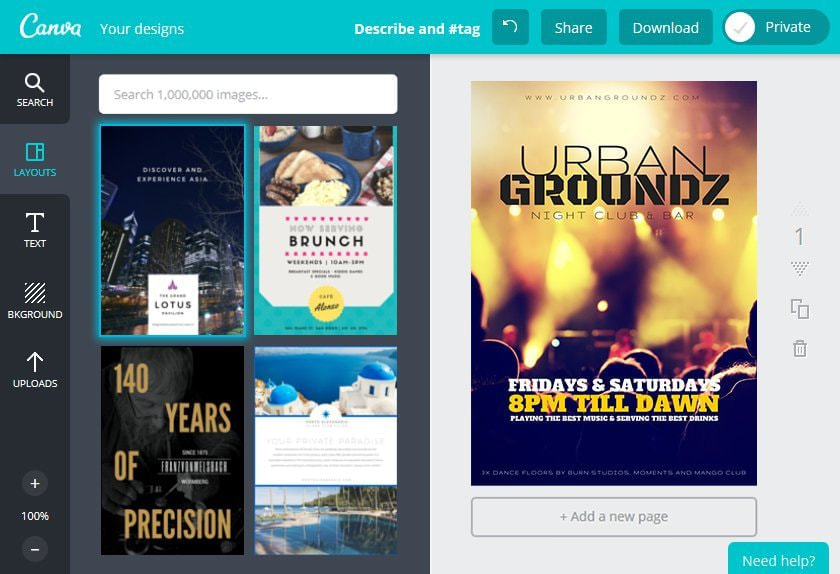
Canva allows you to create, share and promote your club flyer in just minutes. After creating a high-quality flyer with our amazingly simple drag-and-drop design tool, you can share your design straight to social media. All you need to do is click on the Share button. This will allow you to share your design on Facebook, X (Twitter) and more. It’s a smart and cost-effective way to get the word out about your next event.
Custom images or high quality stock photography
You can use your own photographs to create a custom flyer your attendees will love! It’s free to upload as many of your own images in Canva as you like.
If you’re looking for extra high quality images to add to your flyer, make sure you check out our stock library which is home to over 1 million high-quality images. Many of these are free, while premium images are all offered at a very competitive price.
Print your flyer in stunning high resolution
Making sure that your club flyers look as good (or even better!) in person as on your screen is as easy as pie. Once you’re happy with your design, click on the ‘Send to Print’ button and let Canva Print take care of printing your flyers in eye-catching full color and with gorgeous paper and finish options. Afterward, we’ll deliver the copies right to your doorstep!
Save time. Create a layout you can use multiple times
You won’t need to start from scratch every time you create a new club flyer in Canva. Every time you create a design, it will save to your Canva homepage.
To create a fresh new design, all you need to do is drag-and-drop new images, and change the text. It’s that easy.
And if you need other promotional materials, there’s no need to go to other design software. Canva is loaded with layouts for posters(opens in a new tab or window), Facebook covers(opens in a new tab or window), and X (Twitter) headers.(opens in a new tab or window)
Inspired? Start designing!
Canva is a free online platform that allows you to create amazing designs without any graphic design skills. All of the layouts in our library are free to use as many times as you like.
There’s no need to download or install anything to use Canva on the web. Simply head over to www.canva.com(opens in a new tab or window) and create an account online to get started. Alternatively, you can download Canva on your iPhone, iPad, and Android devices allowing you to create designs at home, at work or on the go!

@navneet4


