Learn about Canva's upload formats and requirements. See how we use your content in our Privacy Policy.
Use Canva to share your videos anytime, anywhere. Download it as an MP4, post it on your social media, or send it as a link—all it takes is a few clicks.
How to share a video
Upload your video
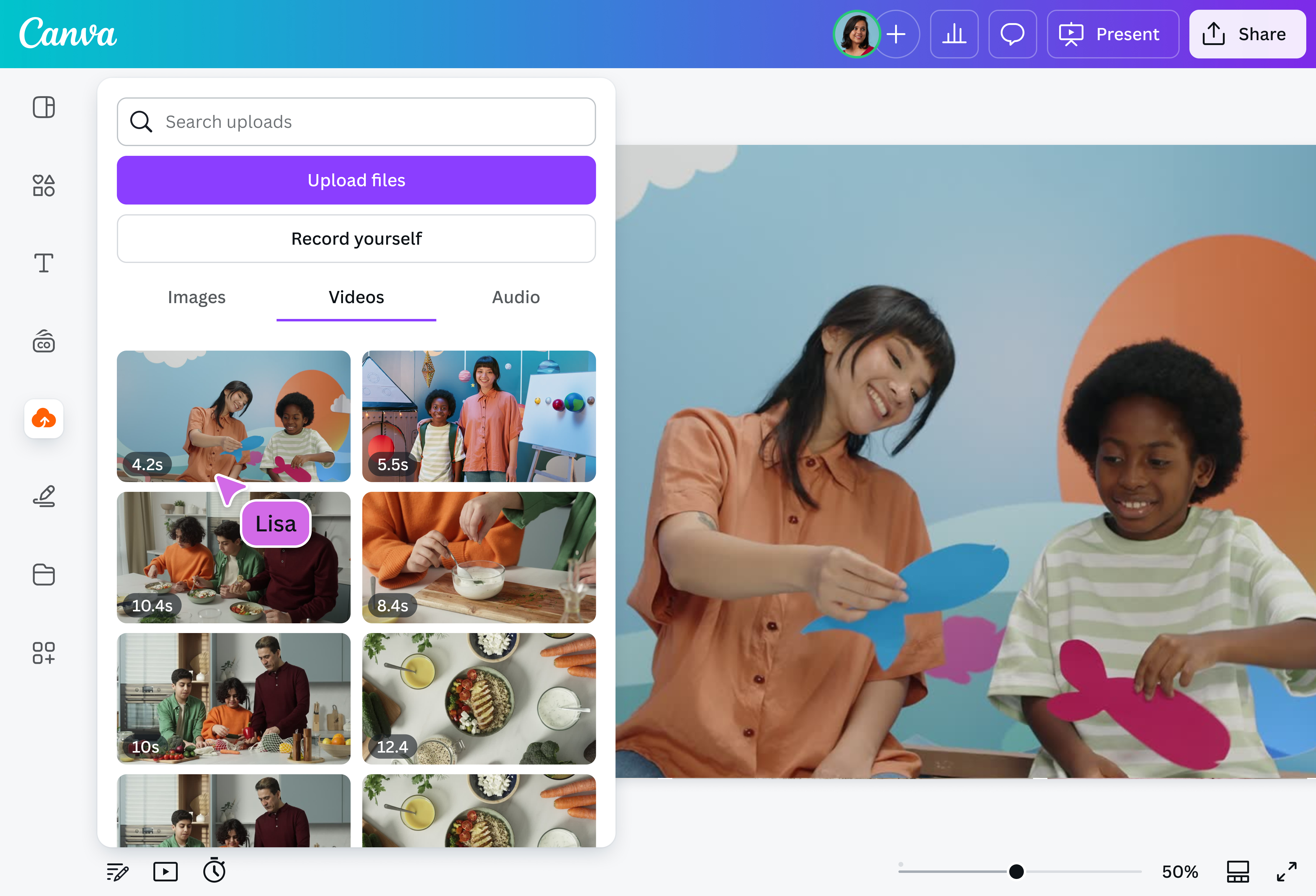
Select the “Upload files” button or easily drag and drop your files into the section.
Edit your video
Make some quick touch-ups on your video using our beginner-friendly editor.
Download your video
Finally, download your video as MP4.
Share your videos in seconds
Seamlessly share your videos in just a few clicks with Canva’s video sharing feature. Simply upload and share your video through a link or directly onto your social media pages. Alternatively, you can also download it as an MP4.
Whether you’re a content creator sending a clip to a client, a teacher distributing educational videos, or a student debuting a new short film, Canva makes video sharing a breeze.
Bring different videos to life with every upload
No matter what the video is for—a vlog, onboarding materials, event highlights, or social media posts— you can bring your creations to life with our intuitive video editor(opens in a new tab or window). Insert text, add music, and resize your video before sharing.
Plus, you won’t have to switch between apps when creating your content. You can upload, edit, and share your video on our platform.
Work together without a hitch
Collaborating on your video with your team is quick and simple on Canva. Just share your design with your teammates and you’ll be able to do everything together – from assigning tasks to one another to leaving comments and seeing edits in real time.
Store and access your videos anytime, anywhere
Canva stores all the videos you upload, making them easy to access whenever you need to. By keeping everything organized, safe, and ready to use in one place, sharing your video file becomes hassle-free.
How to share a video
Frequently Asked Questions
It’s easy to share large video files on our platform. Start by uploading any video with a file size of 1 GB or less.Once your video is uploaded, you can create a shareable link, invite others to collaborate, or download it as an MP4.
Your video will stay online as long as it’s in your account. You don’t need to worry about an expiration date. It’s free to access, edit, and share anytime you want. However, if you delete the file or close your account, the video will be removed.
Sharing your video on your social media page is simple on our platform. Once you’re happy with your video, simply click “Share”on the upper right corner, choose “See all,” and scroll down to “Social.” Here you’ll find different social media options such as Facebook, Instagram, TikTok, and the like.
Choose the platform you want, and from there, you can post either through the mobile app or a desktop browser.
Skip apps that compress your video’s quality. Instead, use our platform to upload your video and create a shareable link for it. When you upload your video to our platform, it keeps the original resolution intact.
Omg I love you guys! Thanks for making it so easy for me to use your templates. There’s so many selections and your site and app are very easy to use and navigate !!! 🥇💓💓💓💓💓💓
@curlyfrosista
@canva is an incredible app for designing pretty much anything you need! A huge selection of templates, fonts and colours; endless choices at the tip of your fingers; easy editing and sending/sharing. Best app I’ve used for a long time. If you haven’t tried it... try it!
@SpotOnDomain
@canva is simply outstanding as a tool to create designs. Using Canva is such a seamless experience that once you sit down to design, you don't feel like getting up. It's addictive and useful. Keep going Canva. I use Canva every day – I couldn’t do my job without it. The ability to style logos is my favorite
@navneet4
@canva is such a life changing tool! One of the most well thought out websites I've ever seen. I use it to showcase my work with the community and it never ceases to amaze me! Kudos for all the love and effort you've put into its development! #canvadesigns
@mahimagirdhar
I don’t know where I was without @canva They have absolutely great graphics for any social media platform. Whether it be a YouTube thumbnail, an Instagram Post or whatever you want to create. Let @canva make the design process easier for you.