- Video to Text


Make your videos more accessible with video to text
Get instant, accurate captions to make your videos more inclusive and SEO-friendly. Auto-transcribe your dialogue and narration with the easy-to-use video-to-text converter from Canva.
or drop it here
Learn about Canva's upload formats and requirements. See how we use your content in our Privacy Policy.
How to convert video to text
Upload your video
Select the “Upload your video” button or easily drag and drop your files into the section.
Transcribe video to text
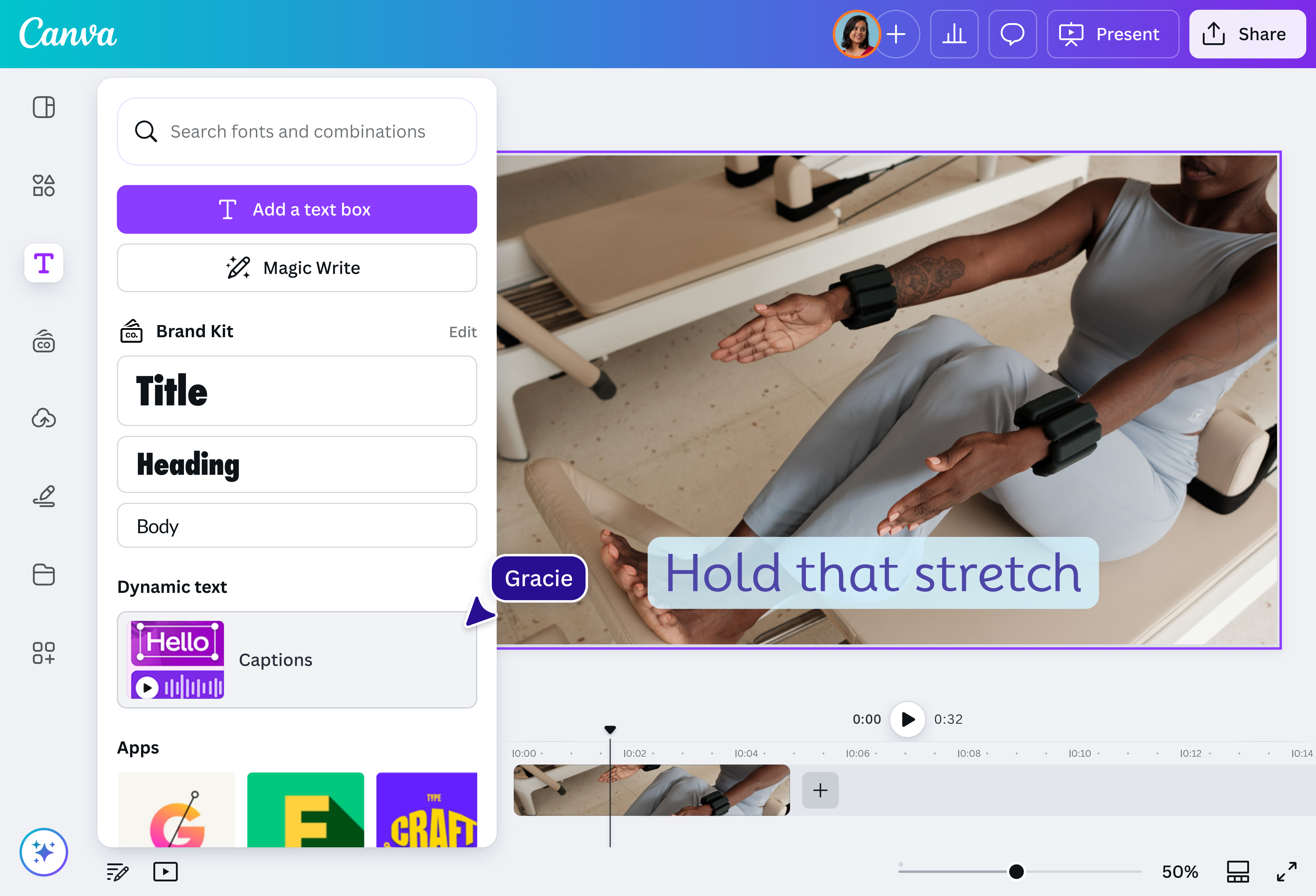
Select “Text” and choose “Captions” under “Dynamic Text” to automatically transcribe your video.
Download your video
Edit your captions then download your video as an MP4 file.
On-air ready in minutes

Get more done at a fraction of the time and effort it used to take. With Canva’s video-to-text converter, it only takes minutes to finish hours’ worth of painstaking work. Say goodbye to tediously combing through clips and typing out dialogue—all you need to do is review the generated script and go straight to your other tasks.
Edit and produce on the go

Get work done on the go with the video-to-text tool, accessible both on desktop and mobile. Whether you’re on the bus to the office, waiting in between appointments, or even going out and about your day, if you can find five minutes and an internet connection, you can bang out a transcription for your videos just as quickly.
Translate, animate, take it to the next level

Because Canva is a design platform (and not just a transcription app), you can do so much more than create subtitles for your videos. Edit your footage(opens in a new tab or window) directly, make closed caption(opens in a new tab or window) files or burn-in subtitles(opens in a new tab or window), animate the text as kinetic typography, or even translate the transcript into over 100 languages with Magic Translate (Pro)(opens in a new tab or window) to be more accessible to a global audience.
Be heard, be searchable

Subtitles and transcripts are great accessibility features, often rewarded by search engines with higher rankings and more eyeballs on your content. By adding text to your videos, you make it easier for people to not only watch your clips but also to search for your content online.
How to transcribe video to text

Frequently Asked Questions
- The easiest way to get a transcription of the spoken audio in a video is to use a video-to-text converter. Most online converters, especially those powered by AI, are easy and intuitive to use: simply upload your file, hit the auto-transcription button, and copy the generated transcript or download it in your preferred format. There is typically no other extra software or editing needed, aside from double checking that the voice recording write-up is accurate.
- If you want to take your generated transcript and include it in the original video (e.g., as subtitles, kinetic typography, etc.), you will need a design tool. Most transcription tools do not have this feature, so you may need to look for a separate editing platform or switch to one that offers both, like Canva.
When it comes to processing human speech, AI algorithms have come a long way. Most AI models are capable of understanding and transcribing speech with near-perfect accuracy, as long as there are no serious audio quality issues.
Moreover, AI transcription isn't just in English anymore. The Canva Captions tool, for instance, can generate subtitles in various languages (including Spanish, Portuguese, French, German, Hindi, Japanese, Korean, and Arabic), allowing you to reach a more global audience. Canva also offers a free grammar checker powered by AI to ensure your captions are error-free.
- As long as your video file meets the Canva upload requirements, You can generate captions for it. This includes videos in MOV, GIF, MP4, MPEG, MKV, or WEBM file formats. Keep in mind that the video-to-text converter only works on videos with audio or speech, not audio files.
- Yes, you can! Tweak the captions until they’re accurate and to your liking. You can also change the font to match your brand and export your captions directly from the platform.
- While both video-to-text transcriptions and closed captions display any words that are spoken in dialogue or narration, closed captions take it a little further by identifying the speaker and adding descriptions of non-speech sound, such as music or sound effects. This makes it easier for viewers who are hard of hearing to understand all significant audio.

@navneet4