- Test Grade Calculator
Test grade calculator
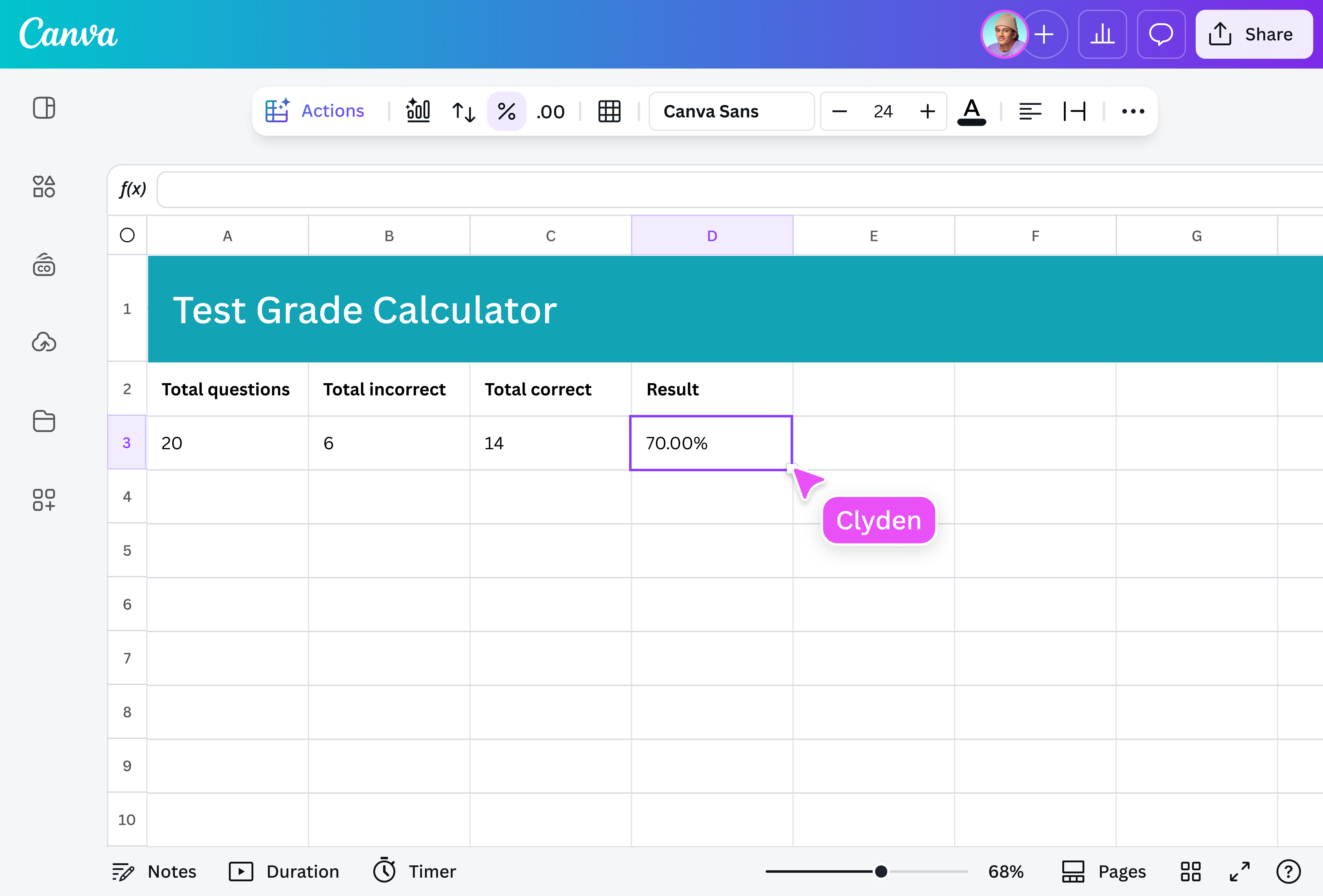
Get score percentages in seconds with Canva’s grade calculator for tests. Say goodbye to tedious manual computations, be it for a quiz, project, or assignment.
Quick, easy, and free—get your test score in seconds

Skip the complicated formulas and guesswork with Canva’s free score calculator. All you need to do is plug in your test values, and you’ll get your score percentage instantly. Whether you’re a student or a teacher, you’ll get your answer fast—no downloads or expensive software needed.
Get insights on your students’ performance fast

There are so many things that take up your time as a teacher, but checking tests doesn’t have to be one of them. This teacher grade calculator gives you an overview of your class’ performance, shows you who passed or failed, and helps you easily track progress over time.
You can even export the results to Canva Sheets(opens in a new tab or window), transform your data into charts, and share them with parents via email or through a link. With Canva, you can review and share data all on one platform.
Know exactly what test grade you need to pass

If you’re a student who loves tracking your grades, then our quiz grade calculator is perfect for you. It can tell you how many correct answers you need to hit your target grade so you can spend less time calculating and more time studying. Our test score calculator also works for all types of tests, so you can create your study game plan with confidence.
Visualize your data with the help of AI magic

Once you’ve calculated your test score with our online grader, take things up a notch by using Canva Sheets for instant data visualization. Automatically organize your results, unlock performance trends with Magic Insights (Pro)(opens in a new tab or window), and create stunning charts from your scores with Magic Charts. If you need to do more computations, you can even skip the manual math by using Magic Formulas(opens in a new tab or window). Bringing your data to life has never been this easy and hassle-free.
How to calculate your test grade

Frequently asked questions
Divide the number of correct answers by the total number of questions, then multiply by 100 to get the percentage. For example, you got 18 out of 20. Here’s how that would work:
(18 ÷ 20) × 100 = 90%
Or skip the manual computation and use a test grade calculator. Enter your score and the total number of items, and you’ll get your grade instantly.
Multiply the percentage you're aiming for by the total number of questions, then divide by 100. Let's say your test has 50 questions and you're targeting 80%. Here's how it works:
(80 × 50) ÷ 100 = 40
So, you'd need to get 40 correct answers to hit your goal.
This is useful when you’ve got a specific grade in mind and want to know exactly how many questions you need to ace. To speed things up, use Magic Formulas instead. Just type in your numbers, save your calculation for you to be redirected to a new sheet and this AI-powered feature figures out the formula for you—no memorization needed.
Use this quick formula to turn your score into a percentage:
(Score ÷ Total items) × 100
For example, if you got 27 out of 40: (27 ÷ 40) × 100 = 67.5%
Whether you pass or not depends on your grading guidelines. Some might count 67.5% as a passing mark, while others might require 70% or even 75%.
To be sure, check your grading policy—or skip the mental gymnastics and use a grade calculator for tests. Just fill in the blank fields with your numbers and get an instant result.

@navneet4