- FTE Calculator
FTE Calculator
Evaluate the productivity of your team and make better business decisions with the FTE calculator, free on Canva.
Get instant FTE calculations

Compute your FTE effortlessly. Let Canva’s online FTE calculator do it for you. Just input your key data and get the FTE instantly! You don’t need to memorize the formula to get an answer. It’s quick and convenient when you need it most.
Make business planning a breeze

This free FTE calculator helps business owners, project managers, and HR professionals understand all the work the business is paying for. This helps stakeholders assess and plan for the future by examining productivity and workload.
Intuitive spreadsheet features

Once you save your data in Canva Sheets(opens in a new tab or window), you can perform more calculations. This visual-first spreadsheet comes with an intuitive interface and standard spreadsheet features. Create and edit sheets easily.
AI-powered magic

With Canva Sheets, you can turn your FTE data into magic. Transform your data into compelling stories using Magic Insights(opens in a new tab or window) and add more depth. Magic Charts helps you visualize your FTE in rich, customizable charts. And if you forget a formula, Magic Formula(opens in a new tab or window) will do the math for you.
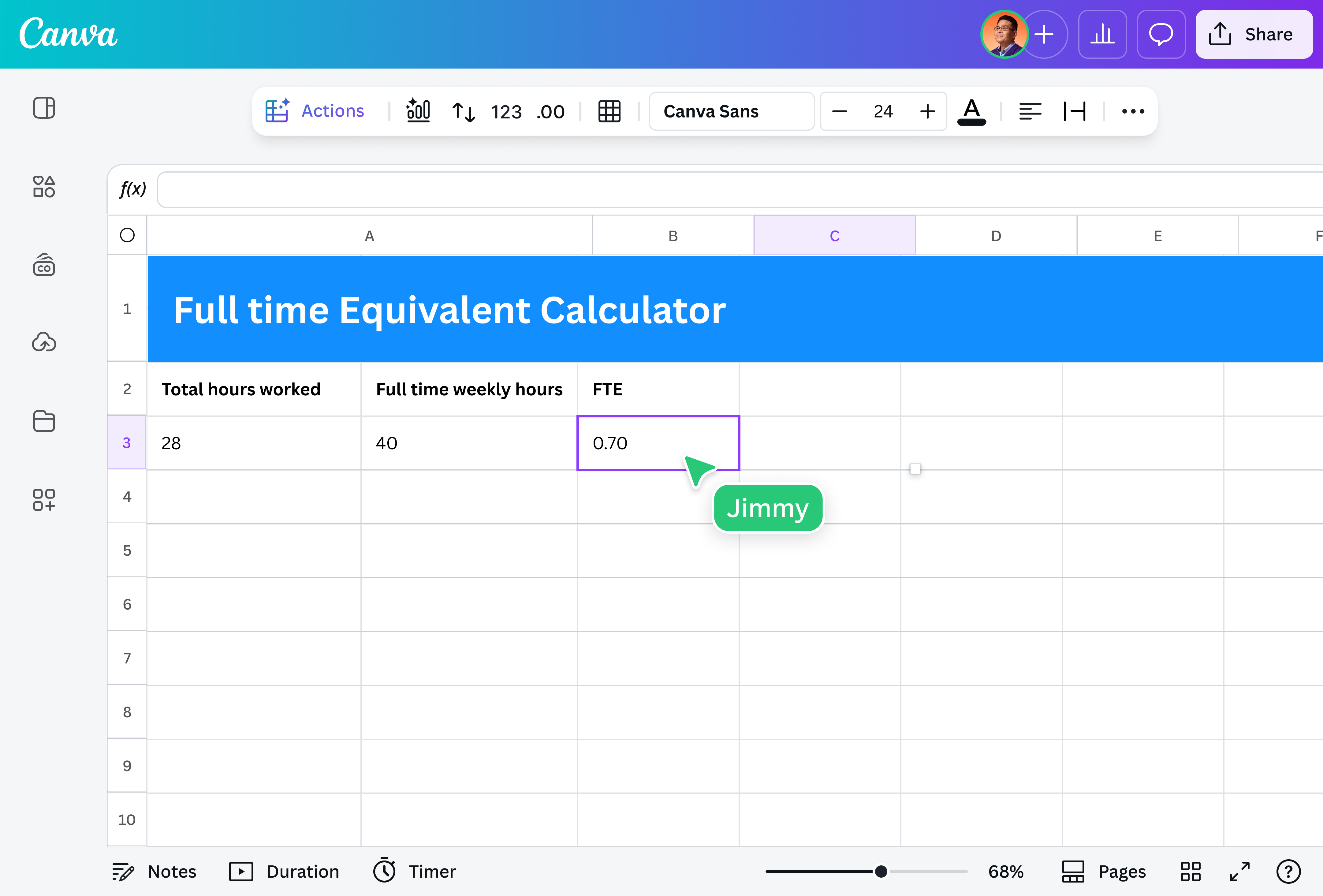
How to use the FTE calculator

Frequently asked questions
- The full-time equivalent (FTE) ratio is a metric that measures the workload of employees in terms of full-time positions, regardless of how many individual employees are on the payroll.
Calculating FTE is straightforward: you convert all employee work hours into a standard full-time unit. You need two key pieces of data: how your company defines full-time hours, and the total number of hours worked by all employees, both full-time and part-time.
The formula is:
Individual Employee FTE = Employee's Actual Hours Worked / Standard Full-Time Hours
Productivity per FTE calculates the output generated relative to an equivalent of one full-time employee. This metric assesses how efficiently the workforce is using its capacity.
It typically follows the formula:
Productivity per FTE = Total Output / Total FTE
- FTE is essential as it provides a standardized measure of workforce capacity. Knowing this allows businesses to plan staffing accordingly, manage budgets effectively, ensure compliance, and analyze overall productivity.

@navneet4