Learn about Canva's upload formats and requirements. See how we use your content in our Privacy Policy.
Create eye-catching GIFs from MOV clips in seconds with our MOV to GIF converter. Turn videos into shareable moments you can post on your social media platforms, add to presentations, and more.
How to convert MOV to GIF
Upload your MOV
Select the “Upload your video” button or easily drag and drop your files into the section.
Edit your design
Make some quick touch-ups on your MOV file using our beginner-friendly editor.
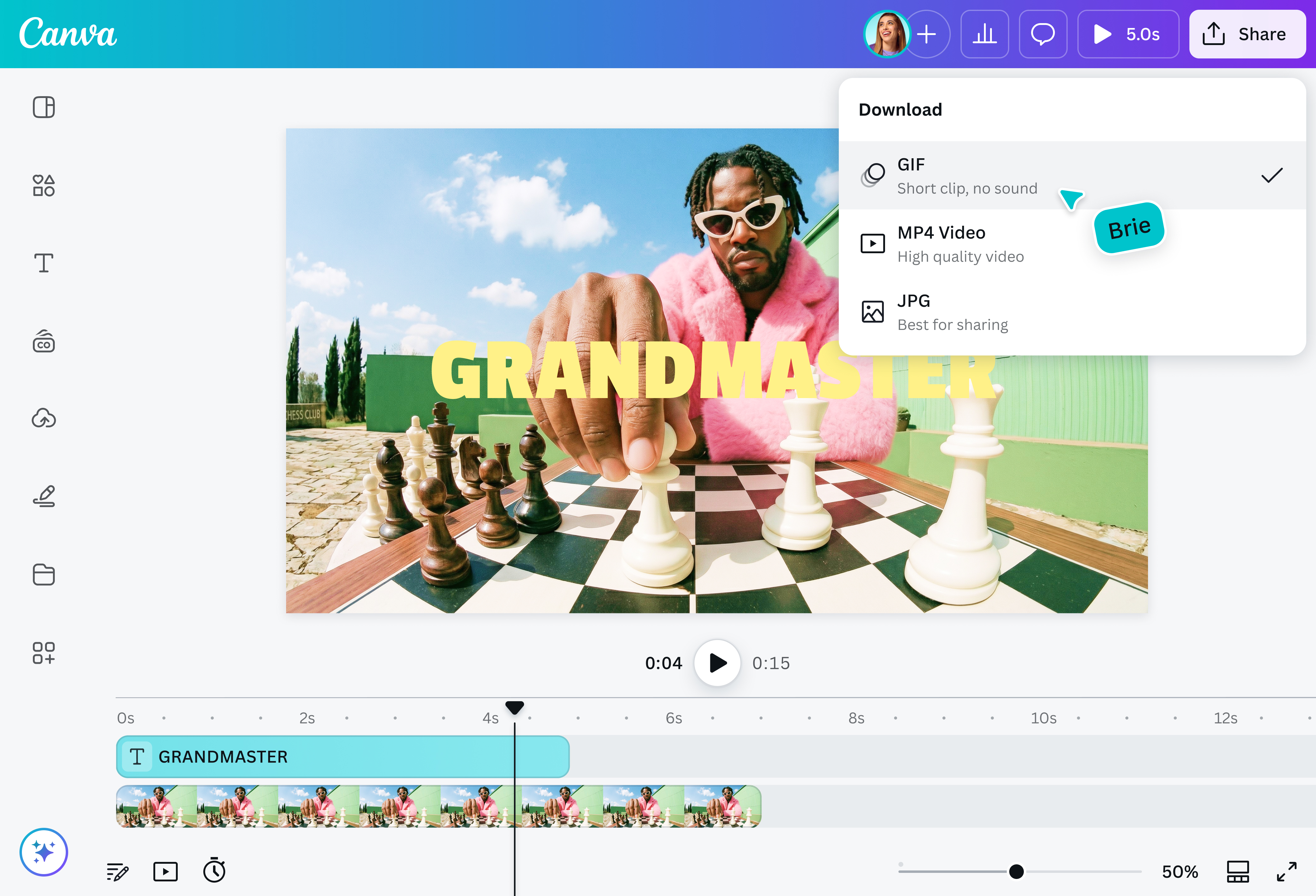
Download your design
Finally, convert from MOV for free by downloading your design as a GIF.
Effortlessly turn MOV videos into GIFs
With our MOV to GIF converter, you can create GIFs with smooth, high-quality loops without the need for editing experience or additional downloads and technical setup. It’s as simple as uploading your files, editing them, and downloading the design as a GIF.
Create custom GIFs for sharing everywhere
Anyone from content creators to digital marketers and even casual users can create custom GIFs with our MOV to GIF converter. You can also convert MP4 to GIF(opens in a new tab or window) if that's your preferred format. With these tools, you can create engaging content that brings joy in online comments, performs well on social media platforms, or even captures attention on advertising and marketing materials.
Converting MOV files to GIFs often results in a loss in quality because GIFs are limited to 256 colors.
There are multiple ways to make a high-quality GIF. When uploading your MOV, keep in mind to:
Use a video that’s 15 to 30 seconds long. The shorter, the better.
Keep the file size to less than 100MB. The lower, the better.
Keep the source video at 720p or less.
@canva is simply outstanding as a tool to create designs. Using Canva is such a seamless experience that once you sit down to design, you don't feel like getting up. It's addictive and useful. Keep going Canva.
@navneet4
@canva is an incredible app for designing pretty much anything you need! A huge selection of templates, fonts and colours; endless choices at the tip of your fingers; easy editing and sending/sharing. Best app I’ve used for a long time. If you haven’t tried it... try it!
@SpotOnDomain
I don’t know where I was without @canva They have absolutely great graphics for any social media platform. Whether it be a YouTube thumbnail, an Instagram Post or whatever you want to create. Let @canva make the design process easier for you.
@IGchef_andrewb
Omg I love you guys! Thanks for making it so easy for me to use your templates. There’s so many selections and your site and app are very easy to use and navigate !!! 🥇💓💓💓💓💓💓
@curlyfrosista
@canva is such a life changing tool! One of the most well thought out websites I've ever seen. I use it to showcase my work with the community and it never ceases to amaze me! Kudos for all the love and effort you've put into it's development! #canvadesigns