- Keeping parents informed: Creating a classroom newsletter
Keeping parents informed: Creating a classroom newsletter
Don’t have a classroom newsletter but interested in starting one? It’s far less work than you might think, and you’ll be pleased how well it works to keep parents informed and students engaged.
Classroom newsletters are just like they sound: newsletters about activities and projects going on in your class, what material’s being covered, important dates to keep in mind such as exams days and holidays, updates on school policy and culture, spotlights on students and staff, and anything else you might want to include. The point is to keep parents informed and students involved.
In this article we’ll focus on a class newsletter that students can participate in creating as well. They’ll be more likely to share it with their parents, too, if they feel they were part of the creation process.
01. Choose a template
While searching through templates, you’ll see that Canva has a newsletter template category(opens in a new tab or window). This is where we'll start. These templates are designed to for this purpose, and they’re easy to adapt to your needs.
That said, different educators have different needs, depending on the type of communication style you’re going for. Looking for a less conventional format? You can also choose a different kind of template, such as an Announcement(opens in a new tab or window) or Magazine template(opens in a new tab or window), if that works better for you.
Although your content will change from issue to issue, you’ll want to choose a template and stick with it. It’s not the worst thing in the world to switch styles from time to time, but consistency and branding go hand in hand, and people tend to like what’s predictable and familiar.
Try this Orange Primary School Newsletter(opens in a new tab or window) or this Orange and Green Magazine template(opens in a new tab or window) to get going.


02. Choose a layout
Many of Canva’s newsletter templates are set up for articles and multiple pages, but they don’t have to be this way. You can also just create a single page with a few sections for different subjects and list the learning highlights there. It depends how much text you want to include combined with photos and announcement-style illustrations.
You’ll notice that some of the templates are more colorful while others leave more white space; some are heavier on text than others; some have three columns per page and other have one. The possibilities are endless, so have fun experimenting.
One rule of thumb: Class newsletters(opens in a new tab or window) should be informative, upbeat, and aesthetically pleasing. The idea is to keep readers engaged and shed a positive light on learning, so dark color schemes and negative news might not be the greatest idea.
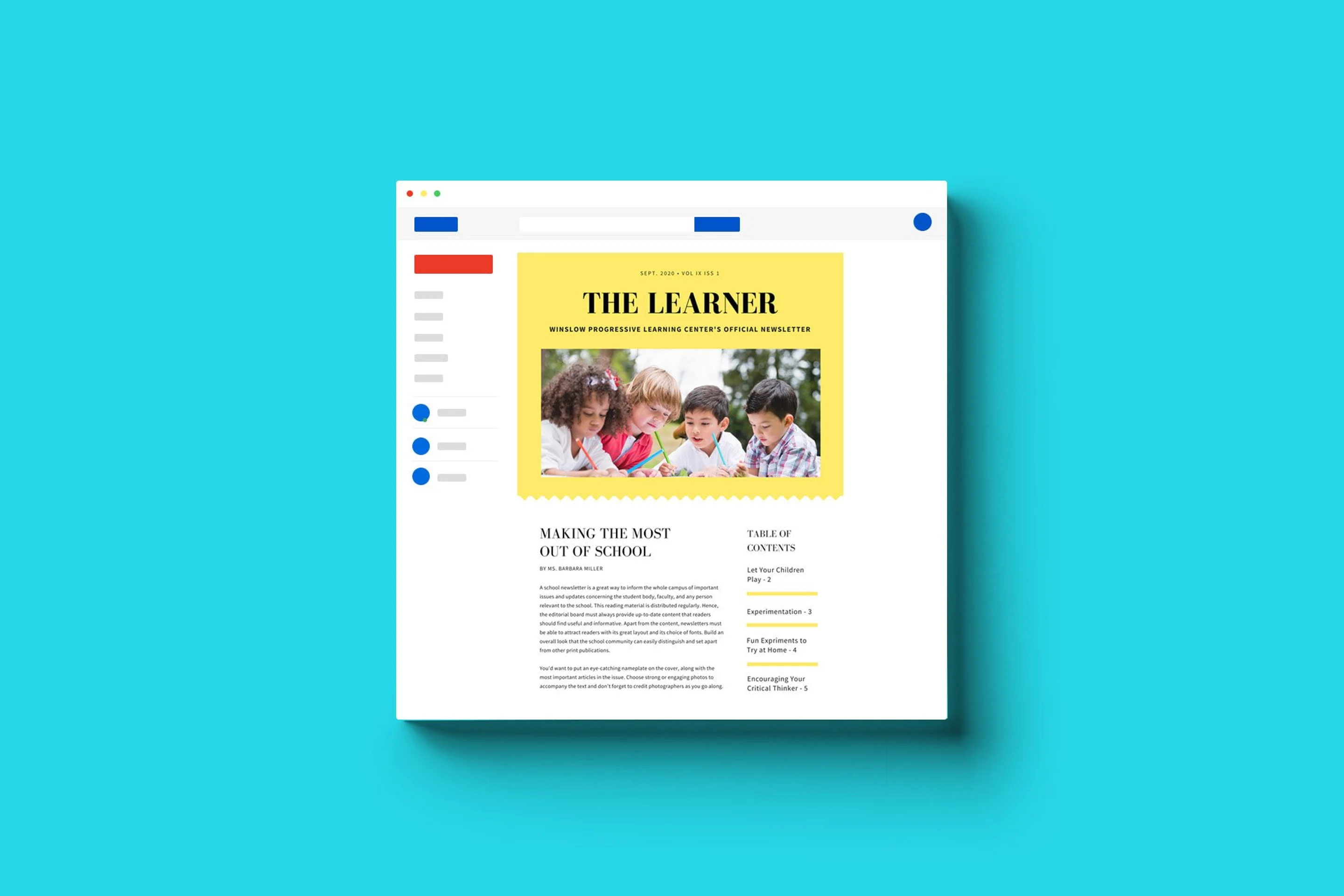
Try this Yellow and White School Newsletter(opens in a new tab or window) and see how you go.


03. Design the logo and front page
The front page is the first point of contact. It makes or breaks engagement. That means putting a little extra thought and effort into will be time well spent.
Do you want a banner to situate your logo? How many photos should be on the page? How much text? More color or less color? You can answer all these questions by seeing how others have designed their front pages or by experimenting on your own.
Consider the information you’re going to include in the rest of the newsletter when you’re designing your front page. If it’s a multi-page newsletter, include a table of contents on the side. You can call it “What’s New” or “In this Issue” and list the items next to their page numbers. If you’re going to include a lot of text in the inner pages, you might not need quite as much text on the front page, which leaves more room for colorful images to catch the eye or white space to relax the eye.
Design and include your logo on the front page, but leave it off the inner pages unless it’s as a small header or footer. For ideas, try out a banner like this Book Themed Newsletter Banner(opens in a new tab or window).

You’ll also find yearbook cover templates that can serve as front page banners such as this Playland Cover template(opens in a new tab or window).

04. Design the inside pages
How much text should go on each page within the issue? Well, that depends on the content you want to include and the message you want to send.
Newsletters featuring series of items, like upcoming dates and events, will take up less space, which leaves more room for photos and illustrations. Newsletters featuring long-form articles will take up more space, leaving less room for photos and illustrations.
You can of course vary the layout from one page to another, but overall, try to balance text with images and stick to an aesthetic theme if possible.
Draw inspiration from this Blue Simple School Newsletter(opens in a new tab or window).

Try out a quote like this Red Block Quote(opens in a new tab or window) to decorate one of your pages. You can fill it with a quote from a student or staff member instead. Maybe you’d like to include a “Student Voices” section that features comments about learning from members of your class.

05. Plan the content
At the beginning of the year you can survey students, faculty, and parents on what kind of material they’d like to be updated on.
Common requests might be descriptions and photos of classroom activities and projects (after all, parents don’t typically get to witness learning in action), updates on school policy and classroom rules (a new dress code, for instance), upcoming events such as field trips and fundraisers, important dates like holidays and exam periods, interviews with staff and students, and tear-out pages like surveys or permission slips.
Use this note card to record ideas, or send a survey to parents to gauge what they’d like to read. Try adapting this Pastel Daily Planner(opens in a new tab or window) for starters.

06. Build a database of material
Newsletters aren’t just a month-by-month regurgitation of your class syllabus. They are a chance to show parents what students have accomplished. So you’ll need to take photos of projects, class discussions, field trips, and everything else that illustrates learning in action.
Create a photo collage like this Yellow Preschool Photo Collage(opens in a new tab or window) so you have photos to draw from each month.

07. Involve students in the production
Students are more likely to share the newsletter with their parents if they feel involved in the production. You can involve them in groups or individually; it’s up to you.
In a group project scenario, students can form teams and fill different roles, some writing articles while others take photos or design the layout.
On the other hand, you can hold a drawing or contest and let one student per month be the “guest designer” of the newsletter. They can teach next month’s guest designer how to handle the ropes. On the back page of the newsletter you can include their photo and a text that says “Designed by [Name].” Try it out with this Student Council Poster(opens in a new tab or window).

08. Hold a contest for the newsletter name
Yet another chance for student participation: Hold a contest to see what ideas students come up with, and let them vote on the best name. They can draw inspiration by browsing through Canva templates, where they’ll find plenty of creative suggestions like Educators Quarterly, Oakwood Gazette, The Narrative, The Beechtown Leaf, the Campus Beacon, and The Learner. Design a certificate using this Ribbon Loyalty Award Certificate(opens in a new tab or window) template.

09. Choose a distribution method
You can print out your newsletters each month and send them home with students, or you can sign parents up for your newsletter via email and send out a monthly notification when the newsletter is ready to view.
Be sure to announce it on Facebook and X (Twitter) too.
10. Ask parents for feedback
Once you’ve sent out the newsletter a couple of times, request feedback from parents and students to see if improvements can be made. Would parents like to hear more or less about certain activities, events, and projects? Did you leave something out or include too much information about something else? Do students want to be more involved or less involved in the newsletter’s production?
If your newsletter includes informative articles about the learning process, teaching methods, or controversial news about campus life, invite parents to write replies to your articles in a “Letter to the Editor” format and include them in the next issue. You might even consider a “Parent Voices” section and feature quotes related to expectations and feedback.
Conclusion
Newsletters serve many educational purposes, from connecting with parents to teaching design skills to students to allowing educators themselves to feel more organized and creative.
After you create, send out, and track engagement on your first couple of newsletters, it will become easier and easier to make it a regular routine. Plus, you’ll have your template sitting in your “My Designs” folder(opens in a new tab or window), ready to be edited for the next month with new images and text.
The best part about using Canva to create your classroom newsletter(opens in a new tab or window) is that you get to have it all: an attractive template, simple and effective editing tools, and easy distribution. You could also look into Canva Education(opens in a new tab or window) to use Canva Pro features for free! Nothing’s better than saving yourself time and effort by getting it all taken care of in one place.

Written by
Saga Briggs