- Create Vector Generator
AI vector generator

Easy drag-and-drop editor
3M+ free stock photos and graphics
Design from any device
Invite others and design together
Create scalable images for your design project, website, or business in seconds. With the text-to-vector tool on Canva, all you need to do is enter a description of the image you have in mind, customize the look, and get scalable AI vector art options in a few clicks.

Create vector graphics in seconds with AI
Generate stunning images for your website, social media, and graphic design projects, even with zero digital illustration skills. With the vector AI generator on Canva, you simply need to put your vision into words. Get your creativity flowing with over 30 different art styles and sizes to choose from—you’ll have your vector in scalable vector graphic (SVG) format ready in seconds.
How to make vector art

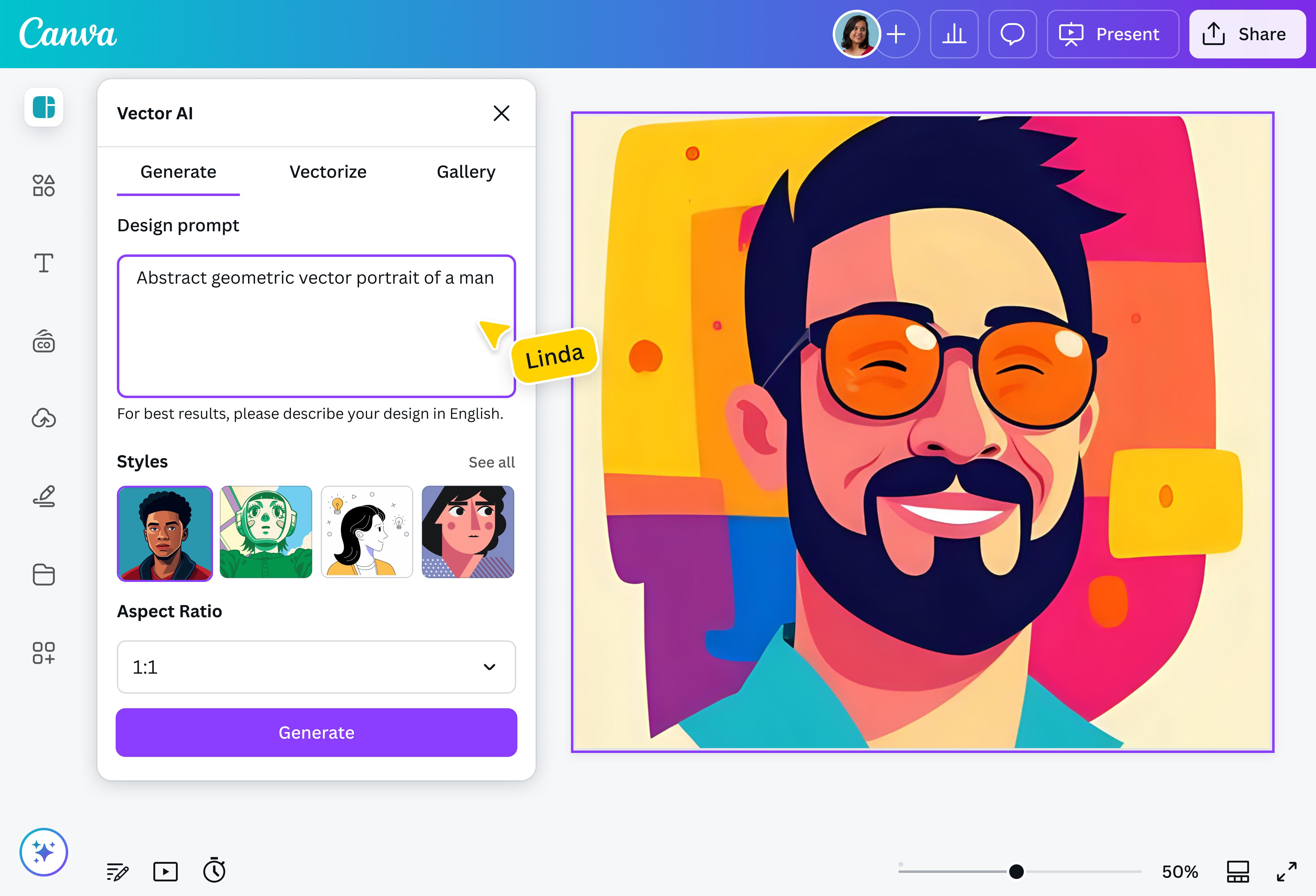
Generate unique imagery in seconds
Whether you're a web designer, digital artist, or content creator, you know the struggle of scouring through thousands of images and never finding the right one. Before you know it, you're settling for second-best to meet a deadline.
Get the perfect vector imagery with powerful AI. Just enter your text prompt, zero in on the art style and color mode you want, and watch your image come to life. Need inspiration first? Try our random image generator(opens in a new tab or window) to spark new ideas.
Customize away
Choose from more than 30 art styles, ranging from flat to line art, to match your aesthetic. You can also upload an image that you want to vectorize or browse the gallery to get the exact vibe down. Easily copy your chosen vector's style, size, and prompt to your own with a click of a button. Then, let the AI SVG generator do the rest!
Infinite scalability, endless creative possibilities
Enjoy using your vector image across all designs while preserving its high quality. Stretch your SVG for a massive billboard or size it down for a landing page thumbnail—rest assured, your vector image will survive with its quality and resolution intact. Need to make some tweaks on your image before launch? Use our SVG editor(opens in a new tab or window) to polish up your file.
Seamlessly incorporate into any design
When you create your image with the vector graphic or ai headshot(opens in a new tab or window) generator on Canva, you can instantly use it on any existing project you're working on. No more switching from one design tool to another. Quickly save your image in your folder and drag and drop it onto your next design on Canva, whether it's a one-page website(opens in a new tab or window), a client presentation(opens in a new tab or window), a print flyer(opens in a new tab or window), or a social media(opens in a new tab or window) post.
FAQ
- Write your prompt in English.
- Go simple and direct with your prompt.
- Don’t specify a style just yet in your text prompt – the following steps will allow you to narrow down the look of your image.
- To ensure you choose the right art style, click See all to see how the vector image creator interprets each style.

@navneet4