- Faceless Video

Make scroll-stopping faceless videos with AI
From high-energy lyric videos to engaging tutorials, the faceless video maker on Canva gives you high quality clips in minutes—no expensive software, design experience, or even video talents needed.
No camera? No problem

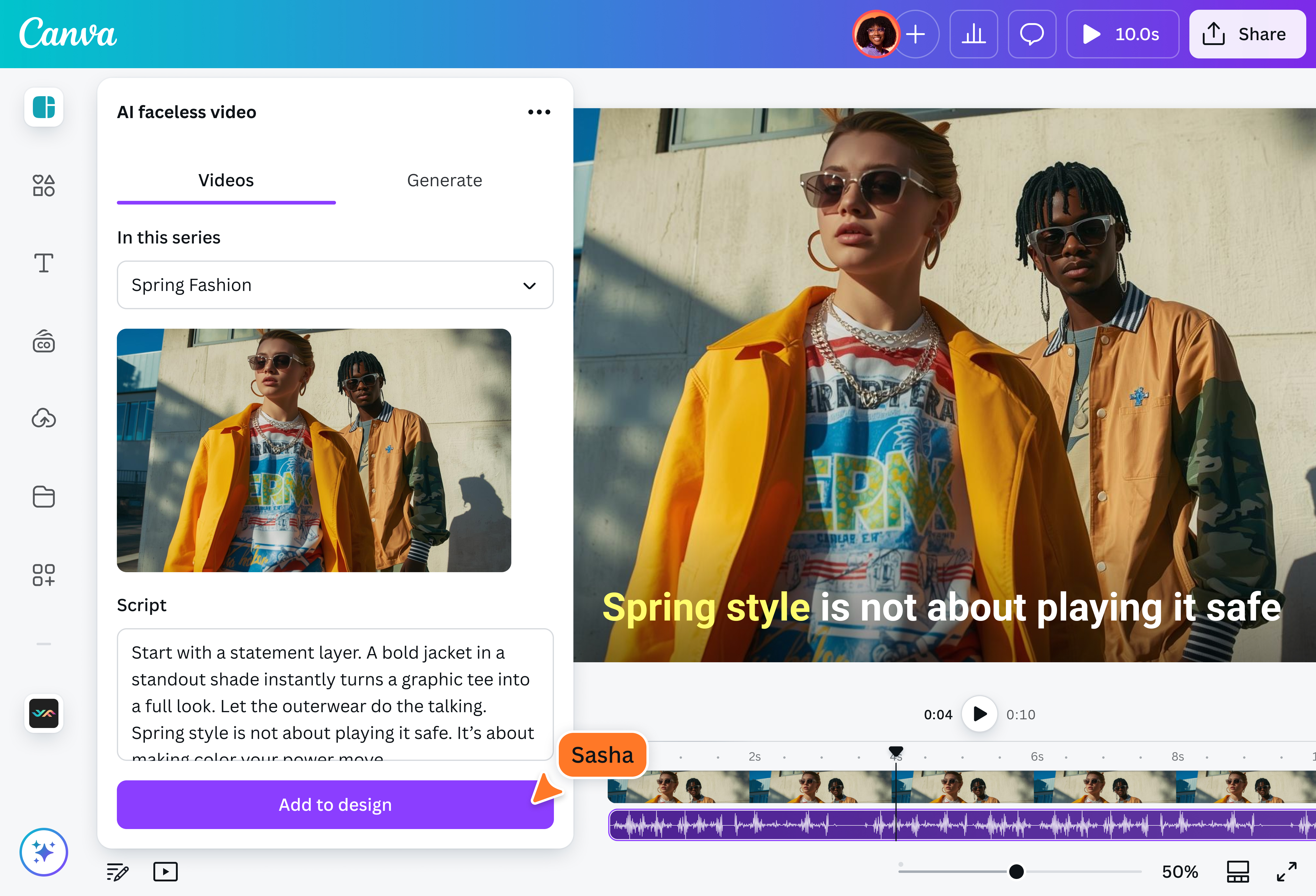
The AI faceless video generator on Canva can do just about the entire video-making process for you—including getting you a subject. Powered by advanced AI, this app can produce a wide range of creative visuals, from simple animated texts to full-blown AI-generated human subjects. Just input your video topic idea or use the script-to-video generator(opens in a new tab or window) and let the tool do the work.
Go from script to scene in seconds

Whether you’re a professional editor or casual social media user, the bottom line looks the same: a low effort, high-quality output in just minutes. Plan your content calendar(opens in a new tab or window) in advance, rehash your faceless videos for different platforms with Canva’s video resizer(opens in a new tab or window) and save yourself a great deal of time, effort, and resources. Ensure that your content calendar keeps on churning—even if it’s just you at the helm.
Keep your audience hooked

The faceless video maker is powered by an AI trained on current trends and viral moments, giving it a clear picture of what modern audiences love to see. This ensures your videos are designed to catch—and retain—your viewers’ attention, helping you send your message effectively.
Hassle-free content creation

Canva is home to an incredible suite of creative tools for photo and video editing(opens in a new tab or window), graphic design, animation(opens in a new tab or window), writing, and more. In other words, you can do every step of the content creation process—from ideation to revisions—all in one place. With our user-friendly interface, extensive resource library, and powerful design tools, Canva is one of the easiest ways to make content.
How to make faceless videos with AI

Frequently asked questions
A "faceless video" is a video with no direct human subject. Instead, it uses other elements to present the topic or tell the story, like using voice over narrations, kinetic typography, animations, or, thanks to the growing popularity of AI, computer-generated subjects.
It's a great option for creators who want to keep their privacy or do not feel comfortable standing in front of a camera, brand channels who want to keep the focus on their products rather than models, or low-budget productions looking to save on traditional video production expenses.
Virtually anything under the sun.
Some faceless videos you can make include:
- Explainer videos: Break down complex ideas or share interesting facts with animations, kinetic typographies, or voice overs accompanied by stock videos or even gameplays of popular mobile video games.
- Educational videos: Turn classroom lectures and course materials into engaging online lessons that feature eye-catching visual aids like graphs and charts, sample photos or videos, and more.
- Marketing ads: Create quick and easy promotional videos to support your wider marketing initiatives without spending much (if at all) on professional services
- Evergreen social media posts: Keep audiences engaged and entertained with a consistent schedule of TikTok clips, YouTube Shorts, Instagram Reels and more
Yes, as long as you meet the requirements and follow the rules of the platform.
Typically, creators will need to sign up to a monetization program (such as the Youtube Partner Program or the TikTok Creator Fund) and meet eligibility requirements, like a certain number of followers and/or views, before they can be considered.
However, do note that every video is reviewed continuously, and can be demonetized later down the line. As such, it’s important to stay abreast of the platform’s guidelines and ensure that your content aligns with policy. Some common reasons for demonetization include sensitive topics (violence, politics, discrimination, etc.), copyright infringement, deceptive practices (clickbait, false information, etc.), and even use of certain words (expletives or terms related to violence).

@navneet4