- Top 4 AI hacks Canva’s marketing team swears by
Top 4 AI hacks Canva’s marketing team swears by

Updated by Oct 2026
Let’s be real—marketing today feels like an endless sprint. No matter how fast you move, there’s always another deadline looming. More content requests than hours in the day. Higher expectations. The constant pressure to stay creative while keeping everything on-brand... something has got to give.
We’ve felt it too. That’s why our marketing team at Canva has embraced AI—not as a magic fix, but as a way to work smarter, not harder.
And we’re not the only ones. According to the Marketing and AI Report 2026(opens in a new tab or window)
- 97% of marketing leaders use AI in their daily creative work
- 89% of leaders say AI saves them time
- 68% say AI has led to an increase in marketing-influenced business decisions
Source: Canva, The State of Marketing & AI Report 2026, based on 2,400 marketing and creative leaders surveyed across the US, UK, Australia, France, Germany and more.
Instead of throwing AI buzzwords at you, we’re here to share real solutions used by real marketers (who, just like you, have real deadlines to meet).
So, where do you start? What AI tools should you be using—and when? We asked four Canva marketers to show exactly how they use AI to strategize smarter, scale faster, and create better content—all while keeping their sanity intact.
Here’s how they make the magic happen.
- Marco saves 20 hours a week on content creation with Magic Media, Background Remover, and Magic photo editing tools (like Magic Expand and Magic Edit)
- Rachael reduces editing time by 8 hours per campaign with Magic Resize, Dream Lab, and AI Bulk Create
- Robyn makes content accessible to 100+ global audiences with Magic Translate, Magic Captions, and Accessibility Checker
- Erin creates a strategy doc in under a minute with AI Sort Sticky Notes, AI Summarize, and Magic Resize’s Transform feature
1. How can marketers save time on content creation with AI?
Save 20 hours a week on content creation with AI.
You know that feeling when you spend hours tweaking a design pixel by pixel, only to realize there’s still an entire campaign to build? Marco gets it. As a Brand Designer on Canva’s Marketing Creative Team, he’s constantly balancing tight deadlines, multiple projects, and the growing demand for high-quality, on-brand visuals.
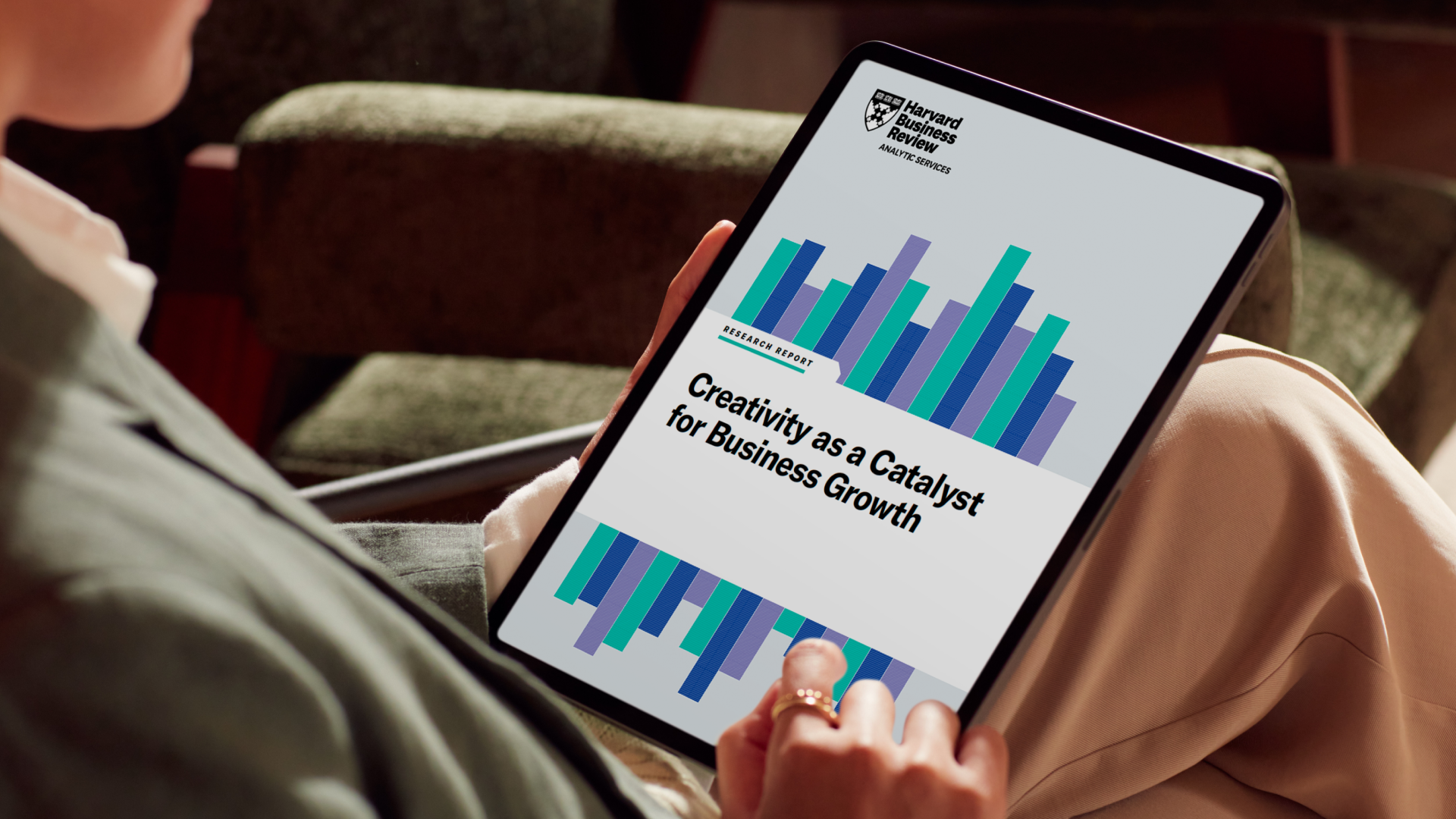
Like most creative teams, Marco hit a wall—how do you keep up with growing content demands without working around the clock? According to Harvard Business Review’s Creativity for Business Growth Report that published in 2024(sample size=500), 96% of survey respondents agree that creative ideas are essential to an organization’s long-term success(opens in a new tab or window), yet many teams are stretched thin, struggling to do more with less. And when creative bottlenecks slow things down, it’s not just frustrating—it impacts the bottom line.
Marco has saved up to 20 hours a week on content creation with AI tools like Magic Media and Magic Edit, going from concept to execution in record time. Instead of wasting hours tweaking designs, AI tools handle the busy work—freeing him up to focus on the creative work that actually moves the needle.
What Canva AI features Marco loves:
- Magic photo editing tools(opens in a new tab or window) (like Magic Expand and Magic Edit)
Brainstorming and storyboarding made easy: When Marco starts a new video campaign, he turns to Magic Media to quickly bring his ideas to life.
“For example, when I am putting together a storyboard for a video, I’ll start by using Magic Media to quickly visualize and storyboard my concept,” Marco explains.
Instead of spending hours searching for the perfect visuals, he can generate them in seconds. This makes it much easier to present a clear first draft to stakeholders and get buy-in faster.
Polish designs without the hassle: Once the storyboard is ready, Marco uses the Background Remover to refine his visuals. “I use the Background Remover to refine my creative concept mock-ups, placing them on real backgrounds for a polished look,” he says. Whether he’s preparing visuals for a pitch or finalizing campaign assets, this tool ensures his designs look professional and perfectly align with company brand guidelines.(opens in a new tab or window)
Repurpose and perfect existing assets: Reusing existing photos is a practical solution for many creative teams, but those assets don’t always fit seamlessly into every campaign. That’s where Marco turns to Magic Studio tools like Magic Expand and Magic Edit. “If I have any photos or images that I want to use but don’t quite look on-brand or as high quality that I’m after, I rely on AI-powered photo editing tools like Magic Expand so my images can fit any space, or Magic Edit to magically add, change, or remove objects within the photo,” Marco shares. These tools allow him to tweak every detail, ensuring his visuals meet the highest standards with minimal effort.
2. How can AI cut campaign editing time?
Reduce editing time by 8 hours per campaign with AI.
Ever had that moment where you realize your campaign needs social posts, email headers, web banners—oh, and they all have to be resized, reworked, and ready to go… yesterday? Rachael knows that feeling all too well.
As a B2B Content Strategist at Canva, she’s constantly balancing tight deadlines and an ever-growing list of content requests. And with creative teams already stretched thin juggling competing priorities, waiting in line for design support isn’t always an option. Scaling content sounds great in theory, but in reality? It often feels like an endless loop of copy-paste, tweak, resize, repeat.
Instead of spending hours manually adjusting designs for different platforms, Rachael uses AI to do the heavy lifting. With everything in one place, she can quickly adapt assets without missing a beat—freeing up time to refine messaging, optimize creative, and focus on making the campaign as impactful as possible. Now, instead of scrambling to keep up, she’s one step ahead, delivering high-quality content at scale without the stress.
What Canva AI features Rachael loves:
Scale content without stress: For one recent campaign, Rachael started with a single base design—a video. Normally, adapting this design for platforms like Facebook, LinkedIn, email, and webpage modules would've been a painstaking process, that could've cost her a full day in creative output. But with Magic Resize, it only took a few clicks.
“It saved me up to 8 hours of editing time per campaign” she shares.
“Instead of manually adjusting dimensions or copy-pasting elements across designs, everything was automatically resized for each platform. No fiddling with layouts or wasting time—it was quick, seamless, and completely on-brand.”
By eliminating repetitive, time-consuming tasks, Rachael was able to focus on the campaign’s strategic vision while still delivering perfectly tailored assets for each social media platform.
Open up creative possibilities: When campaigns call for more visuals(opens in a new tab or window), Rachael turns to Dream Lab to expand her creative options. “Dream Lab expanded my visual options without needing extra creative support,” she explains. By uploading a reference photo, she can quickly generate multiple variations that align with her campaign’s tone and style.
This gave Rachael more flexibility and reduced the strain on her creative team, allowing them to focus on high-impact work.
Personalize content at scale: For audience-specific content, Rachael uses AI Bulk Create to quickly generate tailored designs. By uploading data such as customer names, stats, or logos and connecting it to her templates, she can create dozens of personalized assets in minutes while staying on-brand. Think of customized email headers with a recipient’s name or social media graphics featuring stats relevant to specific industries. “It’s the easiest way to create personalized content at scale,” she explains, saving time while ensuring each asset feels targeted to her campaign brief and professional.
3. How can AI make marketing content more accessible globally?
Make content accessible to 100+ global audiences with AI.
Great content isn’t just about looking good—it’s about making sure everyone can actually engage with it. Ever tried to watch a video without captions in a noisy café, seen a translation awkwardly break a design, or struggled to read light text on a bright screen? These small frustrations add up, and for global audiences, they can be the difference between content that resonates and content that gets overlooked.
That’s where Robyn and her team come in. As a Marketing Localization Team Lead at Canva, she’s always thinking about how to make content clearer, more inclusive, and easier for everyone to engage with—no matter where they are or what language they speak. And the best part? It doesn’t take a full redesign. Simple tweaks—like better font contrast, adding captions, or resizing text—can massively improve localization, accessibility, and engagement.
By using AI, Robyn, and her team can catch and fix these issues in seconds—helping Canva’s content reach more people, more effectively. Because when content is designed for everyone, it works better for everyone.
What Canva AI features Robyn loves:
Localize designs in 100+ languages: For Robyn, Magic Translate is a lifesaver when localizing content for Canva’s global audience.
“With just a click of a button, we can see our designs in over 100 different languages, like German, Japanese, and Thai,” she explains.
This allows Robyn and her team to quickly identify layout or spacing issues, such as when longer text doesn't fit, or a different brand font is needed to support a specific language script. "It's incredibly helpful for showing our design teams exactly how content needs to be rebuilt or tweaked for our global audience," she adds.
Reach more audiences with captions: When it comes to videos, Canva's captions make adding subtitles simple and effective. "Adding subtitles is such an easy way to make our videos more accessible and ensure they reach more people, whether they're watching without sound or need captions for accessibility," Robyn shares.
This small feature has a big impact, enabling Canva's video content to connect with a broader, more inclusive audience. With Canva's video translator(opens in a new tab or window), you can even translate captions instantly to reach global audiences.
Catch accessibility issues before they go live: Before anything goes live, I always like to run it through Canva's Accessibility Checker(opens in a new tab or window) to catch things like poor color contrast or tiny fonts," Robyn explains. This quick, simple step ensures that every design is readable and accessible for everyone, saving time and avoiding last-minute fixes.
4. How can AI turn a brainstorm into a strategy doc?
Create a strategy doc in under a minute with AI.
A great brainstorming session can leave you feeling inspired—but also completely overwhelmed. Sticky notes everywhere, a whiteboard crammed with ideas, and no clear path forward. Figuring out what’s worth prioritizing and turning it into an actual plan(opens in a new tab or window)? That’s where things get tricky.
For Erin, a Product Marketing Manager at Canva, this is a daily challenge. Bringing products to market means juggling multiple projects, aligning with different teams, and making sure nothing important gets lost in the shuffle. When deadlines are looming, spending hours manually sorting through notes and structuring plans just isn’t realistic.
“You know how brainstorming sessions can go—you create a whiteboard full of incredible ideas, but then comes the tricky part: figuring out how to organize everything and turn it into an actual plan,” Erin shares. “It can feel overwhelming, especially when you’re juggling multiple projects and deadlines.”
By incorporating AI into her workflows, Erin can skip the post-brainstorm chaos and get straight to execution. AI automatically sorts ideas, summarizes key takeaways, and transforms messy whiteboards into polished, shareable strategy docs in seconds—helping her and her team stay focused on what matters most.
What Canva AI features Erin loves:
- Create a summary for an entire whiteboard(opens in a new tab or window) – including stickies, flowcharts, and diagrams
Bring clarity to brainstorming sessions: After a brainstorming session, Erin uses Canva’s Sort feature for whiteboard sticky notes to quickly group scattered ideas into clear themes or priorities. “It’s a great way to get instant clarity on what we discussed and focus on the most important areas,” she explains. Instead of sifting through endless sticky notes manually, AI Sort organizes everything for her in seconds, saving time and reducing overwhelm.
Create summaries that align the team: To keep her team aligned without drowning in details, Erin turns to Canva’s Create Summary feature. “I love using AI summarize to condense key points into a clear, digestible summary,” she says. This helps ensure everyone is on the same page and ready to move forward quickly.
Transform ideas into shareable plans: Once her ideas are organized and summarized, Erin uses Magic Resize’s Transform feature to turn her whiteboard brainstorm into a document or presentation with just a click. “It’s such an easy way to create something polished and shareable without having to start from scratch,” she explains. This makes it simple to share plans with her team and keep the momentum going.
See how these AI tools work in an enterprise workflow. Watch the Canva Enterprise demo(opens in a new tab or window).
Is it safe to use AI for marketing at an enterprise level?
Safe use of AI in organizations.
AI is changing the way we work—but with great power comes great responsibility (yes, we went there). As more teams embrace AI, it’s important to have the right safeguards in place to ensure it’s used responsibly, transparently, and in a way that puts people first.
That’s why Canva’s Safe AI initiative, backed by Canva Shield, is designed to give organizations enterprise-grade controls that keep AI use secure and aligned with privacy needs. From opt-out options for creators to indemnification for enterprise users, we’re committed to making AI that’s not just powerful, but trustworthy and built for teams.
Because at the end of the day, AI should help teams work smarter—not create new risks. Learn more about Safe AI at Canva.(opens in a new tab or window)
We get it—marketing is fast, demanding, and never slows down. At Canva, we face the same challenges every day, which is exactly why we’ve built AI tools that actually help, not hype. Whether you’re brainstorming a campaign, resizing assets for every platform, or keeping everything on-brand, Canva’s AI(opens in a new tab or window) is designed to make your job easier, your workflow smoother, and your creative process more fun.
Take the next step:
Ready to see what AI can do for your team? Watch our 6-minute demo video(opens in a new tab or window) to see Canva Enterprise in action.
Frequently Asked Questions
1. What AI tools does Canva's own marketing team use?
Canva's marketing team relies on Magic Media, Background Remover, Magic Resize, Dream Lab, AI Bulk Create, Magic Translate, Captions, Accessibility Checker, and whiteboard AI features like Sort and Summarize, all built into Canva's Visual Suite.
2. How much time can AI save on content creation?
Canva Brand Designer Marco reports saving up to 20 hours a week using Magic Media for storyboarding and Magic Expand and Magic Edit for repurposing existing photos, freeing up time for higher-value creative work.
3. How does Magic Resize help with campaign production?
Magic Resize automatically adapts one design into the correct dimensions for every platform, including Facebook, LinkedIn, email and web. Canva B2B Content Strategist Rachael saved up to 8 hours of editing time per campaign using this feature.
4. Can AI help localize marketing content for global audiences?
Yes. Magic Translate converts a design into over 100 languages with one click, helping teams spot layout or font issues before content goes live. Canva pairs this with Captions and an Accessibility Checker to support inclusive, multi-market content.
5. How does AI help turn brainstorms into strategy documents?
Canva's whiteboard AI can sort sticky notes into themes, summarize entire whiteboards, and transform a whiteboard into a polished document or presentation, cutting the time between a brainstorm and a shareable plan to under a minute.
6. What percentage of marketers use AI in their creative process?
According to Canva's State of Marketing & AI Report 2026, a survey of 1,415 marketing leaders across the US, UK, Australia, France, Germany, Japan and India, conducted in partnership with The Harris Poll — most marketers now treat AI as a core part of their creative process rather than an experiment.
7. Is it safe to use AI for enterprise marketing?
Canva's Safe AI initiative, backed by Canva Shield, gives organizations enterprise-grade controls over AI use, including opt-out options for creators and indemnification for enterprise users, so teams can adopt AI responsibly at scale.
8. Which Canva plan includes these AI marketing tools?
Magic Media, Magic Resize and Magic Translate are available on Canva Business and Canva Enterprise, with higher usage limits and additional AI governance controls on Enterprise. Watch the Canva Enterprise demo at canva.com/enterprise/product-demo/ to see them in an enterprise workflow.

Written by
Canva Team