- Create Site Plans
Site plan creator

Easy drag-and-drop editor
3M+ free stock photos and graphics
Design from any device
Invite others and design together
Turn property ideas into plans of action with Canva Whiteboards. Create functional site plans for any development project, from small-scale renovations to major construction work. Explore pre-built templates or DIY it easily with AI-powered tools.

Bring your dream site to life
Whether you’re a newbie homeowner or a professional DIYer, Canva Whiteboards(opens in a new tab or window) can help you create a site plan from scratch. Unlike traditional site plan software, it’s free and easy to use, with hundreds of ready-made templates and elements.
Just drag and drop structures, bodies of water, and more to the infinite canvas. Or use the Draw tool(opens in a new tab or window) to sketch out unique topographies and property shapes.
[Disclaimer: Site plans designed on Canva are still subject to the approval of licensed architects and engineers before they can be used in construction.]
How to make a site plan

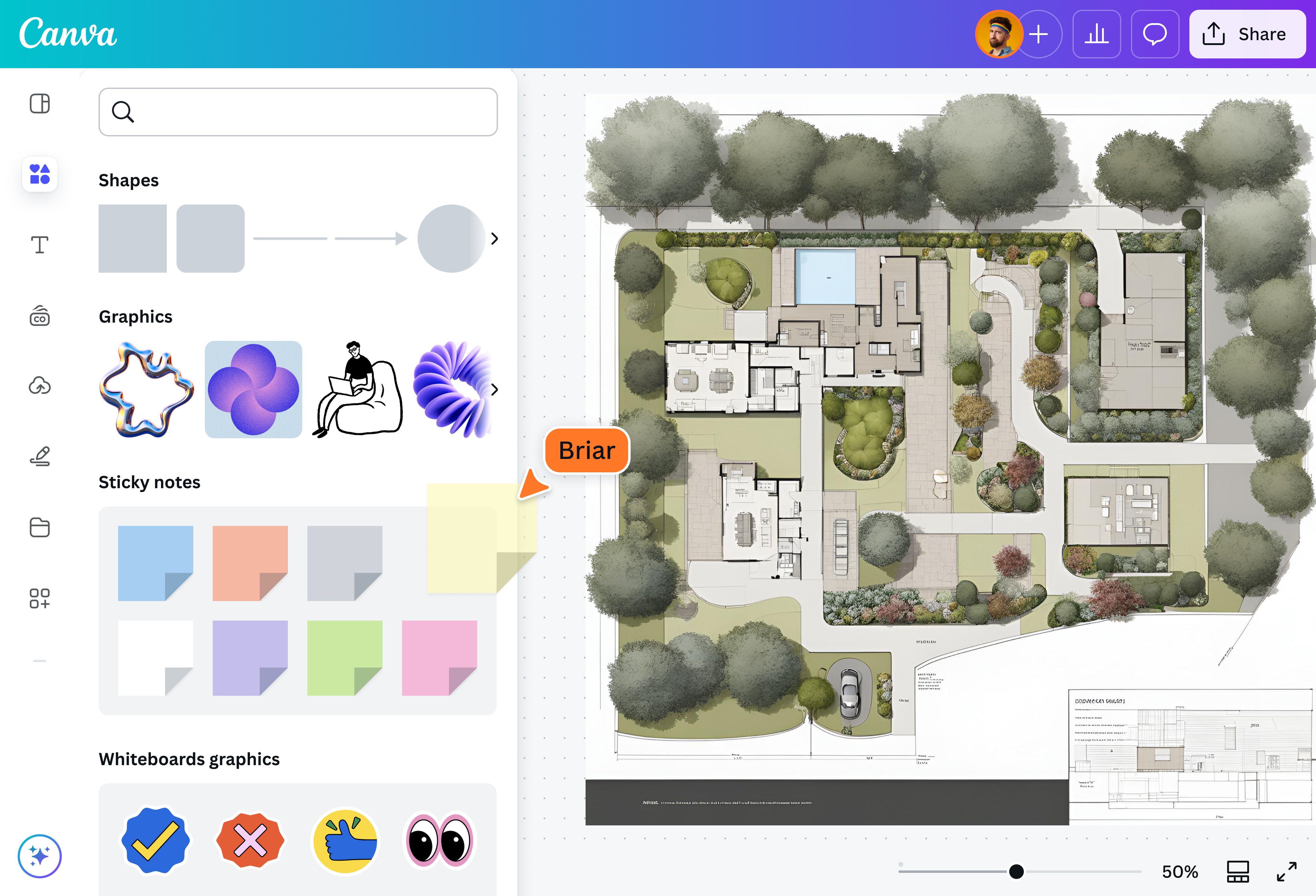
Lay the groundwork with a site plan design
Canva’s site plan templates are designed by professionals, giving you a solid base to work with. Instead of starting from scratch, you can pick from and easily modify our templates to reflect your property and support your landscape plans(opens in a new tab or window). Canva is also significantly easier to use than traditional site planning tools, with intuitive point-and-click controls and straightforward menu options, making it accessible for all.
Design without borders
Canva Whiteboards has an infinite canvas, so you can keep creating without thinking of the limits. Whether you’re extending property lines or adding more and more elements to your site plan drawing, you’ll have all the space you need to plot out your dream site.
Build it your way
Canva’s site plan maker makes it easy to bring your dream projects to life. Choose from thousands of lines, shapes, and connectors in the visual library to quickly mockup complex architectures, landscapes, pathways, floor plans(opens in a new tab or window), and so much more. Can’t find the site plan symbol you’re looking for? With the Draw tool, you can dream up your own in a few clicks.
Collaborate and share
It takes a team to get your ideas off the ground. Share your site plan with friends, family, designers, or clients, and watch your design come to life in real time. You can grant access to edit your project, leave comments, assign tasks, and see live updates from other users as they happen.
FAQ
Site plans depict the entire property or land, including all buildings, roads, and other infrastructure within the area. In contrast, floor plans only show the interior space of specific structures (e.g., buildings) or parts thereof (e.g., individual rooms).
In a nutshell, site plans show the wider exterior, while floor plans depict specific interiors.
Before drawing a site plan for your property, follow these tips:
- Determine if you need an “official” site plan for the project. Big construction work requires permits, proper documentation, and a site plan made and approved by licensed officials. If paperwork is necessary, it’s important to get started right away as these can take a while.
- Research the boundaries of your property. For big projects or complex land areas, you may need to enlist land surveyors and engineers.
- Account for any existing landscapes or structures when positioning your project. For example, if you’re building close to a body of water, consider potential rises in water levels and the integrity of the foundation, among other things.
- Keep your notes, drawings, and any photos of the location in one place for easier reference, like in our online whiteboard.

@navneet4


