- Create House Plans
Create house design plans online

Easy drag-and-drop editor
3M+ free stock photos and graphics
Design from any device
Invite others and design together
Build a house online with Canva Whiteboards. Sketch a blueprint for your dream home, make home design plans to refurbish your space, or design a house for clients with intuitive tools, customizable home plan layouts, and infinite whiteboard space.

Build your own house online
Draw your dream house to life with home design tools on Canva Whiteboards. Simple to use for newbies and a convenient alternative to home design software, Whiteboards has all the essential tools to create a custom home floor plan with ease.
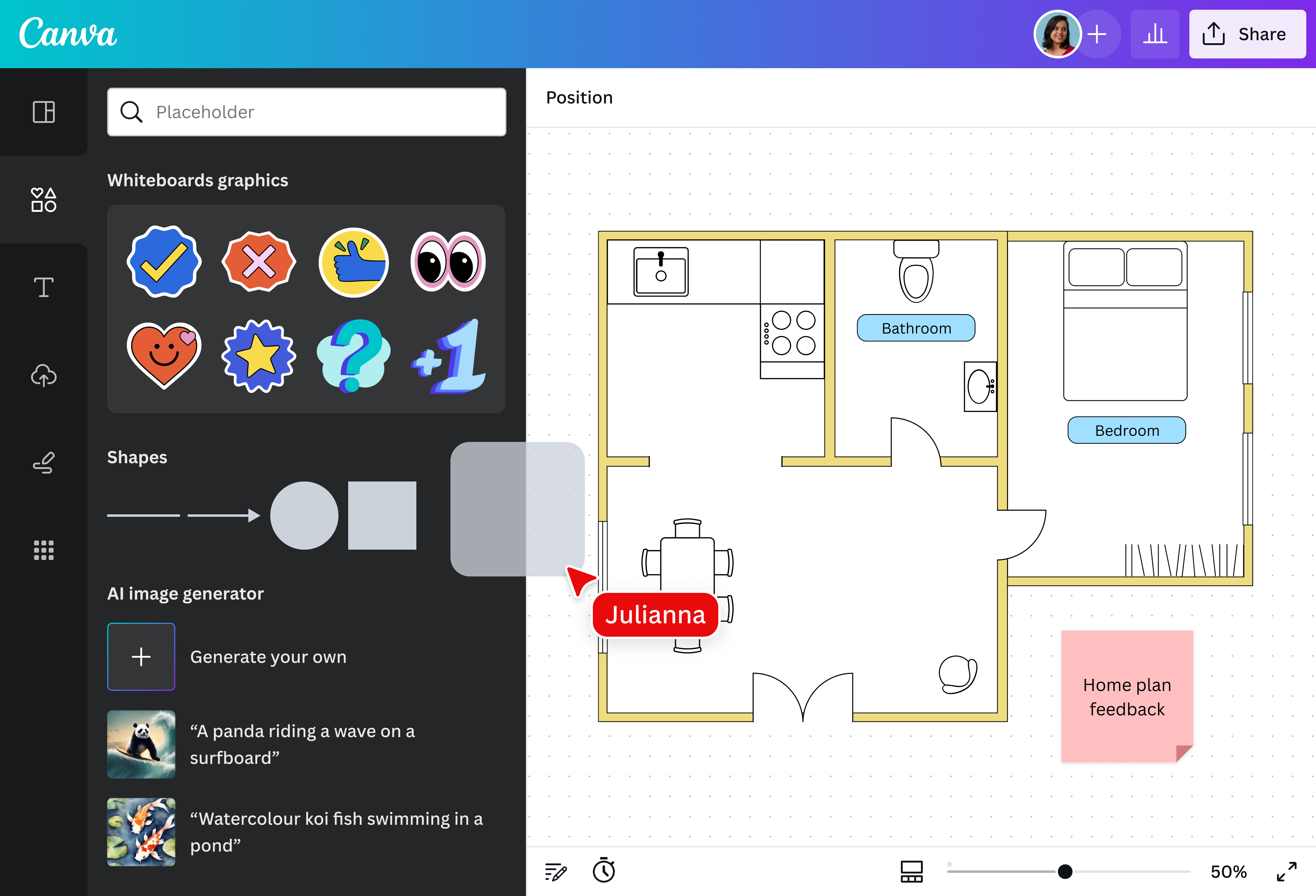
Maximize the Whiteboards’ infinite drawing space to sketch out your rough ideas. Create and collaborate on a house design project with clients, friends, family, and teammates with beginner-friendly design tools. Start inspired with our home floor plan template, then just drag and drop premade symbols from our Elements tab to map out the house of your dreams.
How to design a house online

A great foundation for your house design project
Whether you’re a homeowner, a design student, or an interior design pro, you’ll love using Canva Whiteboards for your house design project. With Canva’s intuitive design tools for modern house plans, you can easily create 2D floor plans alongside landscape plans(opens in a new tab or window) that you can use as your blueprint for your home build or refurbishment project.
Break boundaries with the endless whiteboard space
Allow yourself to imagine your home in countless creative ways. With Canva Whiteboard’s unlimited canvas, you can dream up infinite variations of each room in your house or gather all the floor plans for your multi-story dream home in one space. Maximize Canva’s selection of customizable shapes, lines, and connectors to indicate home features such as walls, doors, furniture, rooms, and other details.
Take collaboration to a whole new level
Whether you’re creating your first home with a partner, redecorating with a loved one, or designing a house with a team for school or clients, you can use Canva to collaborate seamlessly together or apart. Allow your design team full editing access, assign tasks, leave comments, and more. Enjoy easy access to Canva online on the web or via the app available on iOS and Android.
Impress with a dynamic house design presentation
Proposing a home plan to a client? Easily incorporate feedback, notes, and instructions on the spot by presenting your house design straight from your Canva Whiteboard. You can also use AI virtual staging(opens in a new tab or window) to show how rooms might look when furnished. You can likewise embed your home design plans and project management plans(opens in a new tab or window) with a few clicks on Canva Docs and Presentations.
FAQ
- Decide on the area you want to draw. Are you designing house plans for a one-story house or are you designing for multiple stories? If so, you’ll need to create floor plans for each story.
- Measure, measure, measure! If you have an existing space, measure the exterior and interior walls. If your house has yet to be built, know the square footage of your space. Once you’ve got your dimensions, be sure to convert your measurement ratios so you can draw to scale.
- Take natural light into consideration. This should influence where you place your windows, and in turn, your furniture.
- Make space for essential furniture and fixtures. For closets and cabinets, make sure there’s enough room to extend the doors.
- Know the correct shorthands. Make sure your house floor plan is universally understandable by architects and interior designers by using the most commonly used shorthands and symbols.
- Open floor plan: A house floor plan that incorporates the living, dining, and kitchen areas into one big space with no demarcation.
- Closed floor plan: As opposed to the open floor plan, a closed floor plan will separate the living, dining, and kitchen areas with walls.
- Modular floor plan: Perfect for small spaces like tiny houses, with rooms that have interchangeable features that can be rearranged to fit different needs.
- Hybrid floor plan: A combination of open and closed floor plans.

@navneet4


