- Create Landscape Plans
Free landscape plan builder


Easy drag-and-drop editor
3M+ free stock photos and graphics
Design from any device
Invite others and design together
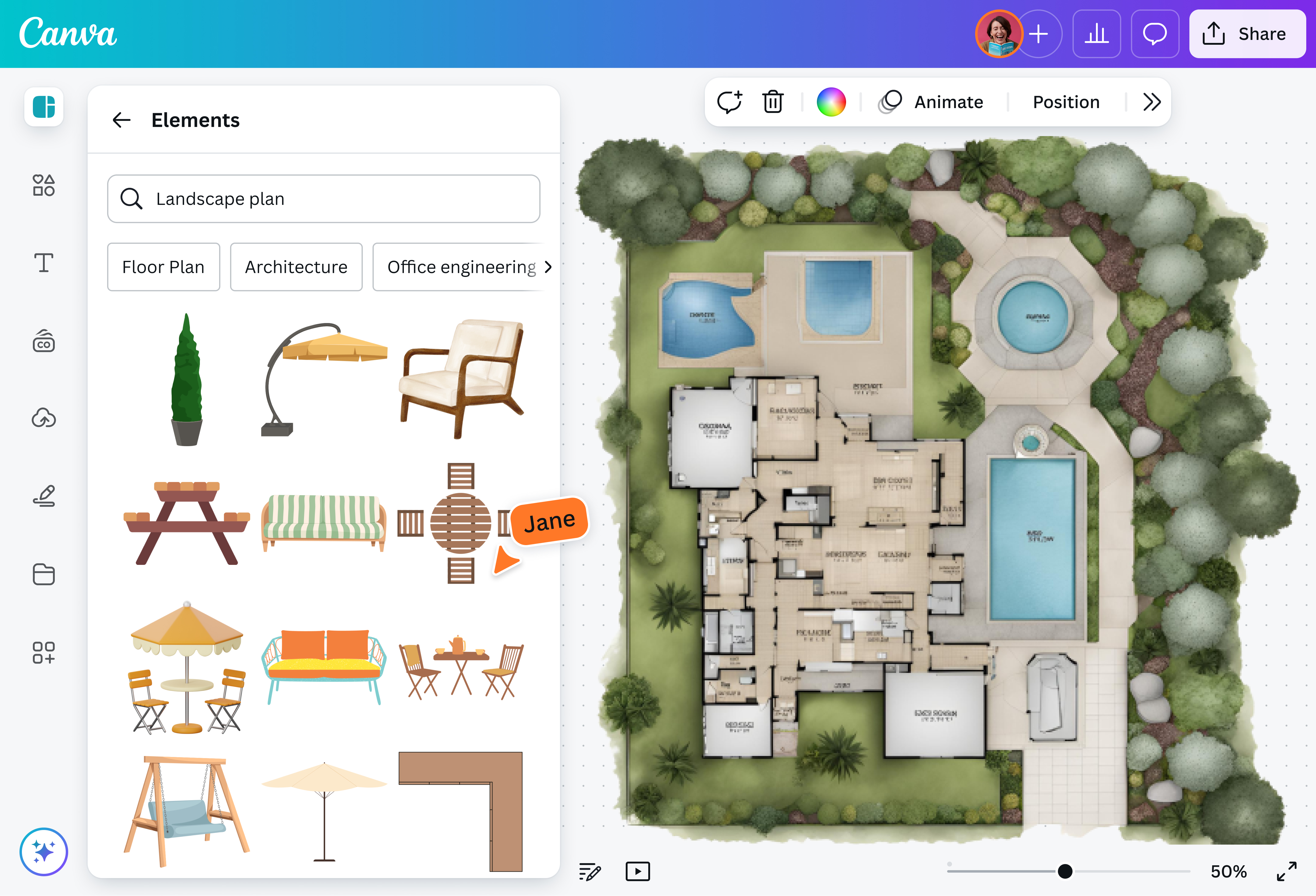
Visualize your dream garden, patio, or backyard design without using complicated software. With Canva Whiteboards, making a landscape plan is easy thanks to its infinite canvas, intuitive design tools, vast elements library, and editable templates.

Design your own landscape like a pro in minutes
Say goodbye to costly, confusing landscape software and hello to a free design tool that helps you quickly outline the yard of your dreams. Whether you’re a homeowner raring to give your garden a facelift, a landscaper who needs to collaborate with clients, or a real estate agent looking for ways to market your listings, Whiteboards has all the tools you need to create a 2D landscape plan.
How to create a landscape plan

Hone your landscape design skills at no cost
You don’t have to be an experienced landscape planner to design a beautiful outdoor living space. From hobbyists and design students to skilled landscapers and realtors, anyone can use Canva Whiteboards to kick-start their landscape plan for free. There’s no need for prior design experience either. Just select one of our ready-to-use templates, then modify it by dragging and dropping elements from the media library.
Visualize your yard on an endless whiteboard space
Can’t decide between building a new deck, gazebo, or patio for entertaining guests? Why not make landscape plans for all your ideas? Canva Whiteboards has a limitless canvas that can display multiple versions side by side. Copy and paste the common elements in your landscape plans, then use Canva’s customizable colors, lines, shapes, and connectors to determine specific yard details.
Collaborate to make the best outdoor space
Invite as many people as you want to simultaneously work on the landscape plan in real time and on any device. Tag clients and ask them to insert images of the hardscape and softscape elements they’d like to have. Leave special requests in sticky notes for teammates or family members, so they can work on them immediately. Let others annotate design features and highlight text using the Draw(opens in a new tab or window) tool.
Present an impressive and dynamic landscape plan
With our free landscape builder, you can give interested property buyers a glimpse of the outdoor design to help seal the deal. Easily embed your landscape plan onto Docs, Presentations, and other file types, then download them as high-quality files for easy sharing. Expand(opens in a new tab or window) a presentation slide into an interactive Whiteboard, and instantly turn a design presentation into a collaborative session.
FAQ
- Measure the space. Use a measuring tape to get accurate dimensions of your space. Divide the area into smaller shapes like rectangles, squares, and triangles. Multiply the width by the height to get the square footage of your area. For triangles, divide the result by two.
- Know your yard. Consider your region’s climate, the soil type, and what time the sun hits the outdoor area.
- Determine how you’ll use the space. Will you entertain guests there? Will you plant a vegetable garden? Will kids or pets have access to it? You can also divide the outdoor area into smaller sections for different uses.
- Create harmony in your landscape design. Follow basic principles like proportion, unity, transition, balance, and focalization to achieve a landscape plan that’s easy on the eyes. Color, texture, line, form, and scale also play important roles in creating balance.

@navneet4


