- Create TikTok Voice
TikTok voice generator


Try our design and work apps
Design from any device
3M+ free stock photos and graphics
Download or share designs easily
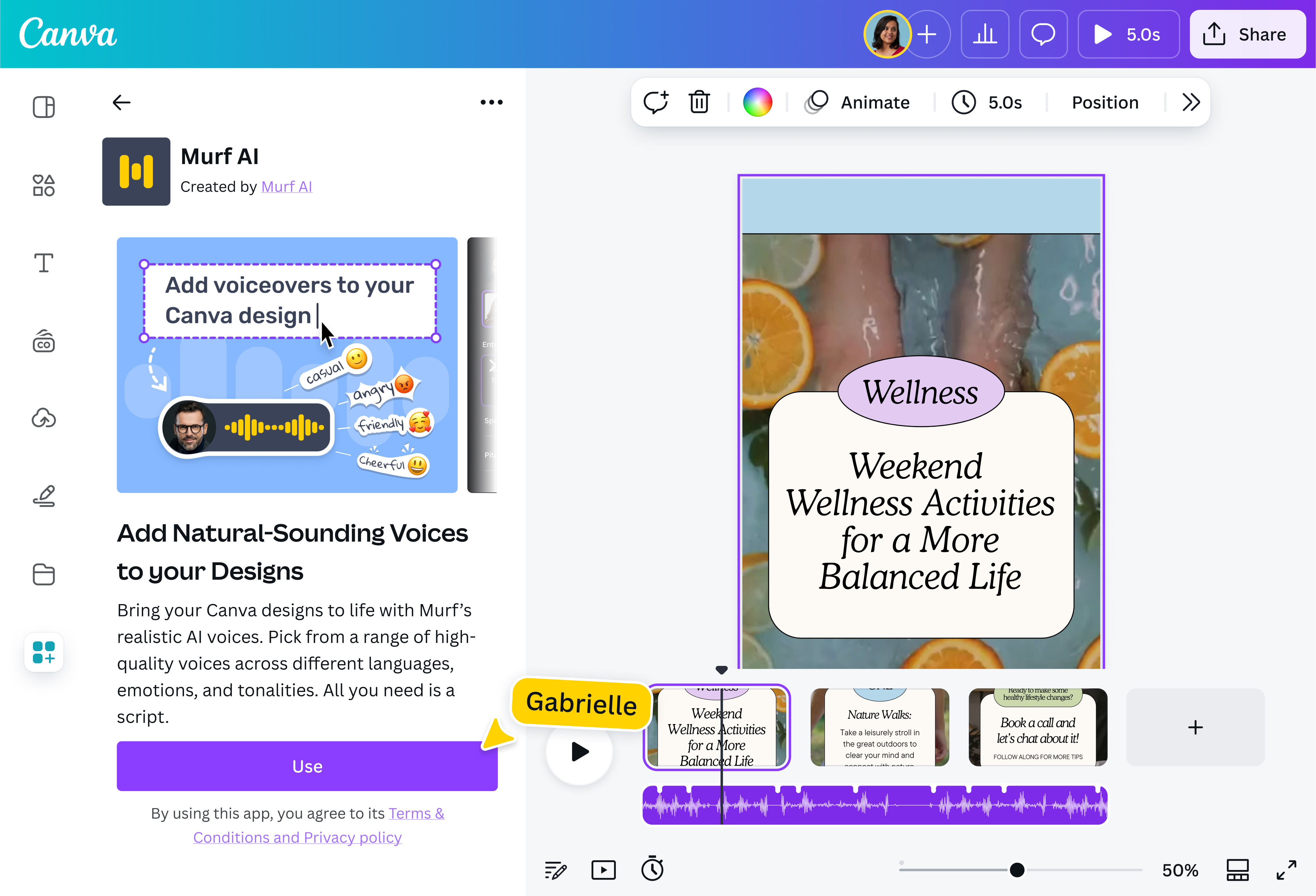
Making professional voiceovers is a breeze with the TikTok voice generator on Canva. Simply type your script, choose your brand’s “voice,” and send your message out to the world — all on the same platform.

Find your “voice” online
Skip the hassle of manually recording and editing voiceovers. With the TikTok voice generator, convert your text to natural-sounding speech in a few clicks. Get hours of voiceover work done at a fraction of the time and effort. Choose from a range of AI voice profiles to find the one that gets your message across loud and clear, no equipment or voice talent necessary.
How to use the TikTok voice generator

Be heard over the din of TikTok
With over 1 billion active monthly users, TikTok is a busy platform. Having voiceovers in your videos can go a long way in getting your message heard literally and figuratively. Use the TikTok voice generator on Canva to “personify” your online presence and videos, making them more engaging, memorable, and relatable. You’ll be gaining a loyal following that’s tuned in to your day-to-day content in no time.
Get professional results in seconds
Making professional voiceovers isn’t as easy as it sounds. For starters, there’s the equipment, set up, and voice talent to consider. The TikTok voice generator is an accessible alternative for creators and brands who don’t want to spend too much time and money on producing high-quality output. Simply type in your script in the text box and listen to your AI-generated voiceover within seconds.
Infuse life into voiceovers
With the TikTok voice generator, choose from multiple natural-sounding AI voices. Whether you’re promoting a product on TikTok, editing a day-in-my-life vlog, or filming your skincare routine, there’s a voice style that will perfectly resonate with your audience. Want to reach a wider audience? Generate voiceovers in multiple languages, including French, Mandarin, and Spanish.
Create immersive videos with AI
No need to jump between different apps to make scroll-stopping videos for TikTok(opens in a new tab or window). On Canva, effortlessly control the volume and timing of your voiceover to match your video narrative. Add smooth transitions to your video with Magic Animate(opens in a new tab or window) or optimize it to look great on any platform with Magic Resize™(Pro)(opens in a new tab or window). Short on time? Let Magic Video(opens in a new tab or window) transform your clips into share-worthy content in seconds.
FAQ

@navneet4