- How to Build a Brand Kit + Examples
How to Build a Brand Kit + Examples
Working in a large organisation with over 100+ employees? Learn how to communicate visually, boost productivity, and stay on brand, at scale. Get in touch(opens in a new tab or window).
Designing anything for a brand always involves some creative give and take. It’s important to stay within the brand guidelines(opens in a new tab or window) that make up the company’s look and feel. But it can be frustrating interrupting a moment of creative flow because you have to find your PDF style guide(opens in a new tab or window) to ensure you’re using the exact correct shade of turquoise.
That’s where Canva’s Brand Kit(opens in a new tab or window) tool comes into its own. With a Brand Kit, your colors, fonts, pre-designed templates, and approved imagery are all saved right into the design platform, making it easier and quicker than ever to stick to your brand.
Why Brand Kits Work
A Brand Kit is the key to building brand equity(opens in a new tab or window), ensuring your company is represented in a consistent and appealing way across all types of content. With guidelines built right into the platform, everyone who creates content for your company is easily able to represent your brand identity correctly, every time—whether on business cards(opens in a new tab or window), media kits(opens in a new tab or window), product videos(opens in a new tab or window), presentations(opens in a new tab or window), press releases(opens in a new tab or window), and social posts(opens in a new tab or window). Recent research shows that brands that use consistent imagery and messaging generate more revenue(opens in a new tab or window) than those that don’t.
And it’s not just for internal team members to use: Brand Kits can also easily be sent to external collaborators and advocate partners.
Using Brand Kits, not only can you store assets, but you can also set guidance on how to use them right in the editor. Plus, you can create up to 100 separate Brand Kits to meet the guidelines for various campaigns, product lines, or sub-brands within your company.
In this video Claydon and Rachael show you how to create and scale your brand identity and keep your digital assets consistent.
Whether you’re part of a large or small organization, Brand Kits are an important piece of the brand management puzzle. In this article, we’ll unpack what a Brand Kit is, how they can help cement your company’s brand and grow your business, and how you can build your own Brand Kit in Canva. We’ll also walk through some Brand Kit examples from leading companies(opens in a new tab or window) to see how they set theirs up.
If you'd like to learn more about branding your business and how to increase brand awareness(opens in a new tab or window), check out Canva Design School's free Branding Your Business course(opens in a new tab or window).
Let’s get started.
What is a Brand Kit?
A Brand Kit is a collection of design choices, assets, and guidelines that make up your company’s personality(opens in a new tab or window), look, and feel. Canva’s Brand Kit feature allows you to select your brand fonts, brand colors, and brand imagery (like logos and feature photos) that you want everyone at your company to be able to use, then add them all to your design platform.
When a team member is working in Canva, they can easily select the colors, fonts, and imagery that your design team has approved. No more worrying if that was really the approved version of the logo, or if you’re supposed to use the Narrow or Normal version of that font. Contextual guidelines, built right into the Brand Kit, make using assets the right way a no-brainer. And, in just a few clicks, you can instantly update logos or images across your different designs.
Brand Kit example
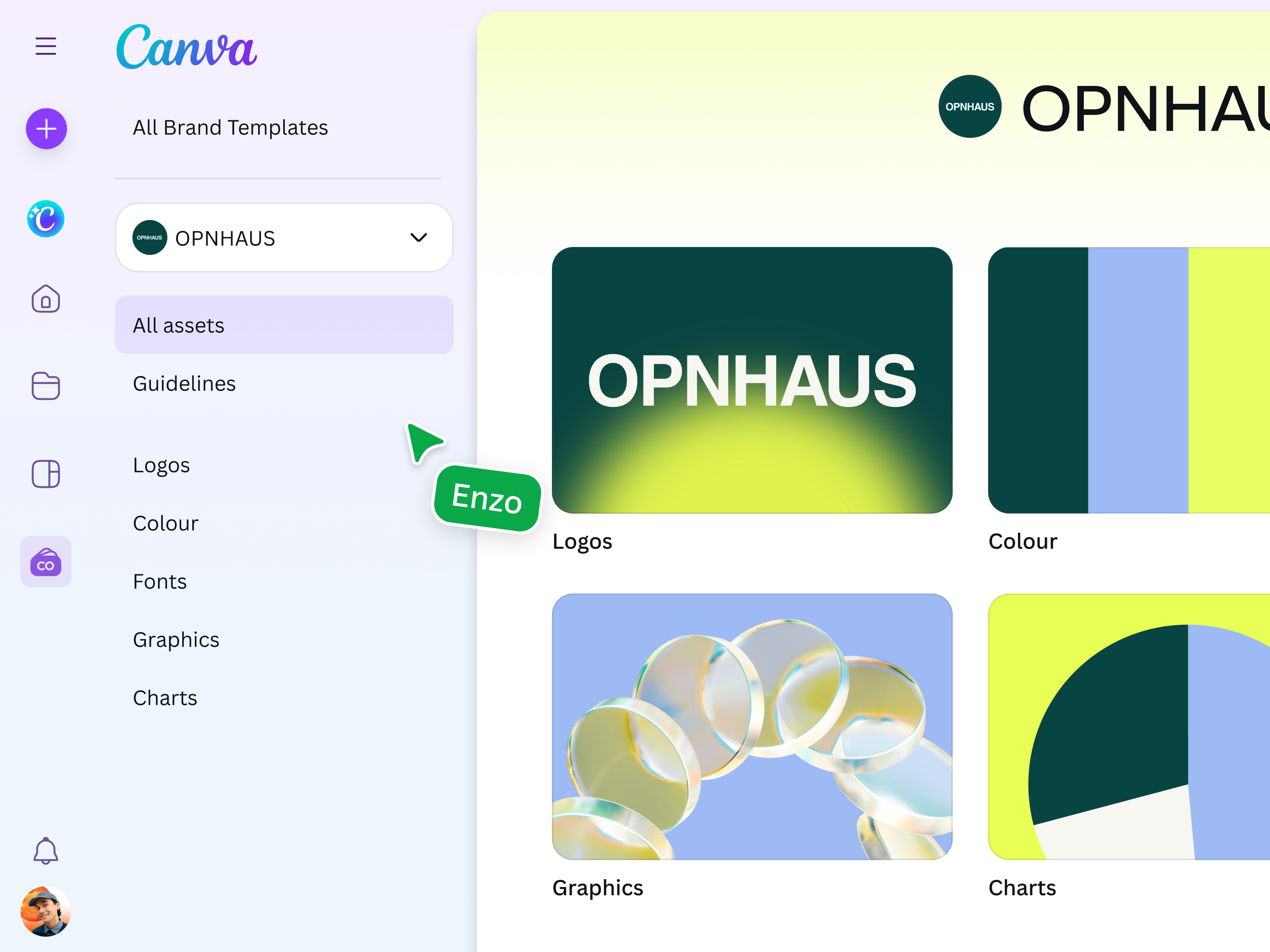
You can set up your Brand Kit including your colors, fonts, brand templates and set up your brand control features.
How is a Brand Kit different from a brand style guide?
Brand Kits act as hubs for your entire brand’s identity, including logos(opens in a new tab or window), colors, fonts, tone of voice, and more, ensuring consistent representation and messaging no matter the touchpoint.
Meanwhile, brand guidelines(opens in a new tab or window) are often a more comprehensive brand management reference that include both copy and design guidelines, the brand style guide, social media suggestions, imagery treatments, and other materials for press or brand teams. These guidelines often come in the form of a PDF(opens in a new tab or window) or printed guide, but with Canva, you can create and access them right in your Brand Kit.
You can distribute your style guide to employees and key partners, or you can make it public for all customers and press to see, in case they want to help tell your brand’s story. Just look at Spotify: they publish their branding guidelines on their website for partners and developers who want to integrate Spotify into their apps.
Spotify’s brand guidelines(opens in a new tab or window) not only include visual assets but also necessary legal and licensing information for using the company’s content and metadata. As such, it helps protect Spotify as well as its partners, and it ensures that the brand image remains unified across customer experiences.

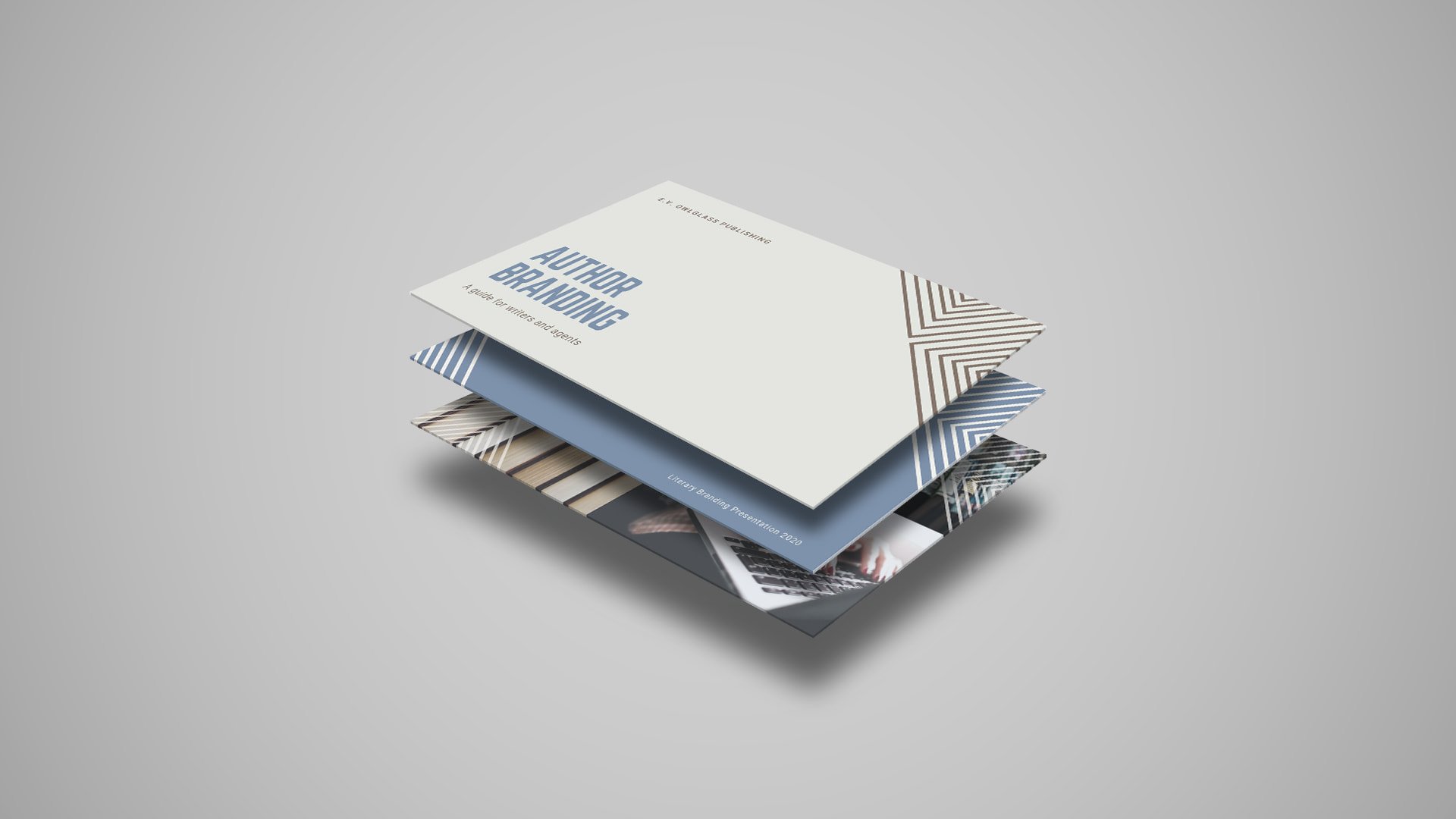
You can build your own style guide in Canva with brand board and style guide templates like the ones shown below. The layout is all ready for you; you just have to input your company’s brand parameters.
You can also create a whole brand style guide presentation in Canva, with AI-powered tools and Brand Kit presentation templates(opens in a new tab or window) and like these:

Use a brand guideline template to start creating your own style guide.
Then, you can build your Canva Brand Kit by setting up your brand’s color palette, uploading your fonts, and storing your logo right in Canva for easy access across your content—we’ll get into that process step by step below.
What is the purpose of a Brand Kit and style guide?
As your business grows, you want to make sure your brand image and message don’t become diluted or misrepresented. That’s where a Brand Kit can help.
Your Brand Kit ensures that all marketing and communications are accurate and on-brand, which helps your company become more memorable and quickly recognizable by your target audience.
Whether they’re created by your social media team, sales representatives, or customer advocates, assets associated with your company should always include the same colors, fonts, and logos. Any missteps could hurt your brand reputation(opens in a new tab or window) along the way. For example, if you saw an ad for McDonalds, but the M logo in the corner wasn’t the golden arches you were expecting, it’d be easy to dismiss the ad as spammy or illegitimate.
According to a recent Lucidpress study, 85% of companies report having brand guidelines(opens in a new tab or window), but nearly two-thirds say that they aren’t enforced. That’s why having all your brand assets easily accessible in a Canva Brand Kit makes life easier for creators and reduces revisions (and related headaches) for your design team.
A thorough, user-friendly Brand Kit can pay off for brand growth, too. Research shows that user-generated content (UGC) can boost engagement(opens in a new tab or window), reduce cost-per-click in ads, and increase brand conversions(opens in a new tab or window).
Netflix(opens in a new tab or window), for example, includes tips on proper logo usage and readability tips in their style guide. With this guide readily available, internal and external partners—with or without design experience—have the resources they need to most effectively tell this brand’s story.

Netflix's style guide
How can you build your own Brand Kit?
Building a Brand Kit requires a few major steps:
Choose a format
Will you build your brand parameters right into your design platform with a Canva Brand Kit? Will you create a PDF file with all your brand’s more important design choices and assets? Will you do both?
Compile your brand assets
We’ll get into which ones are the most important to include in the next section.
Distribute your Brand Kit and/or style guide
Anyone who creates any kind of internal or external-facing content should have easy access to your (up-to-date) brand parameters. If you’ve built a Canva Brand Kit, add all collaborators to your team to grant them access.
Aside from the guidelines you can add right to your Brand Kit, you can also create a separate style guide. Then, simply upload it to your company’s shared drive, or send it widely via email to anyone who will need to use it.
What should you include in a Brand Kit?
There are a few core elements that will be essential to your Brand Kit. They lie at the heart of your brand identity and are the tools you need to best convey your brand message.
Logo
Your logo provides a chance to tell your brand’s story in one small square or icon. In many cases, it’s the first impression customers will have of your brand. Then, it becomes a visual reminder of what your company stands for. That’s why it’s so important to make sure your logo is consistent(opens in a new tab or window) across platforms and assets.
You may need different sizes and configurations of your logo, but try to limit it to a handful of variations, so that it still always feels stylistically consistent.
LinkedIn(opens in a new tab or window), for instance, includes acceptable variations of its logo in its Brand Kit. LinkedIn even outlines ways to use its black-and-white logo with different layouts, requirements for scaling and leaving clear space, and when the trademark is needed.

LinkedIn brand style guide
You can create your own brand logos in Canva with templates like Green Icon Internet Logo(opens in a new tab or window) and Cube Computer Logo(opens in a new tab or window). These can be personalized with your own graphics, illustrations, and iconography. You can also collaborate on your logo designs with colleagues by sharing your work right on the Canva platform.
Color palette
Your color palette sets the visual tone and language(opens in a new tab or window) for your brand. Think about how yellow and red are associated with McDonald’s, or how green, white, and black are tied to Starbucks. It’s important to not just decide on your colors(opens in a new tab or window) but also note which specific shades you use, down to the hex code.
Blogging platform Medium(opens in a new tab or window), for example, details primary and discretionary colors that can be used with its watermark logo:

Medium's brand style guide
These clarifications are especially crucial for platforms like Medium that invite users to build and market their own pages. With the right tools to guide them, audiences can become advocates of your brand and empower others to join in.
It’s easy to build a color palette with Canva. You can start from scratch, use Canva’s color palette generator(opens in a new tab or window), or start with any kind of template and play around with what colors feel right to you.
Typography
Your signature font(opens in a new tab or window) is just as important for your brand as your visual assets are. In fact, your typography should be thought of as a visual asset in itself—whether you choose a ready-made font like Helvetica or design your own with the help of a design team.
How to build a Brand Kit in Canva
- Sign up for a Canva Pro(opens in a new tab or window) or Canva Business(opens in a new tab or window) account. Canva Pro is designed for individual users, while Canva Business is best for 2 or more people working together on designs.
- Go to your Brand tab on the left-side panel.
- Add a new Brand Kit by clicking on the drop-down menu and selecting Create personal Brand Kit.
- Name your Brand Kit, as you might make many different ones for sub-brands or specific campaigns, like a holiday-themed Brand Kit or a Brand Kit for a new web series.
- If you have a published website, enter the URL and let Canva automatically create your Brand Kit based on existing assets. If not, skip to the next step.
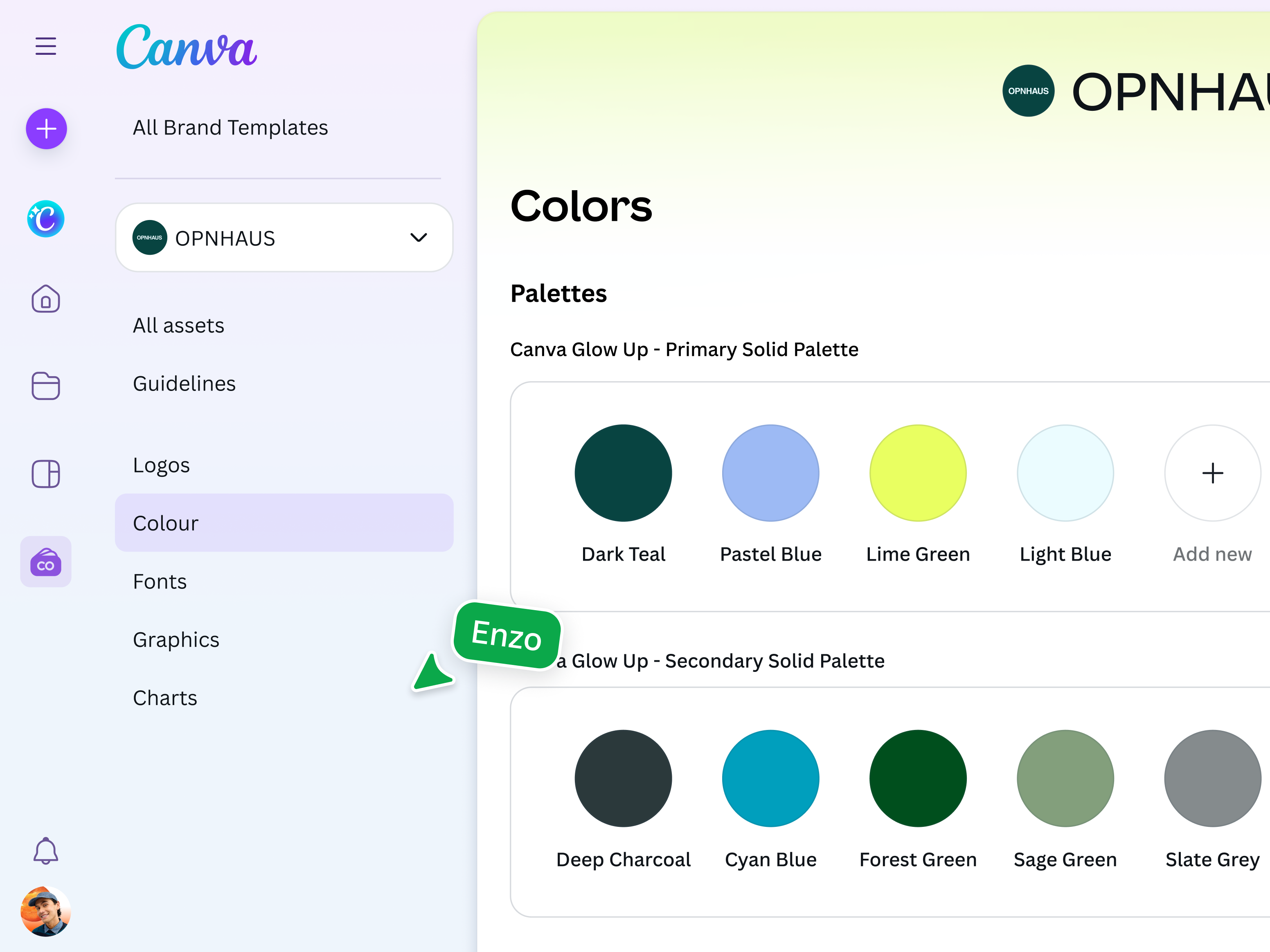
- In the Logos section, upload your logo and its variations.
- In the Colors section, choose brand colors(opens in a new tab or window) using hex codes or CMYK codes. You can group them by primary and secondary colors. You can also create themes to apply colors as a set.
- In Fonts, select or upload brand fonts for headings, subheadings, body text, quotes, and captions. You can also choose primary and secondary fonts.
- In Brand Voice, define the personality and tone of your brand when communicating with customers, internal employees, and other stakeholders.
- Add your brand’s Photos, Graphics, and Icons in their respective categories.
- You can also create new categories as well as branded templates(opens in a new tab or window) that make designing your most important content types easier than ever, for any teammate.
- To add contextual guidelines in any section, click on the + sign and select Guidelines. Describe what you want to achieve, when each asset can be used, and the do’s and don'ts for each brand element.
- Now you’re ready to use your Brand Kit in anything you design!
- Share the Brand Kit by adding teammates to your Canva team, which you can do with a link or via email.
Watch the Brand Kit creation process in our Brand Kit walkthrough video below:
5 Brand Kit examples to inspire you
1. Yelp gets clever with its aesthetic
Like any other webpage you put out there, the best Brand Kit pages are designed with user-friendliness and brand aesthetic in mind. Yelp’s Brand Kit is a good example. The company refers to it as their Cookbook(opens in a new tab or window) and breaks down its sections into Ingredients, Recipes & Entrees, and a highlights section of key design principles. This makes sense for the brand considering Yelp started out as a place for consumers to rate and review restaurants.

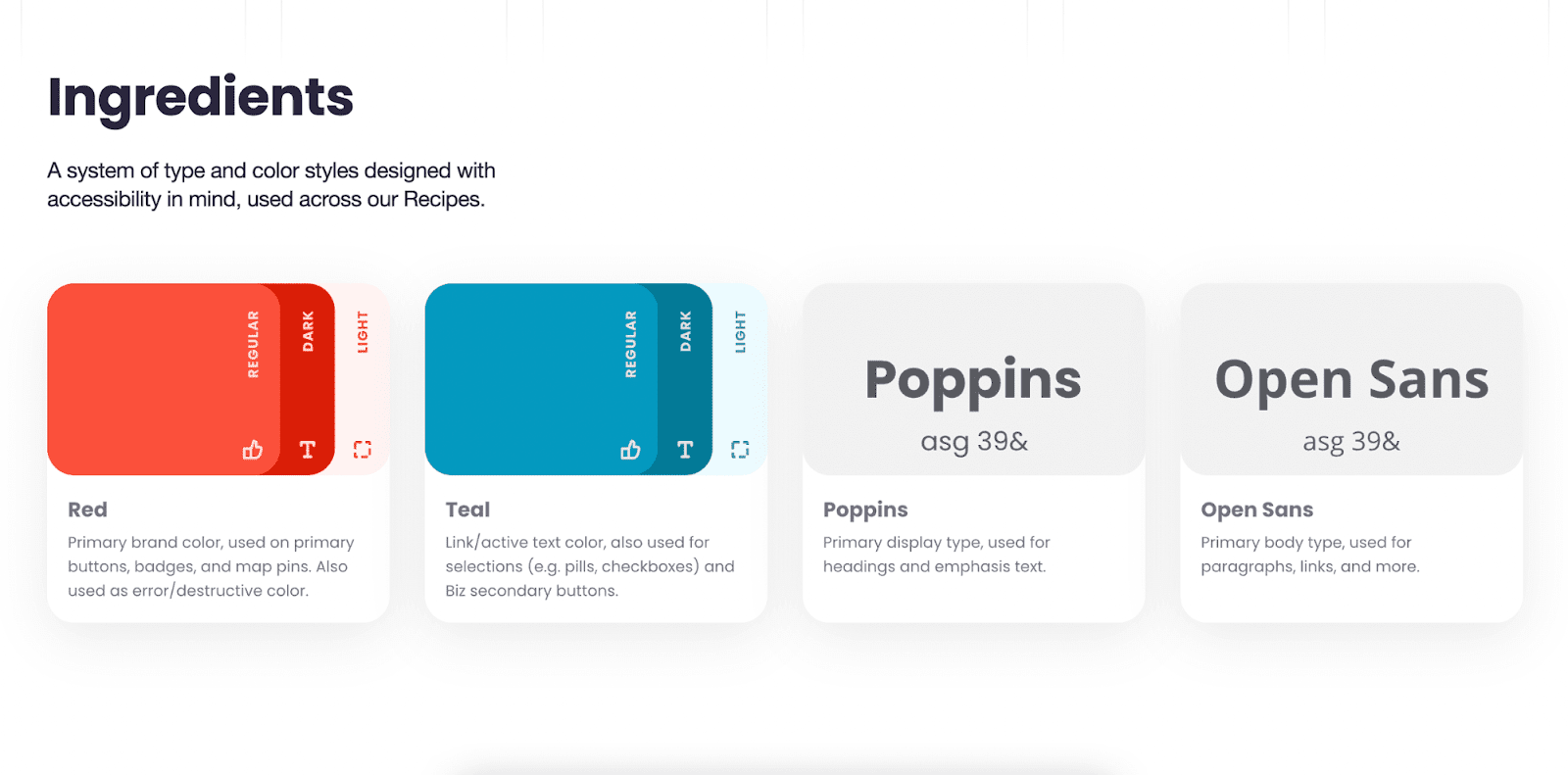
Screenshots from Yelp’s style guide
One can’t help but smile a little at the thoughtfulness and wit that went into the making of their brand style guide. They could have easily just titled the section, “Typography” or “Brand fonts”, but, instead, they chose to get creative.
Consider what your brand specializes in. Is there a creative or quirky way you can infuse those traits into your Brand Kit? These small details can have a big influence on the perception of your brand.
Yelp also has a separate Brand(opens in a new tab or window) page that has more in-depth guidelines, a download button for their logos, and specific information for potential partners, resellers, press, and media.
Whether or not your brand already receives collaboration or press inquiries, it’s a good idea to set up a section or two that addresses potential collaborators. One, because you never know when someone will come along for just that reason. And two, because it can add a sense of prestige that causes people to assume you already do get these types of requests. A little boost in status never hurts anyone!

A screenshot from Yelp’s brand page
Yelp also needed to create guidelines for how to showcase Yelp reviews(opens in a new tab or window). Yelp provides social proof about other businesses—this is very useful for those businesses and their consumers but can also be misused or misrepresented without these guidelines. Your brand may also have unique considerations like these, which should be prominently and clearly laid out for those who visit your Brand Kit.

A screenshot from Yelp’s brand page for their review’s guidelines and star ratings
2. Hulu showcases their brand personality
Hulu(opens in a new tab or window) prides itself on its fun, friendly, and original personality. Even the title of their in-depth guidelines(opens in a new tab or window) matches their brand identity, referencing their famous vibrant green. By using their color palette in their brand guidelines, the page practically screams Hulu.
Your design and marketing(opens in a new tab or window) team can use your Brand Kit to hone your brand image and personality. When it’s quickly and easily conveyed on your branding site, it’ll be another avenue for freelancers or journalists to digest your style and produce content accordingly.


A screenshot of Hulu’s Big Green Guide title page
Hulu also shares examples of their illustration style, which matches their fun and original personality. These examples come in handy for freelance graphic designers they hire. Nobody wants extra work going back and forth correcting mistakes in design that could have been easily avoided.


A screenshot of Hulu’s illustration examples and guide
3. Bolt uses straightforward tactics
Bolt(opens in a new tab or window) designed their Brand Kit for those who need quick access to download their visual assets. They include clear buttons to download their logos, brand guidelines, and fact sheet. The page also briefs you on how to write about the company and link back to their website.

A screenshot of Bolt’s media kit homepage that features a download button for all their media
As you build your Brand Kit, consider which aspects of your brand might be confusing or need a bit of supplemental information.
4. Impossible Foods conveys their impact
Impossible Foods’ mission is to have a sustainable impact on the environment, so they publish a special impact report(opens in a new tab or window) as part of their media kit—making their progress easily accessible wherever journalists, freelancers, or agencies might be searching.
By sharing the positive impact they have on society, not only do they get publicity about their efforts, but they also gain trust from consumers and critics thanks to their transparent behavior. Research suggests that trustworthiness and transparency are the most important traits that brands can have(opens in a new tab or window), with 87% of respondents in the 2025 Consumer Research Report stating that they’d even pay more for products if it’s from a brand they trust.

A screenshot of Impossible Foods’ special reports section and download buttons
5. Shopify doesn’t miss a marketing opportunity
In and of itself, a Brand Kit's purpose is not to increase sales or attract leads. However, that doesn't mean your brand can't take advantage of a potential lead or sales opportunity!
At the bottom of Shopify’s Brand Kit page(opens in a new tab or window) is an example of how to accomplish more with your branding site. Aside from download buttons that let you get either the entire Brand Kit or just specific assets, they also include a free trial CTA and button.

Brand kits can be an opportunity to capture leads and convert potential users.
Your Brand Kit is never really finished
Once you’ve built your Brand Kit, you can always improve it. It’s important to make tweaks as your company grows and develops. Incorporating your Brand Kit into your brand strategy(opens in a new tab or window) and finding ways to make it both utilitarian and memorable requires a fine-tuned balance. But this balance can have a significant effect on your internal team, your external collaborators, and your overall business success.
When you consistently refine your Brand Kit, your marketing team can be more efficient and confident, leading them to develop more engaging and on-brand content. As your business grows, the attention to your product or service also grows. Refining your Brand Kit to match the needs of potential collaborators and journalists can save you time and energy while building important relationships. In the end, your brand image and reputation are shaped by the choices you make and the tools you use to get you there.
Bring your Brand Kit to life
Creating your Brand Kit doesn’t have to be overwhelming. In fact, it should be an exciting process that helps you solidify your brand’s visual identity and to the core of your messaging.
Maybe you’re just looking through Brand Kit examples to help you finalize your company’s brand. Or maybe your brand has a long history but is in need of an upgrade. Either way, you can use your Brand Kit to guide you and your company as you scale internally and externally.
As you grow your customer base, a Brand Kit helps deliver a cohesive customer experience no matter where audiences may find you. And, as you grow your company’s employee base, a Brand Kit helps new team members get quickly acclimated to your brand and how to implement it in their work.
Then, you can use Canva’s brand management tools(opens in a new tab or window) to safeguard your brand, increase brand awareness, and grow your business.

Written by
Amanda Walgrove