- Motion Path
Bring your story to life with motion path animations
Make your elements zigzag across the screen, speed up, slow down, and move around. Play with animation and create custom motion paths for any element in your project.
Move viewers with dynamic animation
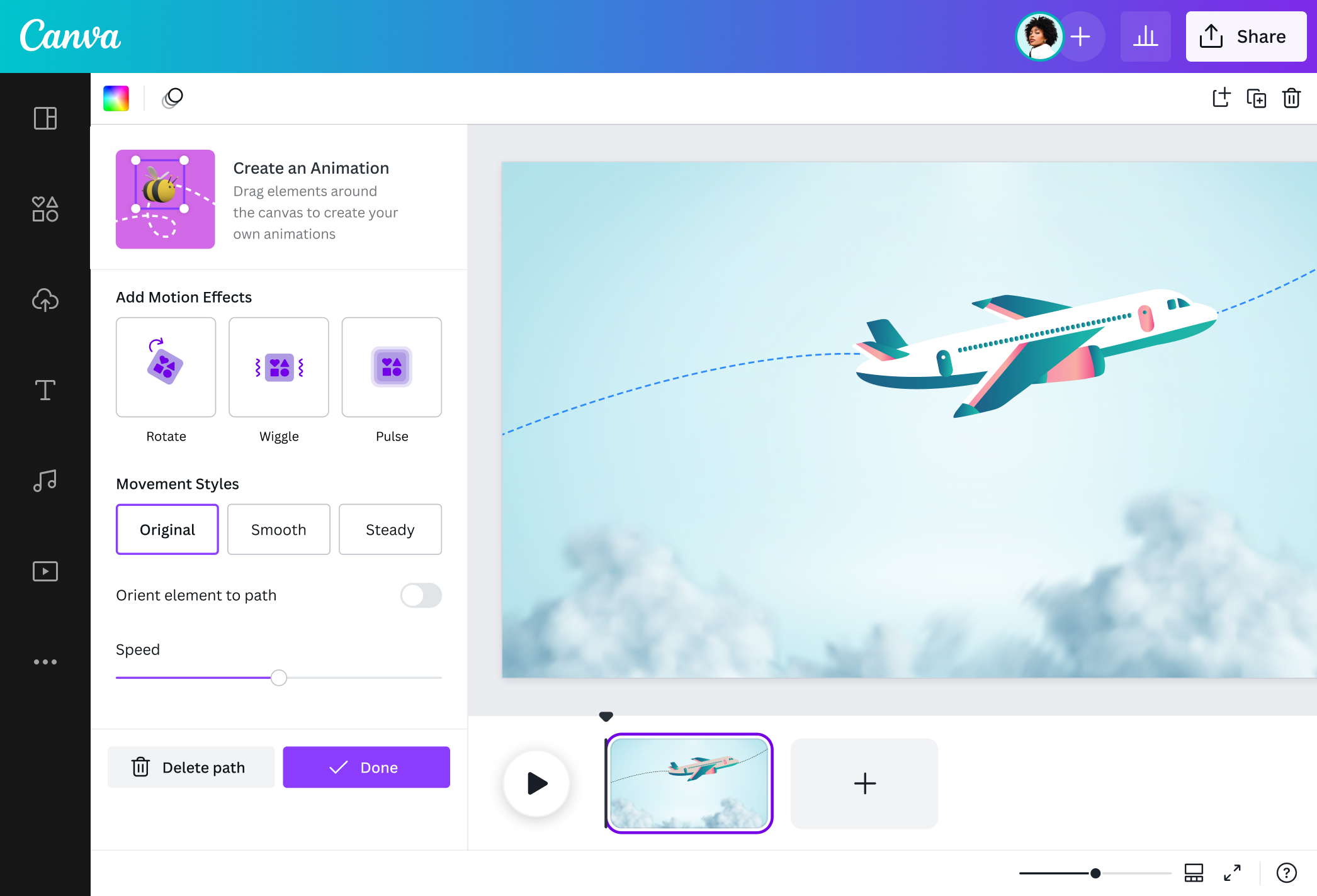
Using our Create an Animation tool, you can create motion path animations for any element in your video, presentation, or social media graphics—including AI-generated 3D models(opens in a new tab or window)—and using an AI face generator(opens in a new tab or window) is a plus. Simply drag an element to mark its motion path, and it will move along the path you created. You can orient the element to the motion path, too. Using the animation speed slider, speed it up or slow it down for extra drama. Then, choose from an array of movement styles and motion effects to really elevate your animation.
Engage learners with interactive visuals

Add life and movement to your projects and capture audience's attention. Motion path animation is perfect for teachers and presenters to engage learners. It makes it easier to follow your content and keep your presentation from falling flat. By applying a motion path, you can make a bee buzz from flower to flower or make an apple move through the digestive system. You can also make animated training and demo videos for a professional space or create talking head videos with our AI video generator(opens in a new tab or window).
Level up your social media content

Audiences want sharp, snappy posts — something that animated content delivers. Keep potential customers from scrolling away. Add motion paths for high-impact, animated social media content. Whether you’re a restaurant introducing delicious new dishes or a manufacturer showcasing your latest equipment line, motion path animation is the way to go!
How to apply a motion path

Frequently Asked Questions
- It’s an animation technique where objects move along a path made by the user. Motion paths come in various shapes and trajectories — it’s all up to you! Compared to basic appear-disappear animations or side-to-side movements, animating objects through motion paths makes them more engaging and elevates the overall look of the video.
- Motion path animation can be used in a variety of projects, like videos, slides, and social media posts. It communicates ideas quickly, draws attention to specific objects, and emphasizes key points. And of course, motion path animations make projects more fun!
- As long as your element is on the page and can be selected, you can record your animation motion path to anywhere on, or off the page of your design.

@SpotOnDomain