- Round PFP

Stand out online with the perfect round PFP
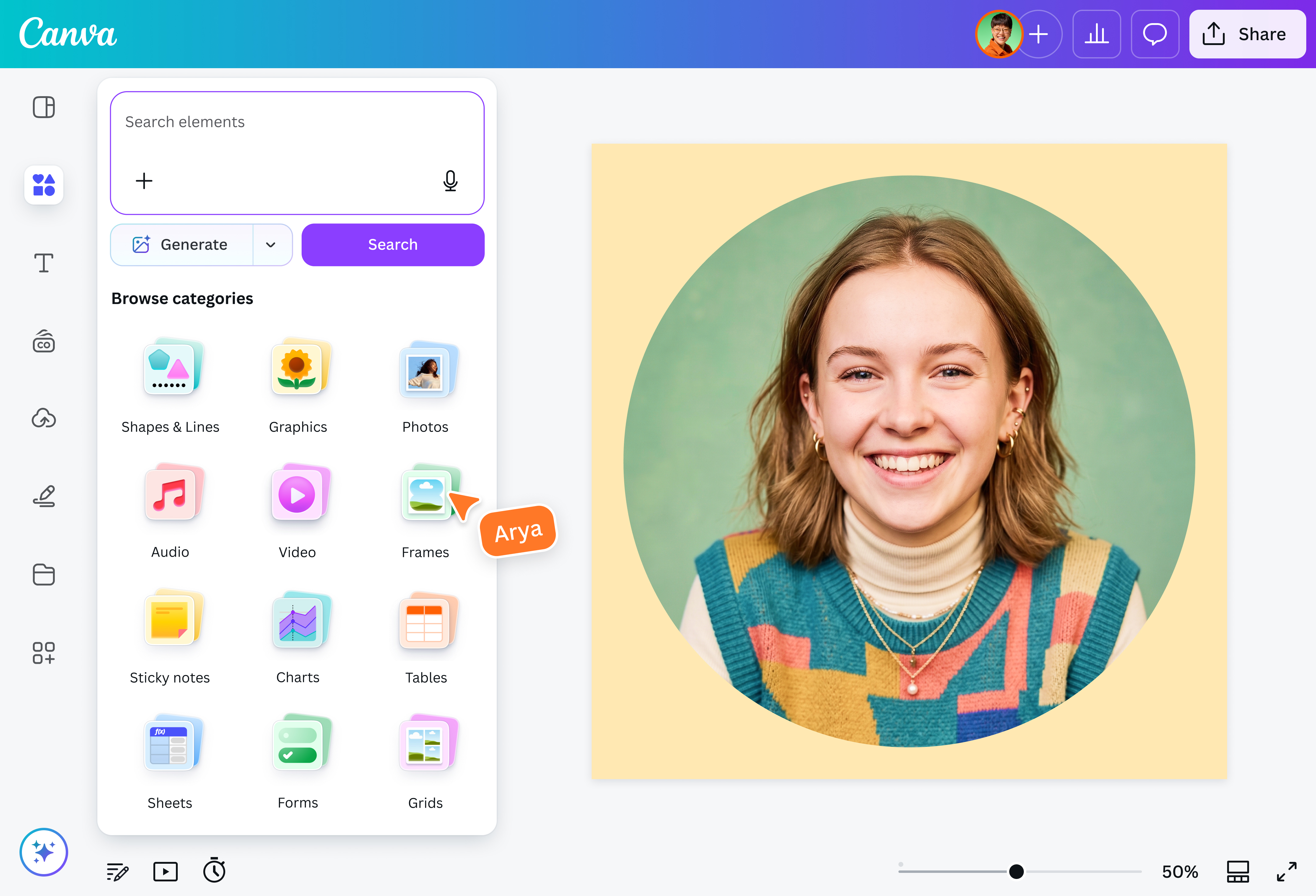
Keep the focus on your face, text, or brand logo with an eye-catching circle PFP. Our round PFP maker lets you crop your image into a perfect circle for Instagram, TikTok, LinkedIn, and more.
Exude professionalism with a round PFP

First impressions matter. Put your best foot forward with a clean, circular headshot that makes you or your brand look polished and professional.
Simply upload a photo to our round PFP maker. Ensure your best features stay centered in the frame. Edit the image by adding a colored border(opens in a new tab or window) or removing unwanted elements(opens in a new tab or window) (Pro). Then, download your round PFP for easy sharing.
Go beyond faces for your PFP

Try creating a round PFP using text or words that are associated with your brand. Select fonts and color palettes from your Brand Kit(opens in a new tab or window) (Pro) or experiment with Y2K-inspired lettering(opens in a new tab or window) from our content library. For an artistic or dramatic look, apply a distorted fisheye lens effect(opens in a new tab or window) to your text.
Achieve brand recognition and visual consistency

Don’t just use your round PFP for your social media accounts. Export your design as high-resolution assets sized for different digital uses, from your website(opens in a new tab or window) and newsletters(opens in a new tab or window) to press releases(opens in a new tab or window). Marketers, creators, and businesses can build a more recognizable online presence using a consistent image across channels.
How to make a round PFP

Frequently asked questions
- A PFP maker is an online tool you can use to create a profile picture in seconds. Upload your photo, make a few edits, and save it for social media, work, or other online profiles. Our photo editor allows you to instantly customize a round PFP for personal or business use.
Profile pictures are round on social media so that the eyes are drawn to the center of the image, typically a person’s face. The circle crop also improves mobile interface aesthetics by reducing visual noise and sharp edges.
By creating a round PFP with our free online tool, you can help prevent important parts of your image from getting cut off by automatic platform formatting.
- A good size for a round PFP depends on where you’re posting it. A minimum of 400 x 400 pixels is recommended for platforms such as Twitter and LinkedIn to keep your PFP clear and properly sized. But if you want to save a bigger file, a PFP with 1000 x 1000 pixels or higher keeps the photo sharp on high-resolution screens.
- The best file format to download a round PFP is in PNG. PNG supports transparency, so it creates a cropped circular photo with a transparent background that fits seamlessly on any social media platform. Our Pro subscribers can download their round PFP with a transparent background at no extra cost.

@navneet4