- Create Math Lesson Plans
Design Brilliant Math Lesson Plans Online with Canva
Make mathematics fun with a custom lesson plan

Easy drag-and-drop editor
1M+ professionally-designed templates
Try our design and work apps
Invite others and design together
Deliver clear and structured classes with your own personalized math lesson plan.

Create a lesson plan that solves all your problems
Math isn’t usually a crowd pleaser, so when you teach it, it can be hard to keep your class’ interest and continued focus. One way to improve this is to create a custom math lesson plan(opens in a new tab or window) that takes into account both the compulsory curriculum and your students’ unique needs.
Lesson planning is important but it does require time and effort that could take you away from equally important tasks like grading papers or getting your actual teaching materials ready. By designing one in Canva, the bulk of the work has been done for you, thanks to ready-made, easily customizable templates. This means you can easily tailor your math lesson plan to suit your own unique class goals and objectives, and highlight any important themes or aspects that you don’t want to miss.
Create a math lesson plan in just minutes

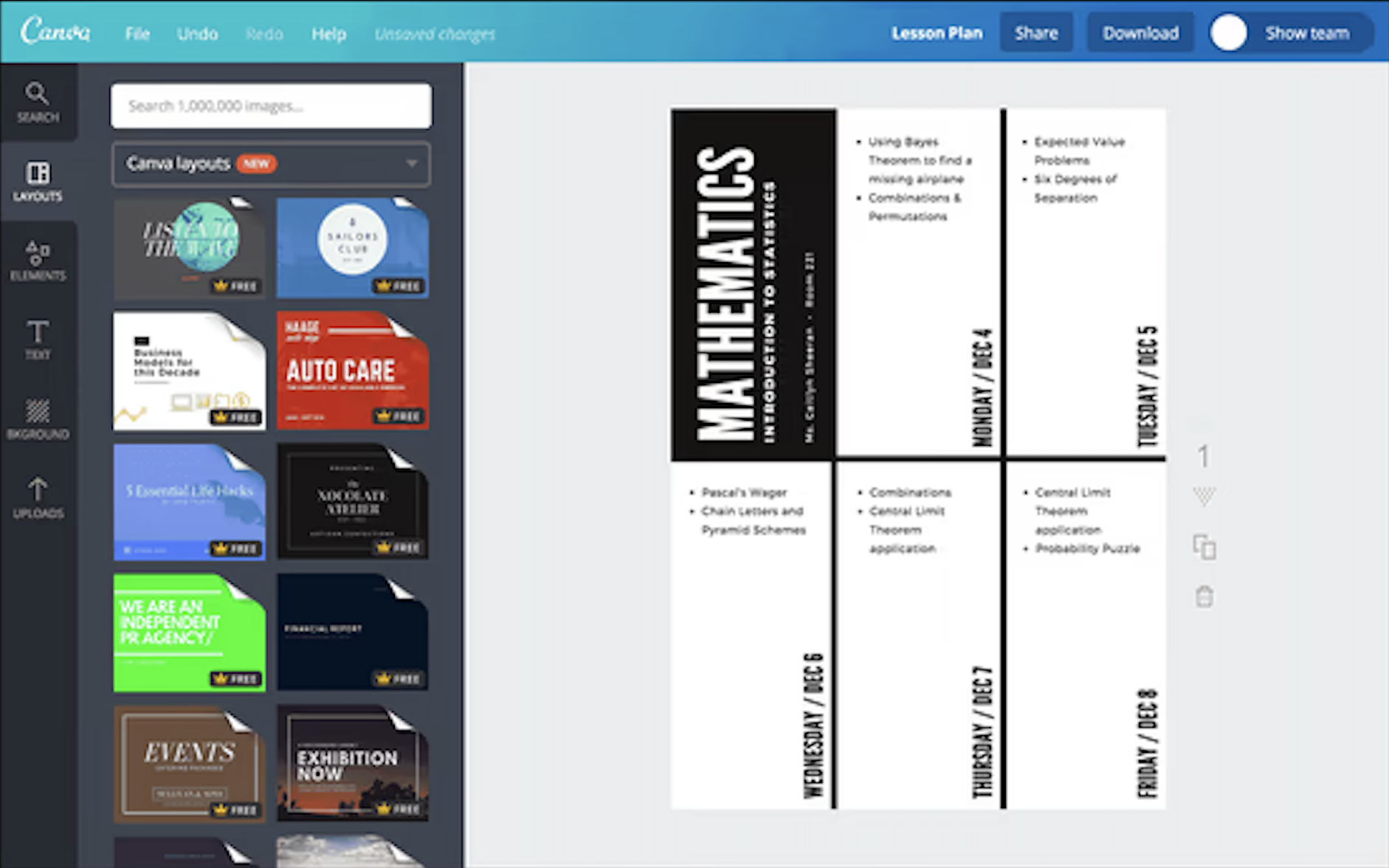
Customization is easier than 2+2
- Change the images. Upload your own images or choose from our stock library of over 1 million photographs, graphics and illustrations.
- Change the fonts. Choose from over 130 fresh fonts.
- Change the background. Choose a background from our library or use an image.
- Change the colors. Change the color of your text boxes and text to add extra flair.
Create math lesson plans that suit any kind of subject matter
Every math lesson is different and depending on what subject matter you’re teaching, your plan and template will need to correlate. Whether you’re teaching trigonometry, algebra, fractions or multiplication, you can create a custom template design that suits the goals of each class. With Canva, templates are completely customizable, meaning you can change fonts, text, colors, images, design elements and more.
Your lesson plan is also a tool by which you can gauge your students’ progress. A detailed one will take into account their unique needs and having the next ones ready can help you adjust when a lesson goes longer or shorter than you expected. Once you have a template you can work with for each subject, you won’t need to start from scratch every time you teach a new class. Create a copy of your first design then edit its contents to reflect the next lesson. You can customize your existing layouts as many times as you like. Simply update the text, change your images, and you’re ready to go.
Include design elements, charts and typography to guide your classes
Make your lesson plan do the work for you by calling your attention to important topics or concepts that need to emphasis. You can use typography, images or icons to highlight important details or a mix of all, depending on your personal tastes.
Use the text tools to choose from over a hundred free fonts then change their size or color until important terms pop up. Or, add elements like icons and shapes by browsing through the various folders within the elements tab for what you need or simply key in a few search words on the search bar on top.
If your class happens to be working on graphs, you can even create one in Canva and add it to your design. You can create line graphs, bar graphs, pie charts, doughnut charts and even circuit diagrams(opens in a new tab or window).
Use frames and grids to create structure and flow
Math is definitely a subject that requires the correct structure and flow so students won’t get lost finding “x”. As their teacher, you need to make sure that you allocate the right amount of time to each activity. Canva’s grids feature can help you achieve this by separating activities into clear blocks of time. You can also use frames to isolate topics or activities of higher importance.
Once you’re happy with the content, you can arrange elements in your template according to how you want your class to flow. Use arrow icons between frames to follow a well-defined process; this will help you to keep your class on track and reach your objectives.
FAQ
Simply head on over to www.canva.com to start creating your math lesson plans. You don’t need to download Canva, just create an account and log in. You can even design on the go by downloading our free iPhone and iPad apps from the App Store and our free Android app from Google Play.
You can edit and save your designs as many times as you like. Every time you create a new collage it will appear in the “My Designs” section of your Canva homepage.
Make sure you can easily read your new math lesson plan by saving and printing it in stunning resolution. When your design has been finalized, click on the Download button then select the PDF – Print format to download your design as a 300 DPI (dots per inch), which is professional print quality.

@navneet4