- Create Snapchat Geofilters
Create Unique and Eye-Catching Snapchat Geofilters with Canva
Create one-of-a-kind Snapchat Geofilters through Canva.

Easy drag-and-drop editor
3M+ free stock photos and graphics
Design from any device
Download or share designs easily
Create custom Snapchat Geofilters for an event, occasion or outing with the squad using Canva's easy design tools.

Add fun and visually engaging geofilters to your snaps
All around the world, thousands and thousands of snaps are being sent every minute – with filters helping us enhance our messages and inject a little bit of fun into each other’s days. Whether it’s the licking dog filter or the doe-eyed deer that you fancy, every filter has its purpose, including geofilters for a little humble brag when you visit a new city or attend a lit event.
With Canva, you can add your very own twist to a geofilter or create one from scratch in literally minutes. Create unique snapchat geofilters to make a birthday, party or wedding extra special. Or, if you’re handling social media for a brand, geofilters are a great way to add more value to your events or promotions. With Canva’s drag and drop tools and library of graphics and stickers, designing becomes, well, a snap.
How to make a Snapchat geofilter

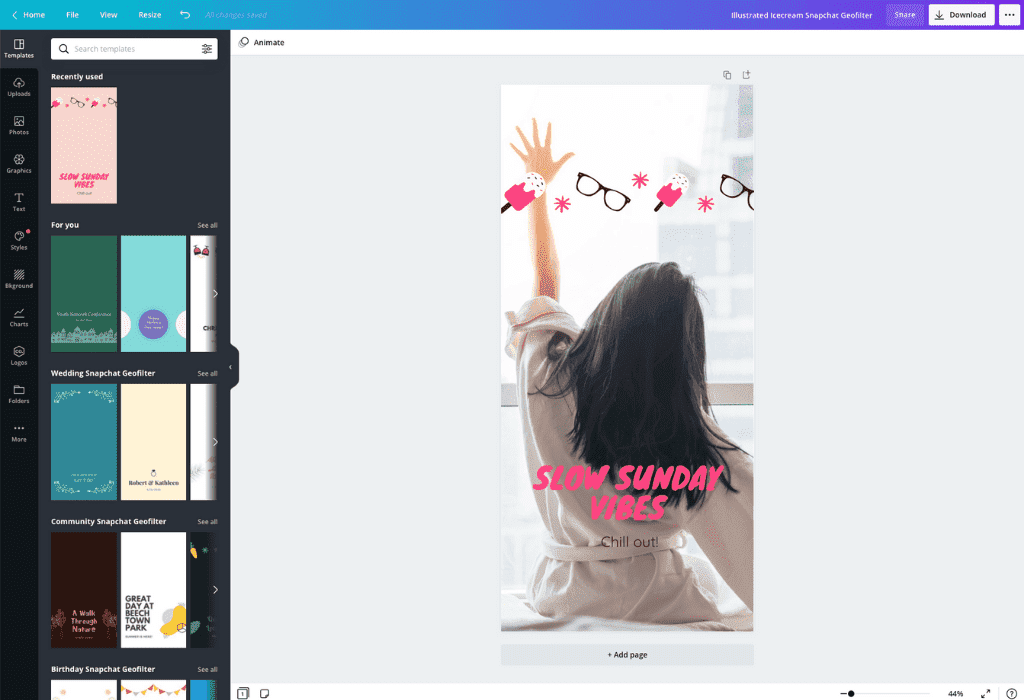
Create a Snapchat geofilter to match your needs
Whether you want to create a Snapchat geofilter for an event or to promote your business or brand, Canva can help. Add an upbeat, special touch to your next event by creating a customized geofilter with Canva. Your guests will love being able to share their very own moments with a bespoke geofilter on Snapchat. So whether your event is a birthday, wedding or housewarming, throw in a little bit of fun and surprise to make your event one to share and remember.
Not planning on holding an event anytime soon? If you have a business you want to get on the map, you can use a Snapchat geofilter to showcase your brand. With Canva’s huge range of typography, design elements and editing tools, you can easily create an eye-catching Snapchat geofilter, no matter what your needs.
Customize your design to reflect your taste or a brand’s identity
Canva allows you to customize your designs in hundreds of ways and this makes it easy for you to add your own personal style. You’ll be amazed at how many design possibilities are literally at your fingertips thanks to an amazing library of free graphics, stickers and shapes.
With Canva you also have over a hundred free fonts to choose from. Use our text tools to make amazing typography easily. Use any of our pre-made font pairings or why not create own? Need some help figuring out the dark wizardry of font combination? Check out our font pairing tool.(opens in a new tab or window)
Create your Snapchat filter quickly and on the go
No matter where you are, you can access Canva on your computer, iPad, iPhone or Android device, making it super simple to design your geofilter on the go or add nostalgic charm to your photos with a vintage filter(opens in a new tab or window) or blur background(opens in a new tab or window). Because Canva is in the cloud, you can also access your designs at any time.
FAQ
Snapchat geofilters are typically 1080 x 1920 pixels, and under 300 KB in size. If you’re using a geofilter for an event, it should be big enough to include your event name and logo, but cover only 25 percent of the screen.
When you get to the design step of the geofilter creation process, there is an option to add text after you decide whether to use your own geofilter or upload an existing one. You’ll be able to preview the text after you add it to see how it looks.
Snapchat geofilters should be in a PNG format, with transparency enabled. You can save your filter from the Download menu, selecting the file type “PNG” and the option “Transparent background”. At least 50 percent of the image should be transparent.

@navneet4


