- The ultimate guide to starting and promoting a YouTube Channel
The ultimate guide to starting and promoting a YouTube Channel
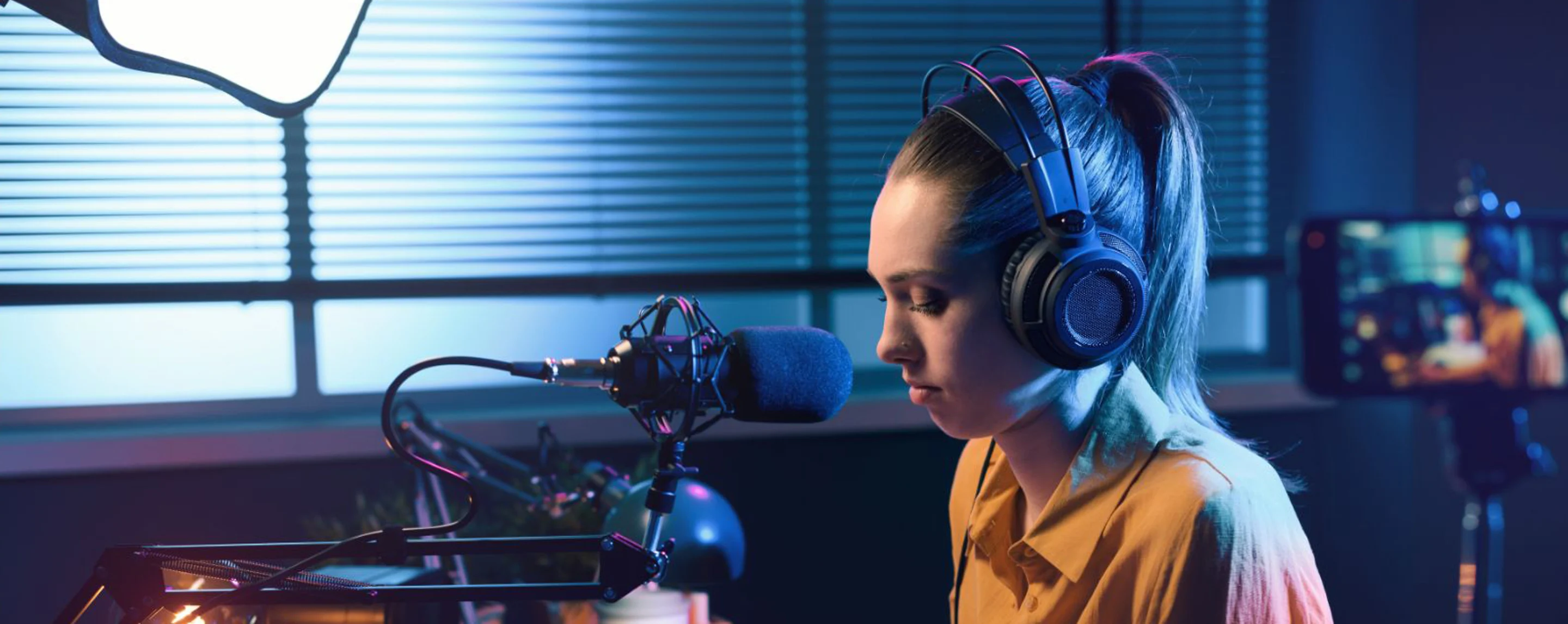
Are you ready to dive into the thrilling world of content creation?
Starting a YouTube channel can be an exciting way to share your passions, connect with worldwide audiences, and even build a career.
With over two billion users, encompassing a third of the Internet, YouTube has become the new digital playground. You don’t need to rent a studio space, buy expensive lighting equipment, or even have a professional camera. You can create professional quality videos for free using your smartphone. This means, you can film more authentic content, offering viewers the feeling of having a heart-to-heart chat with you.
In this comprehensive guide, we’ll break down the essential steps to create and promote a YouTube channel, using user-friendly design tools, and time-tested marketing strategies.
Whether you're a beginner to content creation, or a working professional looking to elevate your channel, you'll find valuable insights in this article, and actionable advice to help you succeed.
How to brand your YouTube channel

Before you hit the record button, it's essential to lay a solid foundation for your channel(opens in a new tab or window). This involves setting up your channel with a strong brand voice(opens in a new tab or window), defining your content strategy, and understanding what your viewers want to see.
Know your target audience

Understanding who you're trying to reach is the first step.
Research your audience's interests, behaviors, and what types of content they consume(opens in a new tab or window). Note what you enjoy about these channels, and think about how you can put your spin on similar topics, or shoot with a similar visual aesthetic. This will help you create videos that resonate with your target demographic, and keep them engaging with you.
Be sure to commit to a topic you're genuinely passionate about. A well-defined niche makes it easier to attract a dedicated audience(opens in a new tab or window). Remember, the more specific, the better. Catering to a smaller, engaged group often leads to more significant success, and becoming known as the go-to expert on a topic—ultimately leading to more organic growth.
Create a compelling visual identity

Your channel's identity stretches far beyond a beautiful logo(opens in a new tab or window), or a catchy color combination(opens in a new tab or window). It's the essence of your presence on YouTube, the total impression your audience gets every time they interact with your content.
To foster a robust brand, it's vital to produce videos that resonate with your core: your values, ethics, and the unique flavor you bring to the table.
Always deliver on the promise of your brand, whether it's practical tutorials, or uplifting comedy. Consistency is key.
To make your channel start-up easier, consider utilizing Canva's Brand Kit(opens in a new tab or window)feature. This effectively streamlines the creation of YouTube-related artwork by consolidating your brand assets into one accessible space. With one click, you can upload logos, brand-specific images(opens in a new tab or window), fonts(opens in a new tab or window), and color palettes directly into Canva's editor, ensuring you can apply these elements to all your templates and designs moving forward. This seamless integration empowers you to overlay images, experiment with design elements, craft gradient backgrounds, and adjust transparency to achieve a professional aesthetic.
Don't forget to splash your branding across these key areas of your YouTube channel: your channel banner, thumbnail, video intros and outros, about section, and even in your video descriptions.
The importance of your YouTube banner

Get the template
Creating a visually striking YouTube banner is important for making a strong first impression, and reinforcing your channel's brand identity.
Think of your YouTube banner as a billboard for your channel(opens in a new tab or window), it needs to grab attention, convey your brand message, and intrigue viewers enough to explore your content further. A well-designed banner also compliments your channel's focus, and assures viewers they've come to the right place.
When designing your YouTube banner, start with Canva's array of customizable templates(opens in a new tab or window), specifically tailored for the recommended banner size of 2560 x 1440 pixels. These dimensions ensure your banner will look perfect on various devices, including mobile.
Remember to keep important text and logo elements within the 'safe area' to prevent them from being cropped on different screens. You should also use high-resolution images, your brand's color palette, and typography to create a cohesive look.
Ensure the following elements are included in your banner design:
- Brand tagline and slogan: Articulate your brand's core message with a sharp tagline, or slogan.
- On-brand images, colors, and fonts: You should use high-resolution images, your brand's color palette, and easy legible typography to create a cohesive look. Remember to keep important text, and logo elements, within the 'safe area' to prevent them from being cropped on different screens.
- Logo: If you have a logo, make it a central element of your banner to boost brand recognition.
- Call-to-Action (CTA): Encourage viewers to take the next step with a CTA, whether it’s to subscribe, check out your latest video, or follow you on social media.

Get the template

Get the template

Get the template

Get the template

Get the template

Get the template
Why your video thumbnail matters
Creating an impactful YouTube thumbnail is a critical aspect of video marketing, and can influence the number of views your videos receive(opens in a new tab or window). It's the first visual cue potential viewers have to your content, and with millions of videos available, a captivating thumbnail can make the difference between a viewer clicking on your video, or scrolling past it.
Canva's design toolkit allows you to start with a blank canvas, or choose from an array of customizable templates tailored to grab attention. To customize your video thumbnail for maximum impact(opens in a new tab or window), make sure it's directly relevant to the content of each video.
When designing your thumbnails, use this checklist:
- Strategic use of text: Limit text to a few words, and ensure it adds value, or calls attention to the video's primary message.
- Logo placement: Embed your logo strategically, typically in one of the bottom corners, to avoid obstruction by YouTube's interface.
- Contrasting colors: Utilize complimentary colors, or opt for bright hues to make your thumbnail stand out.
- Brand consistency: Maintain the same font type, color scheme, and general layout across all thumbnails to establish brand recognition.
- Faces with emotion: If appropriate, use close-ups of expressive faces to create a personal connection, and convey the video's mood.
- Use of negative space: Don't overcrowd the thumbnail, let the negative space focus the viewer's eye on the important elements.

Get the template

Get the template

Get the template

Get the template

Get the template

Get the template
Create an engaging YouTube intro video to showcase your personality

Creating an engaging YouTube intro video is key to capturing your audience's attention(opens in a new tab or window) from the get-go. Just like an enticing header image draws readers into an article, your intro serves as the hook to entice viewers to watch your content to the end.

To create a captivating video intro in Canva, follow these steps:
- Choose your template: Canva offers a rich selection of free intro video templates(opens in a new tab or window), perfect for any YouTube channel theme, whether it's gaming, news, or something uniquely yours. Create a professional look without any distracting watermarks in mere minutes, including vibrant pops of color, bold animations(opens in a new tab or window), and high quality video clips.
- Customize the design: Edit font styles, swap out color schemes, and adjust the size of your clips to fit your template, rendering a high quality video with production value.
- Upload or select images: Add your own images, or pick from Canva's extensive library of stock images, illustrations, and graphics.
- Add music: Enhancing your YouTube intro with the perfect soundtrack adds soul to your video, and it can dramatically amplify the viewers' experience. To avoid potential copyright issues, Canva offers a robust selection of copyright-cleared music(opens in a new tab or window), free of charge. This allows you to enrich your video without the worry of infringement, or any additional costs. Just ensure the music you select is in an .MP4 format to facilitate a simple drag-and-drop upload to your project.
- Finalize dimensions and format: Maintain a 16:9 aspect ratio to ensure your video aligns with YouTube's standard formatting. Aim for the clearest picture quality by opting for the ultra-high-definition resolution of 4K (at 3840 x 2160 pixels). Or, opt for full HD (at 1920 x 1080 pixels) as a widely-used alternative. Save your video in a YouTube-supported file format like, .MP4, .MOV, .mP4, or .AVI, for the best compatibility, and playback quality.
- Include a teaser: Intriguing teasers in the form of questions, or compelling statements, can also entice viewers to watch your content to the end.
How to plan, organize and optimize your channel
Categorize your videos into playlists for easy viewing

Creating playlists on your YouTube channel is a strategic move that benefits both you as the content creator, and your audience.
Playlists help organize your videos into groups based on common themes, making your channel more navigable, and user-friendly. This structure not only streamlines the viewer's experience, but also increases watch time as videos within a playlist play sequentially, much like a binge-worthy TV series. This continuous play keeps viewers engaged with your content for longer periods, which is a key metric for YouTube's recommendation algorithm.
Creating a YouTube series has similar success rates, and fosters a sense of anticipation, encouraging your audience to return weekly at set times for the latest installment. This habitual engagement not only strengthens viewer loyalty, but also signals to YouTube's algorithm that your content is worth promoting.
Well-crafted playlists and series with descriptive, keyword-rich titles can enhance your channel's search engine optimization (SEO), making your content more discoverable to new subscribers.
Keep your content easily digestible

In the bustling world of online video content, brevity is preferred. Aim for a concise video runtime, ideally between 7 to 15 minutes. This caters to the short attention spans of digital audiences, making your content more likely to be watched in its entirety. However, brevity should not come at the expense of content richness. It’s important to balance succinctness with substance.
Make a content calendar and ensure your posts are audience-centric

To grow your channel, it's crucial to keep your audience engaged with consistent content.
Set a realistic publishing schedule(opens in a new tab or window) that aligns with your audience's viewing habits, and stick to it. This not only pleases the YouTube algorithm, but also keeps your channel top of mind.
Put thought into your video titles

Optimizing the title of your YouTube videos is an art form that can have a significant impact on your content's reach and view count.
A good title serves as a hook to pique the interest of potential viewers, nudging them to click, and watch your video. When crafting your title, aim for a balance between brevity, uniqueness, and a dash of humor, if it fits your brand's voice.
Incorporating relevant keywords ensures your video is accessible to those searching for topics within your niche, as well.
Use SEO to your advantage

YouTube acts not only as a video-sharing platform, but as a powerful search engine in its own right.
By incorporating SEO best practices from the outset, you improve the discoverability of your content(opens in a new tab or window)among the right audiences. Since YouTube is under the Google umbrella, optimizing your videos can also impact their visibility on Google searches.
To maximize your reach, it is essential to infuse targeted keywords within your video titles, descriptions, and channel metadata, as well as throughout your transcripts, closed captions, and subtitles. By doing so, you cater to a diverse audience, including viewers who rely on text-based content.
Make your videos more universally accessible

If you want to expand your reach, you should make your content universally accessible. By translating your video content,(opens in a new tab or window) you can tap into new markets and break through language barriers, which often deter viewership.
YouTube's platform allows you to upload machine-generated translations to your videos. You can also transcribe your video(opens in a new tab or window) to create accurate subtitles, or use AI dubbing(opens in a new tab or window) to create voiceovers in different languages. These options serve multiple purposes, such as enhancing accessibility for the deaf or hard-of-hearing, assisting viewers who are not fluent in the video's primary language, and accommodating those who might find themselves in noise-prohibitive environments.
Translating your videos underscores your commitment to inclusivity, and ensures every potential viewer has the opportunity to engage with your content.
Prepare your content in advance to capitalize on seasonal events

By preparing videos tailored to upcoming holidays, cultural events, and seasonal trends(opens in a new tab or window), you align your YouTube channel with the rhythmic pulse of your audience's lives.
When Halloween approaches, viewers are searching for the perfect makeup tutorial, or haunted attractions. As Thanksgiving and Christmas arrive, viewers are seeking out festive recipes, and gift ideas. By anticipating these seasonal searches, and crafting content ahead of time, you position your channel to be the go-to source at these peak times.
This thoughtful timing not only boosts seasonal viewership, but introduces your channel to new viewers who may stick around for your evergreen content.
Engage with your viewers in real-time

While YouTube has become known for its pre-recorded content, it currently stands as the largest platform for live streaming, too. This presents a golden opportunity to interact with your audience in real-time.
The unfiltered and spontaneous nature of live videos injects a thrilling sense of immediacy, and perceived intimacy by viewers. Live streaming allows for a dynamic, two-way conversation between you and your viewers, fostering a sense of community.
These sessions are ideal for Q&A sessions, or live podcast-style interviews. The raw, unedited moments on your channel can create memorable experiences for your audience, drawing in new subscribers thirsty for authenticity.
Perfect your Call-To-Action (CTA) with a compelling video outro
Ending your YouTube videos with a compelling call-to-action (CTA) is critical to converting casual viewers into loyal subscribers.
A CTA should reiterate the importance of liking, commenting, and subscribing to your YouTube channel(opens in a new tab or window), and also prompt viewers to explore your other content.
Savvy YouTubers recognize a singular, conclusion-based CTA may miss out on addressing viewers who don't watch until the end. Hence, incorporating a CTA early in your video intro is also important for capitalizing on viewer attention.
How you phrase your CTA is important. Your wording should be friendly and casual, like "Make sure you like and subscribe to be the first to watch my latest videos." Embedding this message within your video description, and including visual prompts in your graphic slides, ensures your viewers understand they should stay connected.

Get the template

Get the template

Get the template

Get the template

Get the template

Get the template
Track your channel performance with YouTube Analytics

Get the template
Don't underestimate the power of YouTube Analytics(opens in a new tab or window) for understanding and optimizing the performance of your content.
These analytics serve as a critical compass, providing detailed insights into viewer behaviors, engagement rates, and content reception. By regularly reviewing this data, creators can pinpoint areas in need of improvement. This is particularly helpful for reactivated channels, where early metrics may initially paint an unclear picture.
By diving deep and assessing key metrics, such as the peak days of the week to post, you are able to form a content strategy based on your audience's preferences. Creating compelling YouTube descriptions(opens in a new tab or window) is also essential for optimizing your videos.
Earn money from YouTube advertising

Unlocking the potential for earnings on YouTube hinges on a creator's ability to strategically monetize their channel, without betraying the trust of their audience.
By qualifying for YouTube's Partner Program, creators can enable ad revenue from their content. However, advertising is just one avenue to make money, the real key is diversifying income streams.
Smart YouTubers tap into sponsorships, aligning with brands that share their channel's values. They also explore crowdfunding platforms, and merchandising, to increase community support.
Promote and grow your YouTube channel organically
Connect your other social media platforms

A unified and strategic approach to social media can create a robust synergy between your YouTube channel and other profiles, generating organic growth, and bridging the gap.
By utilizing Twitter, Instagram, and Facebook, content creators can tap into different audiences, and bring in a diverse viewership.
Through YouTube's 'Connected Accounts' feature, creators can effortlessly synchronize their social media presence, allowing their latest YouTube videos to be promoted across other social networks automatically.
Cross-promotion on your other social media platforms can effectively transform your existing followers into avid YouTube subscribers, too.

For example, Glossier successfully grew their brand presence on Instagram, captivating their audience with aesthetically-pleasing visuals long before launching their first YouTube video. By the time they unveiled their YouTube channel, they had cultivated a dedicated fan base. One of their standout campaigns was their "#GRWM" (Get Ready With Me) series, which was featured on their YouTube playlist, and promoted across all their connected social networks.

Consider modelling your channel after Glossier’s success by providing compelling behind-the-scenes content, or teasers on Instagram, while offering YouTube subscribers the full, uncut experience.
Alternatively, you could pair a Facebook blog post on healthy eating with a workout routine video on YouTube to compliment your dietary advice.
Employing tools, like Canva's social media templates, Brand Kit(opens in a new tab or window), and Content Planner(opens in a new tab or window), can help ease this process, ensuring your brand message remains visually consistent across all channels.
Team up with similar brands, creators, businesses, and influencers to grow your channel

Collaborating with diverse content creators, businesses, and influencers can be the catalyst for your YouTube channel's growth.
By adopting a partnership-based mindset, one which values collaboration over competition, you can open doors to new creative opportunities, innovative ideas, and fast-track audience cross-pollination.
Collaborative ventures with similar brands fosters mutual benefits. The main benefit being, the ability to double the visibility and reach of shared content.
You can engage with other YouTube creators within your niche through guest appearances, contests(opens in a new tab or window), joint content creation, or simple cross-promotion.

Joint webinars are a great way to leverage the knowledge and audiences of multiple content creators. You can host educational sessions where each YouTuber brings their unique expertise(opens in a new tab or window) to the table. This collaborative approach allows you to tap each other’s follower base, and allows your community to ask questions in real-time. This can solidify your position as a thought leader in your field.
Create for YouTube Shorts and TikTok

Experimenting with YouTube Shorts can play a role in staying favored by the platform's algorithm. As YouTube's answer to the short-form content craze spearheaded by TikTok, Shorts provide a fast-paced, engaging format that can expand a creator's reach quickly(opens in a new tab or window).
These bite-sized videos, often lasting no more than 60 seconds, cater to the growing consumer appetite for quick content consumption. Embracing Shorts allows creators to tap into viral trends, and gives your channel a competitive edge. Using an AI Shorts maker(opens in a new tab or window) can help streamline the creation process.
Similarly, harnessing the viral power of TikTok(opens in a new tab or window) can help YouTuber's engage with a pool of younger, highly-engaged users.
Content creators have learned to repurpose their YouTube content, editing their full length videos into 15-second TikTok clips using tools that turn long videos to short videos with AI(opens in a new tab or window), accompanied by clear calls-to-action to direct viewers back to their channel. You can browse and pair this with a custom TikTok profile picture template(opens in a new tab or window) to help reinforce your brand the moment viewers land on your profile. By linking your YouTube account directly within your TikTok profile, you streamline the transition for viewers, making it effortless for them to become subscribers, and regular watchers of your longer-form content.

Get the template

Get the template

Get the template
Start a podcast to cross promote your channel

Starting a podcast can serve as a powerful engine for cross-promotion(opens in a new tab or window). What's fascinating is that, despite podcasts traditionally being audio-only, YouTube has emerged as a dominant player for podcast consumption, surpassing even specialized platforms, like Apple and Spotify. You can harness this trend by posting video versions of your podcast interviews, allowing audiences to engage with your content both visually and sonically.
Lean on Pinterest for sharing your seasonal or themed content
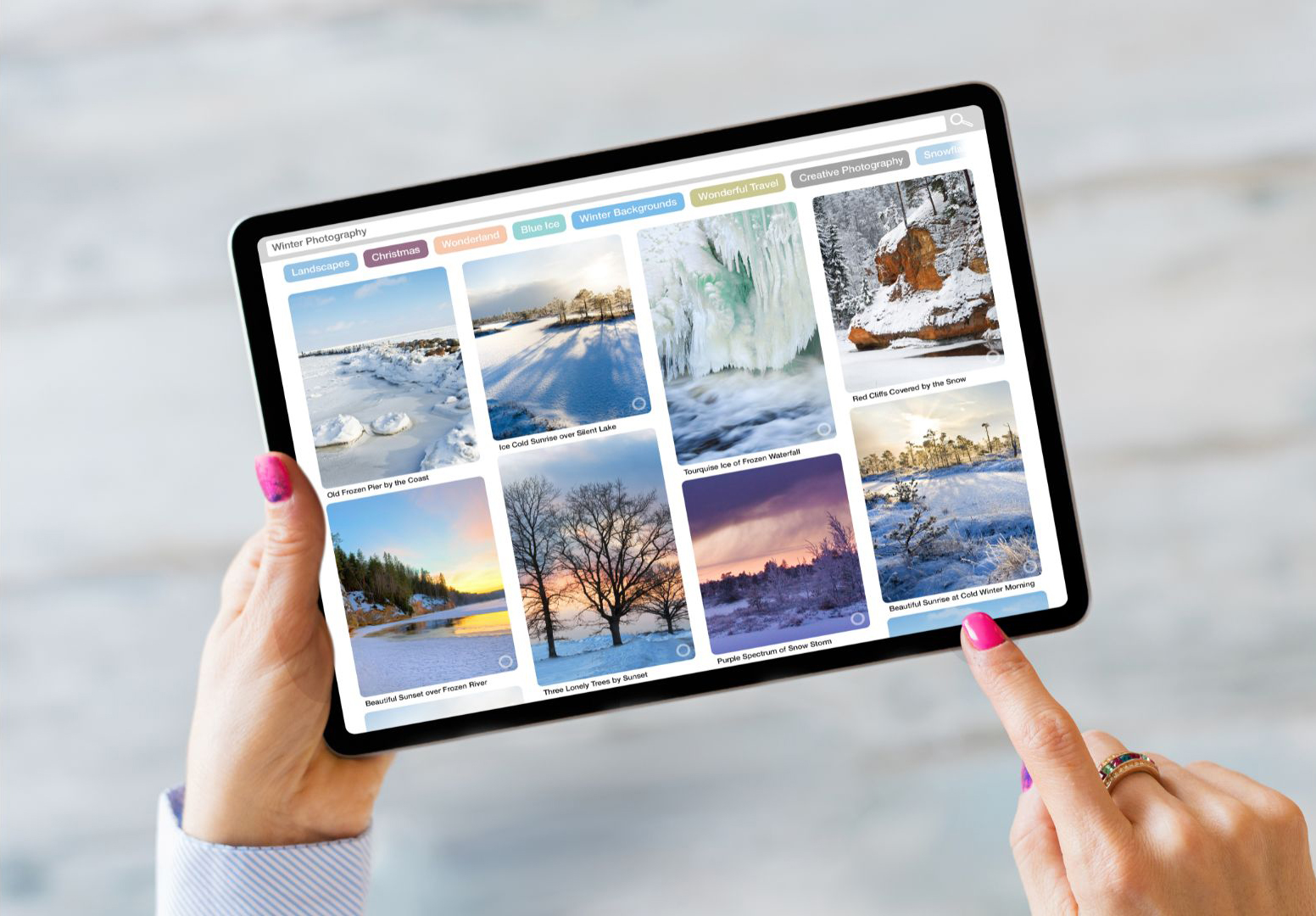
Utilizing Pinterest to promote your YouTube videos can widen your digital footprint(opens in a new tab or window), especially for seasonal content.
Content creators are slowly awakening to the potential of Pinterest's video functionality, which remains a largely untapped resource for audience expansion.
By pinning short-form video content on Pinterest boards, you can attract a demographic already in search of themed ideas. This synergy directs a high-intent audience back to your full-length YouTube videos.
Host contests for engagement and YouTube subscribers

Social media contests are a powerful tool to captivate a broad audience, and direct traffic back to your YouTube channel.
For instance, requiring participants to subscribe to your YouTube channel to enter the contest is an effective strategy to boost your subscriber count, and gives you a chance to retain them with content related to your unique prizes, or experiences.

Creating a YouTube channel can be rewarding, offering creators a versatile platform for expression, audience building, and brand expansion.
With opportunities for strategic cross-promotion and engagement through various social media platforms, YouTube stands out as an invaluable asset in an increasingly digital world.
Ready to get started? Start editing your first video here(opens in a new tab or window). Need help coming up with a channel name? Try our YouTube Name Generator(opens in a new tab or window).



