Free Online CV Maker
1M+ professionally-designed templates
Easy drag-and-drop editor
Generate content and media with AI
Download or share designs easily
Land your dream job with a professional CV. Choose a CV template and use Canva's free online CV maker to show off your skills, qualifications and work experience, built the way UK employers expect to see them. No design skills needed.

CV templates that help you stand out
Job hunting can move fast. A polished, well-designed CV helps you get noticed, and Canva's free CV builder makes that easy, even with no design experience. Edit, translate(opens in a new tab or window) and create using Canva’s beginner-friendly design(opens in a new tab or window) interface.
Whether you're a graduate applying for your first role or a professional aiming for the next step up, Canva has CV templates to suit your needs. Choose a layout built for your industry, then customise the fonts, colours and sections to fit your experience.
Once you're happy with your CV, download it as a PDF,(opens in a new tab or window) convert it to Word, make a CV website(opens in a new tab or window), or order a professional print. Pick whatever works best for you.
How to make a CV

Meet Magic Studio™: All the power of Canva’s AI
Magic Studio™ brings together the best AI-powered tools for you and your team to help you design with more ease, speed, and creativity.


Templates for every industry
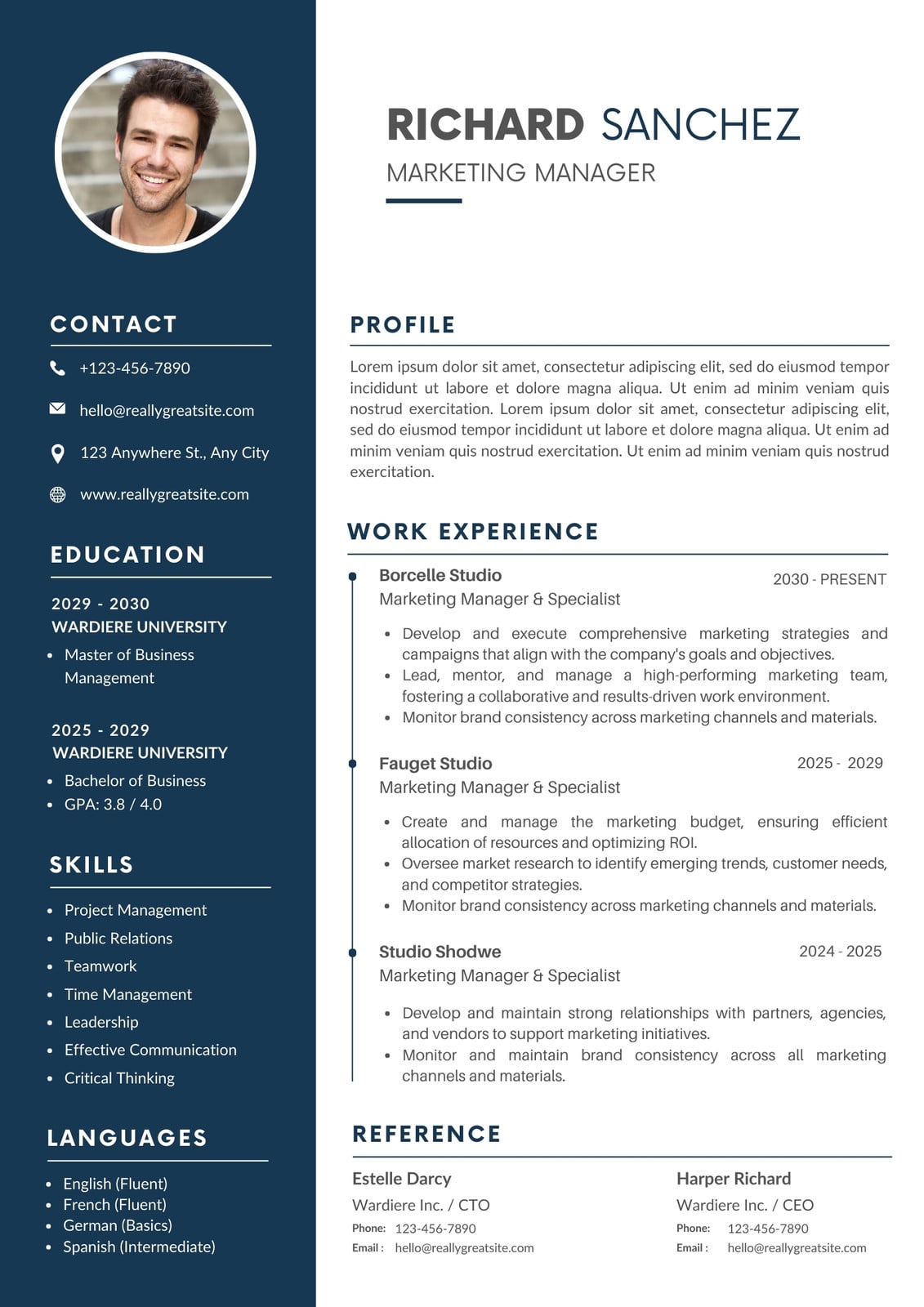
Whatever field or niche you're in, there's a professionally designed CV template to suit your needs in Canva's gallery. Choose from classic and traditional layouts, modern and minimalist designs, or bolder options if you're in a creative field.
Our CV templates aren't just eye-catching. We also offer free cover letter templates to help you keep up with your industry's trends and standards. Use our free cover letter maker(opens in a new tab or window) alongside our CV builder to put together a complete application. Alternatively, try our AI cover letter generator(opens in a new tab or window) to quickly draft a well-toned letter.
Keep your CV polished and up to date
With Canva's drag-and-drop editor, updating your CV takes minutes, not hours. Save your latest version to your account and create different versions to suit different roles. Update your CV as you gain more experience, without having to redo the whole design.
Canva's free CV builder works on mobile, tablet and desktop, so you can edit and send your CV wherever you are.
Lots of ways to manage and submit your CV
Applying for jobs is easier with Canva's range of options for submitting your CV. Send a shareable link, download it as a high-resolution PDF, or convert it to PNG.(opens in a new tab or window) You can also build a one-page CV website if you're in a creative field, or order a stack of eco-friendly, high-quality prints from Canva Print. All from one editor.
FAQ
- Your up-to-date contact details
- A short personal statement summarising who you are and what you're looking for
- Your work experience
- Your relevant skills
- Your education
It can also be customary to end your CV with “references available on request”.
Keep your details current and easy to read. If you're applying through an online system, include keywords from the job advert so your CV isn't filtered out before a person sees it.
If you don't have any work experience yet, focus your effort on the personal statement. Keep it clear and short, no more than three sentences, and include:
- What you studied, or are studying
- Your relevant skills, both technical and soft, along with any internships, placements or volunteering
- Why you're applying for this particular role
You should also make the most of your education section. Include your degree classification, A-level or GCSE grades if they're strong, and mention any coursework or workshops relevant to the role you're applying for. Don't underestimate the value of including a university or school project.
If you're short on work experience, add a short hobbies and interests section. Sporting achievements, school club membership, volunteering or anything that shows skills like teamwork or leadership can help fill the gap.
Tailor your CV to each job you apply for. Use keywords from the job advert, and show how your studies and interests have prepared you for the role. This will help your CVs pass Applicant Tracking Systems (ATS).
An academic CV is different from a standard job CV. It's used when applying for a Master's, PhD or research role, and it should give admissions teams a clear view of your academic background at a glance. To make it work:
- Lead with your education, listing your most recent qualification first
- Group your experience clearly: research, teaching or demonstrating, and any relevant work experience
- Include awards, funding or scholarships you've received
- List any publications or conference presentations, with a brief note on your contribution
Keep the layout clean and simple. Academic CVs are judged on clarity, not design, so save the creative templates for job applications instead.
Most UK CVs run to two pages. If you're early in your career or don't have much experience yet, one page is fine. What matters more than length is relevance: cut anything that doesn't help your application, rather than padding it out to fill space.
No, not usually. UK employers don't expect a photo, and some are trained to disregard CVs that include one. Only add a photo if the job listing specifically asks for one, which is rare for UK roles outside a handful of industries. If you use a template which includes a photo placeholder, feel free to remove this as you customise your final CV design.
For UK applications, you can leave your date of birth off entirely. For your address, your town or city is enough. There's no need to include your full postal address, and doing so can actually work against you if it flags your location as a longer commute than employers would like.
If you've completed a degree, you can usually leave your GCSEs off your CV and focus on your highest qualification instead. If you haven't been to university, or your degree isn't finished yet, keep your GCSEs in as they still show relevant grades and subjects.
Be upfront rather than trying to hide it. Employers generally respond well to a short, honest line: what you were doing during that time, and anything you learned or gained from it, even if it wasn't paid work. They're usually more concerned by unexplained gaps than by the gap itself.
In the UK, "CV" is the standard term for a job application document, and it's used for almost every role, not just academic or senior positions. In the US, "resume" is the everyday term, and "CV" usually refers to a longer, academic-style document. If you're applying for a job in the UK, use a CV formatted the UK way rather than a US-style resume.
Most UK CVs don't list full references. Instead, add a line saying "References available on request," or leave references off entirely and provide them separately if an employer asks. This is different from some other countries, where listing referee names and contact details upfront is more common.

@navneet4


