- Create Mood Boards
Create Inspiring Mood Boards Online with Canva

Easy drag-and-drop editor
3M+ free stock photos and graphics
Generate content and media with AI
Invite others and design together
Evoke the right mood and convey your ideas clearly with a beautiful mood board.

Use Canva’s drag and drop editor to create amazing mood boards
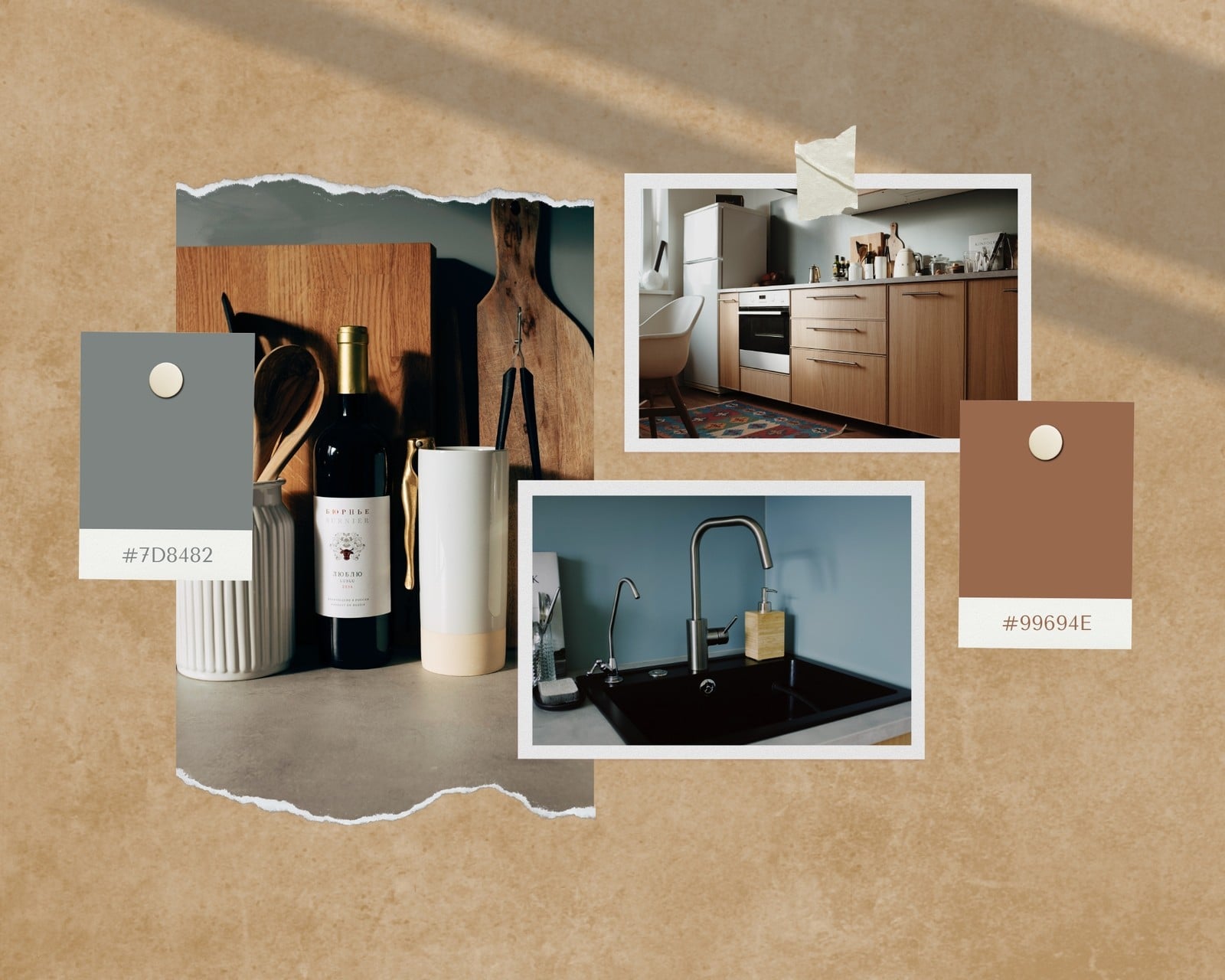
Trying to describe or capture something as abstract as a mood or feeling can feel like an exercise in frustration. How do you evoke the right mood when all you have is words? For this reason, professional designers turn to mood boards — a collection of images, textures, typography, color palettes and description words. Also known as an inspiration board, mood boards can help you gather ideas and inspiration for a project as well as help your pitch get off the ground faster.
Mood boards, especially digital ones, are definitely fun to create but can be quite complicated. Using Canva’s drag-and-drop design tools, however, makes it much easier and faster to create one. Browse through our amazing collection of professionally made templates then start customizing the ones you like best to fit your project perfectly. Search our media library for images, illustrations and more design elements, move things around, change things up, then share your mood board with the rest of the world!
How to make a mood board

Meet Magic Studio™: All the power of Canva’s AI
Magic Studio™ brings together the best AI-powered tools for you and your team to help you design with more ease, speed, and creativity.


Get inspired with our professional templates
If lack of inspiration is what’s stopping you from creating an amazing mood board, you won’t need to look further than our collection of amazing mood board templates. Created by an amazing team of professional designers, these templates are fully customizable and can get your creative juices flowing. Every element can be moved, removed, recolored, and resized. You can also incorporate it into your floor plans(opens in a new tab or window) or house plans(opens in a new tab or window). Canva empowers you to create your very own design, using our templates as your springboard.
Use grids and frames for a more structured look
Mood boards are basically collages(opens in a new tab or window), you can tack things on as much as you want, with little structure. But if you’re the kind that thrives on grids, then you’re going to love Canva’s grid and frames tool. From simple three-frame designs to complex arrangements perfect for mood boards, design grids give you room to envision and play. Canva grids are flexible enough that you can layer design elements on top of one another. You can fill a grid with color and layer descriptive text above it.
Looking for images to add? Search through Canva’s amazing media library, containing over a million high-quality images, illustrations and icons.
Collaborate with a team to create your mood board
Gaining inspiration doesn’t have to be lonely work — Canva is also a collaboration tool that allows you to design with colleagues and friends easily. Simply invite them, and once accepted, they can then access your design as well as add their own input and comments in real-time from any desktop, laptop, iPhone, or iPad device.
FAQ
A mood board is generally a collage consisting of photos, illustrations and other graphics. It may contain some text, but it’s mainly a way to make your ideas visual and express yourself through images. Mood boards can be large enough to cover a wall or small enough to fit your screen.
Most mood boards often include:
- images from your personal collection, brand photography or stock images
- logos and icons
- sketches and illustrations
- color swatches and backgrounds
- stylized font and text
- fabric and paint and textures that suit the overall design.
You can create a digital mood board as well.
While choosing photos for mood boards, you can add dimension to your design by selecting images with a variety of depths such as wide full-room shots and close-up shots. Some designers recommend a formula of two interior shots, one product shot, two landscape shots and two texture shots.
You can upload video clips in the MOV, GIF, MP4, MPEG, MKV, and WEBM formats, with a maximum upload size of 1GB. If the video has a transparent background, we suggest uploading it as a GIF.
You can upload photos, too. If you’re uploading JPEG/JPG, PNG, HEIC/HEIF, or WebP images, make sure your file is:
- Under 50MB in size
- Not more than 250 million total pixels (width x height)
- If it’s a WebP, only static files are supported
If you’re uploading SVG images, make sure your file is:
- Under 3MB in size
- Between 150 to 200 pixels wide
- Saved with an SVG Profile of “SVG 1.1”
To learn more about our media upload requirements, check this guide.

@navneet4


