- Create CapCut Alternative
Create stunning videos with Canva’s free CapCut alternative

Easy drag-and-drop editor
3M+ free stock photos and graphics
Design from any device
Download or share designs easily
Create videos like a pro with Canva’s online video editor(opens in a new tab or window), your free CapCut alternative. Use our ad-free interface, powerful AI tools, a rich stock media library, and free cloud storage to make scroll-stopping videos with confidence.

Own what you create with Canva, the best CapCut alternative
Canva’s intuitive video editor ensures professional results without expensive software or complex tools. Splice, cut, trim, and resize your video however you like. Choose from a wide selection of stock footage, photos, and audio tracks to make editing quick and hassle-free. Invite team members to collaborate on your video, and see changes in real time.
More than helping you create an engaging video, we want you to create something that’s truly yours. Any video you create on Canva is yours, not ours or anyone else’s. We don’t repurpose it, license it, or use it without your permission. We don’t put watermarks on your video either, so you can download it without visual distractions. Creating and sharing videos on your own terms is possible with Canva. Read more about content ownership on Canva(opens in a new tab or window).
How to create and edit videos

Meet Magic Studio™: All the power of Canva’s AI
Magic Studio™ brings together the best AI-powered tools for you and your team to help you design with more ease, speed, and creativity.


Edit like a pro with AI-powered tools
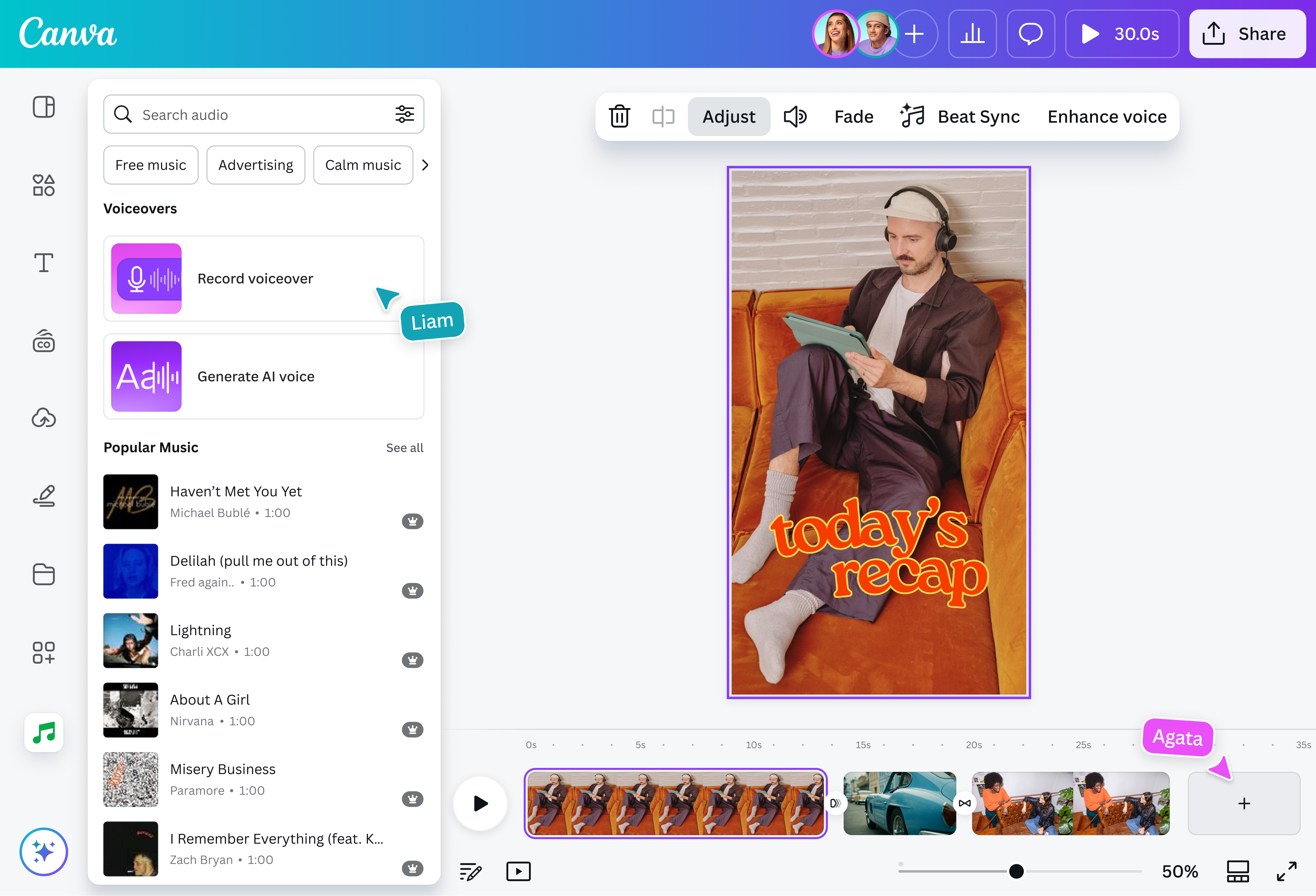
Canva’s AI-powered video editing features make it the best CapCut alternative for creators and businesses alike. Need a polished narrator? Transform your text into natural-sounding AI voiceovers(opens in a new tab or window) in a few clicks. If you already have something written, you can use tools like Bengali text to speech(opens in a new tab or window)—just type what you want to say and choose from a range of voices. Just type what you want to say and choose from a range of voices. Prefer a personal touch? Record your own voiceover(opens in a new tab or window) directly into the editor, perfect for sharing insights or adding your unique personality to content. You can even use a British Accent Generator(opens in a new tab or window) to give your narration a distinct regional charm or create TikTok text to speech(opens in a new tab or window) for your social videos.
The magic doesn’t stop at audio! Remove video backgrounds(opens in a new tab or window) instantly with a click. Automatically edit footage and sync music with Magic Design™ for Video(opens in a new tab or window). Alternatively, generate videos from text with Magic Media™(opens in a new tab or window). Describe your video with a simple text prompt, and watch as Magic Media generates it for you.
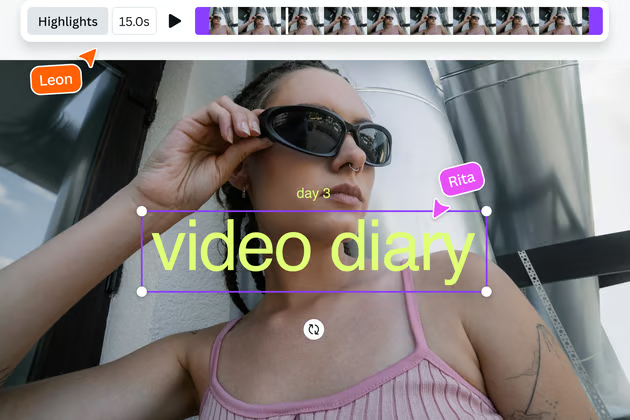
Need short, snappy clips from your videos? Use the Highlights feature to identify and capture your video’s best moments, eliminating hours of manual editing. Or, use auto-trim to ensure videos always hit the mark.
Make your content accessible with auto-generated captions(opens in a new tab or window) that appear in seconds. Edit the text to match your brand, then seamlessly export and share with the burnt-in subtitles. You can even translate video captions(opens in a new tab or window) to reach a global audience or transcribe video to text(opens in a new tab or window) for repurposing content.
Craft studio-quality audio
With Canva’s free video editor, your videos won’t just look good; they’ll sound incredible too. In one click, the volume balancing feature evens out those annoying volume spikes for consistent, professional audio. Need to fine-tune the sound? Seamlessly extract audio from any video, split it into segments, or duplicate tracks for creative layering. Adjust exactly when your audio kicks in, add smooth fade-ins and fade-outs, and even record voiceovers on the fly while editing. It’s like having a full recording studio in your browser or mobile phone!
Canva Pro and Education subscribers get access to trendy music templates for non-commercial use. (See what music is available in your region.(opens in a new tab or window)) Use Beat Sync (Pro) to magically match your clips to the music.
What’s more? Explore our rich content libraries that include Artlist’s collection of 100,000+ cinematic videos and 15,000+ royalty-free tracks exclusive on Canva. Throw in thousands of sound effects(opens in a new tab or window), and you’ve got everything you need to create videos for work or personal use.
Start with thousands of template
Making a video but don’t know where to begin? Canva’s got you covered. Our CapCut alternative offers a wide variety of customizable video templates. From the traditional 16:9 to a portrait aspect ratio, from a YouTube video to a TikTok reel, there’s a layout perfect for your needs. Say you’ve already chosen a design, but you suddenly changed your mind and want to go for a different layout instead. Don’t fret — easily transform your existing designs to your desired aspect ratio and size with Magic Resize(opens in a new tab or window).
You can also select from many style and theme options, so if you’re going for a more formal or a fun, quirky video, there’s something for you. Even better, most of our templates are free, so you don’t need to spend a single dime to make your project!
Level up with effects and animations
Go the extra creative mile and don’t stop with a plain video. Make your elements more dynamic with over a dozen animation options like Fade, Wipe, Blur, Drift, and more. Want to add a custom animation? With the Create an Animation tool, you can draw a unique motion path along which your chosen element moves across your video. But it doesn’t end there — you can make parts of your video pop even more by adding effects such as Rotate, Flicker, Pulse, and Wiggle. Sync these to your sounds and music, and you’ve got a high-quality video on your hands.
Collaborate and share effortlessly
Want a fresh set of eyes to review your video? Invite friends or colleagues to your design and edit together in real time, on any device. Whether you’re using our CapCut alternative for iPhone or Android, or our CapCut alternative for PC, you can work on your video whenever the inspiration strikes — ad-free!
Need more time to fine-tune your video? Not a problem. Canva saves all your content safely in the cloud, with 5GB worth of storage for free accounts and more for Pro users, so you can revisit your draft and never lose any progress you made. Once you’re satisfied with your work, you can download your watermark-free video as a high-resolution MP4 file. Alternatively, share it to your social media accounts—from Instagram and X (Twitter) to Facebook and LinkedIn—directly from Canva’s video editor.
What’s more, you can easily schedule your video to go live on your preferred date with Content Calendar (Pro)(opens in a new tab or window). Take better control of your socials and plan your content for optimal hours, days, or months in just a few clicks.
FAQ
There are many free alternatives to CapCut, each with features that may be helpful to you depending on your needs. To create videos like a pro on a beginner-friendly interface, access millions of templates and stock media, and have fun while editing videos, Canva is the best CapCut alternative for you.
Both CapCut and Canva offer video editing tools for high-quality content creation. However, Canva offers 5GB of free cloud storage and allows collaborative editing, no sign-in required. Canva’s paid subscription also supercharges your video-editing work with AI tools like the video background remover, Beat Sync, Magic Animate, Enhance Voice for video narrations, and more.
Canva is much more than a video editor — it’s a powerful, all-in-one design tool that lets you create and edit photos, docs, presentations, websites, social media graphics, etc.
In addition, you own what you create on Canva. We will never sell, reuse, or license your content without your permission.
We don’t claim ownership of your content. We don’t repurpose it, license it, or use it without your permission. Canva is built with creators at its heart.
To sum up, Pro or paid elements will only have watermarks on your videos if you're a Canva Free user.
It also works on iOS, Android, Mac, and Windows mobile devices. Download our mobile video editing app, so you have a handy CapCut alternative for either Android or iPhone, and create videos wherever and whenever inspiration strikes
At this time, adding catchy popular tunes to your social graphics is currently only released in the following regions: United States, United Kingdom, Canada, Australia, and parts of Europe (France, Spain, Italy, Poland, Netherlands, Portugal, Belgium, Sweden, Finland, Ireland, Denmark, Hungary, Greece, Norway, Croatia, and Luxembourg). We’re hoping to enable it in more regions soon!
Check our Popular Music License Agreement to see if popular music is available in your region. If it’s available in your region, it will be part of your Canva Pro or Canva for Education subscription. You can upload your video using popular music to social media, as long as it’s for personal use. Just take note that when you upload to social media, the label that owns that music may profit from your video or have it blocked.
Popular music isn’t currently available to people using Canva for free, Canva for Teams, or Canva for Nonprofits.

@navneet4