Free logo mockup generator


Easy drag-and-drop editor
3M+ free stock photos and graphics
Design from any device
Invite others and design together
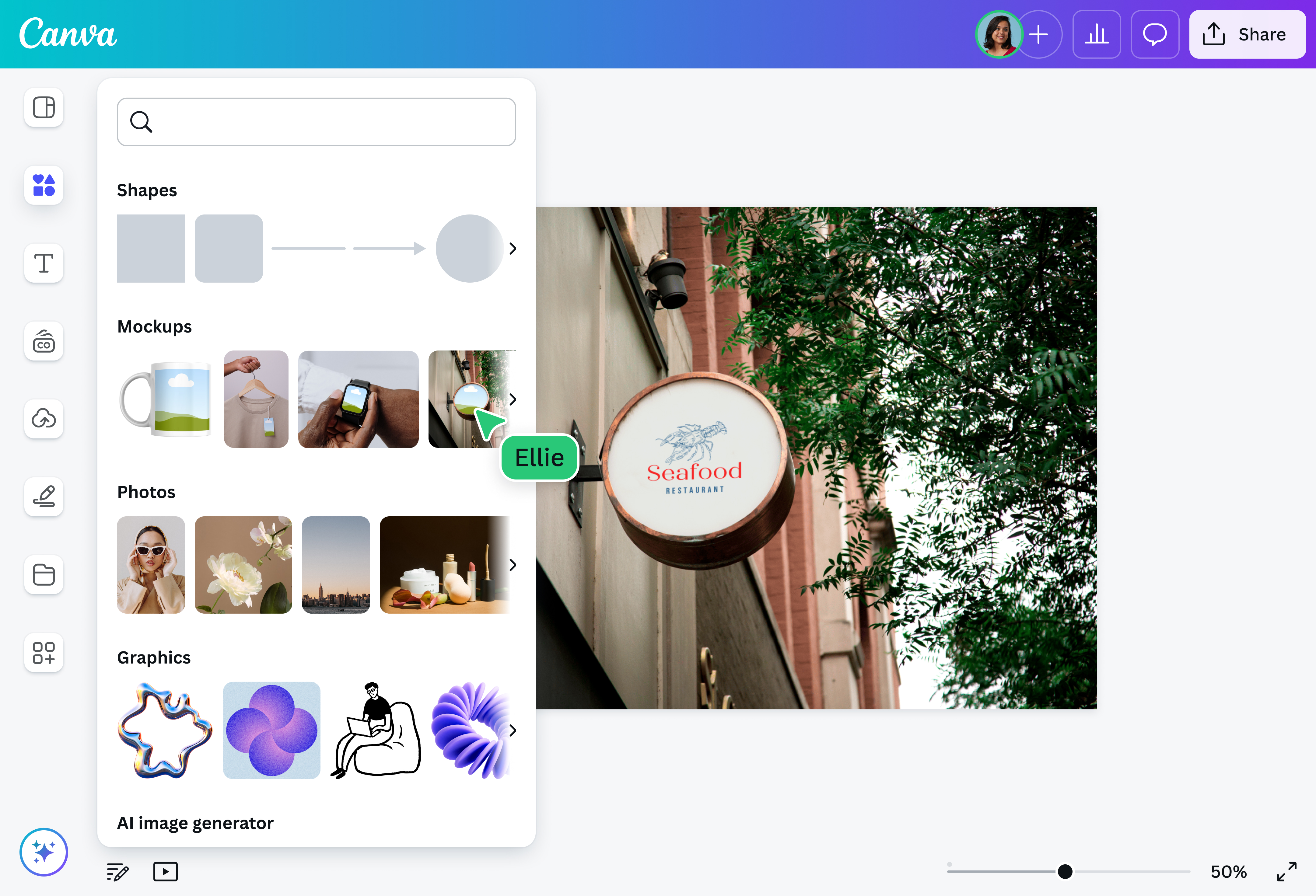
You don’t have to spend extra time and resources to see your logo design in real life. With Canva’s free logo mockup generator, you can apply your brand logo to different materials and media for personal and commercial use.

Bring your logo to life in stunning realism
Bring your logo design closer to life using Canva’s free logo mockup generator. Create realistic logo mockups with ready-made templates you can easily customize. Use AI-powered tools right inside our editor to supercharge your design in just a few clicks.
Whether you’re pitching a logo(opens in a new tab or window) design to clients or planning to launch a new product, Canva Mockups can help you elevate your presentation with ease.
How to create a logo mockup

A cost-effective way to showcase logo designs
With Canva’s logo mockup generator, you can showcase your logo design in the most realistic way possible for free. Whether you’re ensuring consistent branding across different marketing collateral or presenting your vision to clients and stakeholders, a realistic logo mockup is a cost-effective way to boost marketing or visually communicate the brand design to your audience.
Choose from a broad range of mockups
Visualize how your logo design will look in real life with a free logo mockup. We have a curated collection of ready-made mockup templates you can customize and use for your logo design, from business cards(opens in a new tab or window), signages(opens in a new tab or window), and other print materials, to packaging and apparel. No matter what item or real-world scenario you’re looking for, we got you covered.
Ease and flexibility with endless options
Our editing tools don’t require design experience — just creativity. They’re built to be user-friendly so you can customize your logo mockup, laptop mockup(opens in a new tab or window), or hoodie mockup(opens in a new tab or window) with ease. We also have an extensive elements library to help you spruce it up for any purpose. Want to work on your logo mockup with your team? Our editor has collaborative features that let you share your design and assign tasks to members, wherever they are.
Use AI tools to level up mockups
Harness the power of AI to refine your logo mockup instantly. Magic Edit(opens in a new tab or window) will help you add or replace elements in your image. Remove visual clutter with Magic Eraser (Pro)(opens in a new tab or window) or remove the entire background with Background Remover(opens in a new tab or window). If you want to extend your image, Magic Expand (Pro)(opens in a new tab or window) is a nifty tool, or easily create realistic iPhone mockups(opens in a new tab or window) that communicate your design ideas visually in just a few clicks. On Canva, streamline your design process and create a high-quality logo mockup that leaves an impact.
FAQ
The easiest way to make the perfect mockup for your logo is by using our logo mockup generator. Browse our collection of logo mockups and choose one that suits the design you have in mind. Keep these tips in mind while making your logo mockup:
- Upload your logo in high-quality: Make sure to upload a high-resolution copy of your logo. This way, you can create more realistic and professional-looking logo mockups that connect with your audience and leave a strong impression.
- Keep an eye on size and proportions: Ensure your logo mockup looks good by adjusting the size and placement of design elements in it as needed. This can help prevent your logo looking distorted or out of proportion in your mockup.
- Consider different perspectives: Try creating multiple logo mockups at different angles or distances from your audience to provide a sense of depth and dimension.

@navneet4