Free news intro maker


Easy drag-and-drop editor
1M+ professionally-designed templates
Generate content and media with AI
Download or share designs easily
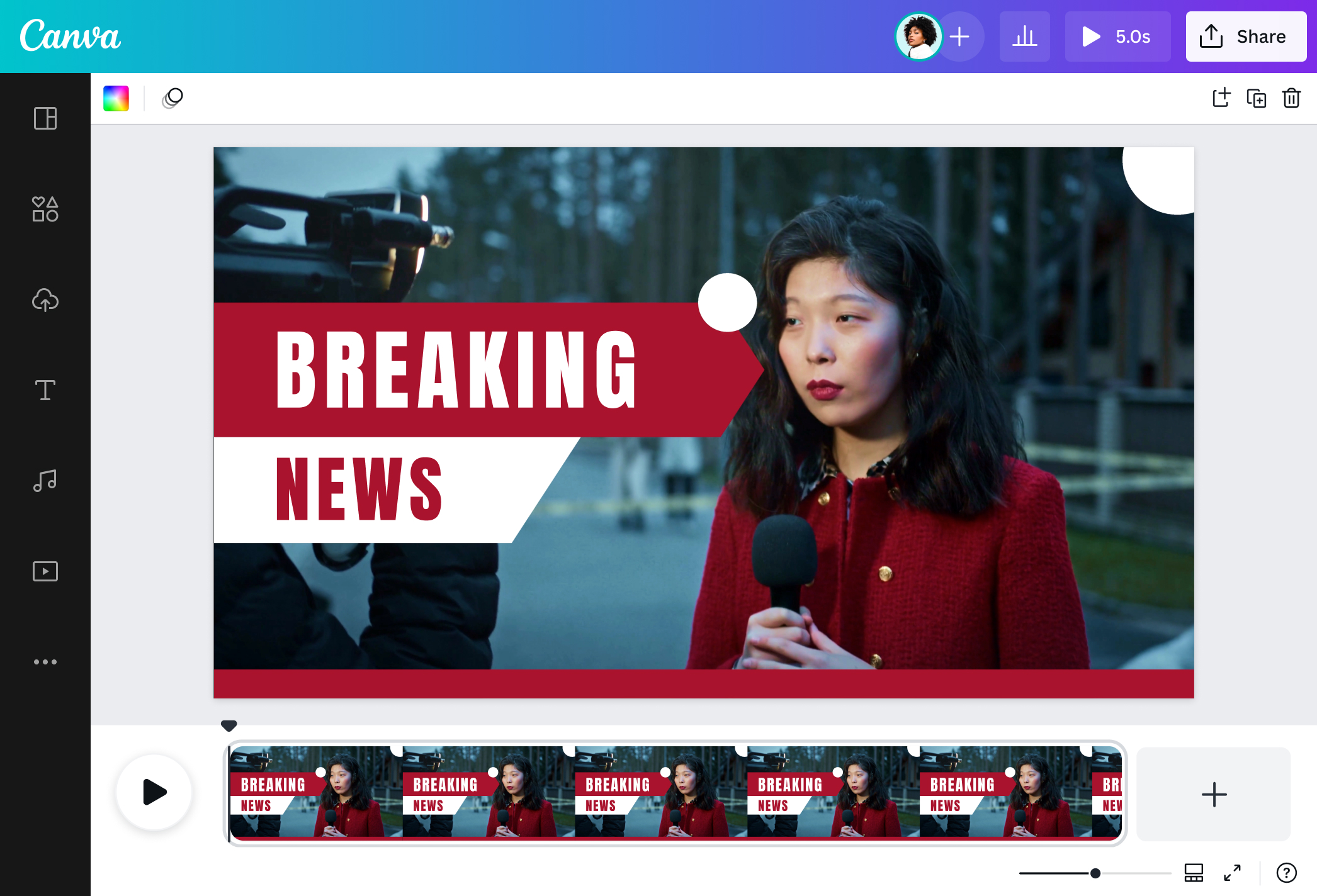
Capture—and keep—your viewers’ attention with a standout news opening. Create news intros like a pro with Canva’s free news intro maker.

Create your own news intro in minutes
To keep an audience's loyalty and interest, you must deliver hot-off-the-press info quickly and in a visually appealing way. It’s great to have a news intro video on hand; just add your news video, and you’re good to publish.
Easily create an attention-grabbing news intro with Canva's news intro maker! Start with a trustworthy and professional template, then edit it to add your brand visuals. Customization is as easy as dragging and dropping graphic elements from our free media library. Switch out the vectors, text, and video clips. And when you're done, effortlessly download your work in high-resolution MP4, watermark-free.
Once you have a custom news intro, you can simply put it at the start of your news videos and publish a story as soon as it breaks.
How to make a news intro

Meet Magic Studio™: All the power of Canva’s AI
Magic Studio™ brings together the best AI-powered tools for you and your team to help you design with more ease, speed, and creativity.


Curate for various needs and platforms
Whether you're a video producer, news crew member, campus journalist, or a content creator, you can make the most of Canva's free news intro maker and its wide array of templates. There are layouts similar to breaking news on TV, as well as colorful video graphics perfect for reporting the newest trends in your niche.
You can create a news opening for breaking news, developing stories, political events, social movements, sports, entertainment, and more. Whatever your news beat is, we’ve got you covered.
If you want to mix and match video elements, you can start with a blank video template. Simply drag and drop ready-made graphic design elements, stock photos(opens in a new tab or window), and stock videos(opens in a new tab or window) from our media library onto your news intro project. Add a heart-pounding track, too, to keep viewers on the edge of their seats.
Edit on the go
Just received a piece of information you want to share, but you're on the road or don’t have your laptop with you? With our news intro maker, you can edit on whatever gadget you have on hand.
Download our free mobile app and create news intro videos on the go. With our ready-made templates, you can produce a news intro video in minutes. You can even expand your project by adding the main news story and creating a news outro.
Need to make multiple news openings? Get your team involved. Send them a link to your news intro video project, so you can collaborate and edit with them in real time.
Share your videos instantly
Be the first to post the latest news. With our free news intro maker, you can make a news intro, create the rest of your segment, and produce an outro—all without leaving the editor.
Once you're done, you can either download and post it manually or share it across several platforms directly from Canva. Pro users can even use our scheduling feature to ensure that your news clips are posted during the optimal posting time.
When time is of the essence, you can rely on our news intro maker to get you ahead of the race.
FAQ
- It quickly introduces your channel to old and new viewers.
- It sets the tone of the news segment.
- Gives viewers a preview of the main segment.
You can upload video clips in the MOV, GIF, MP4, MPEG, MKV, and WEBM formats, with a maximum upload size of 1GB. If the video has a transparent background, we suggest uploading it as a GIF.
You can upload photos, too. If you’re uploading JPEG/JPG, PNG, HEIC/HEIF, or WebP images, make sure your file is:
- Under 50MB in size
- Not more than 250 million total pixels (width x height)
- If it’s a WebP, only static files are supported
If you’re uploading SVG images, make sure your file is:
- Under 3MB in size
- Between 150 to 200 pixels wide
- Saved with an SVG Profile of “SVG 1.1”
To learn more about our media upload requirements, check this guide.

@navneet4


