Free Short Video Maker


Easy drag-and-drop editor
1M+ professionally-designed templates
Generate content and media with AI
Download or share designs easily
Cast your net to a wider audience by creating engaging video shorts with Canva’s free short video maker app. Choose from ready-made templates for YouTube shorts, TikTok videos, or Instagram Reels, then customize them with unique animations and editing effects. With a few clicks, you can transform your short content and leave a lasting impression on your growing follower base.
Short-form storytelling made more compelling
YouTube Shorts, TikTok videos(opens in a new tab or window), Instagram Reels, and Stories are the trendiest and most creative ways to share your message on video-sharing platforms. Hundreds of thousands of videos are uploaded daily, so the last thing you want is for your video to get lost in the algorithm. But with well-produced videos that attractively capture everything you want to say within the maximum length, you can boost your online presence and gain a wider reach.
Promote your brand, introduce products and services, or share snippets of your daily life with Canva as your go-to editor for YouTube Shorts, TikTok videos, and more. Don’t just follow the trends—create your own by customizing templates with your own aesthetic, adding music from our audio library, and making stylish edits with transitions and Beat Sync. When you know what story you want to convey, everything else is easy peasy. For an extra distinctive touch, consider using a British Accent Generator(opens in a new tab or window) to give your voiceovers a unique edge for UK audiences.
How to make short videos

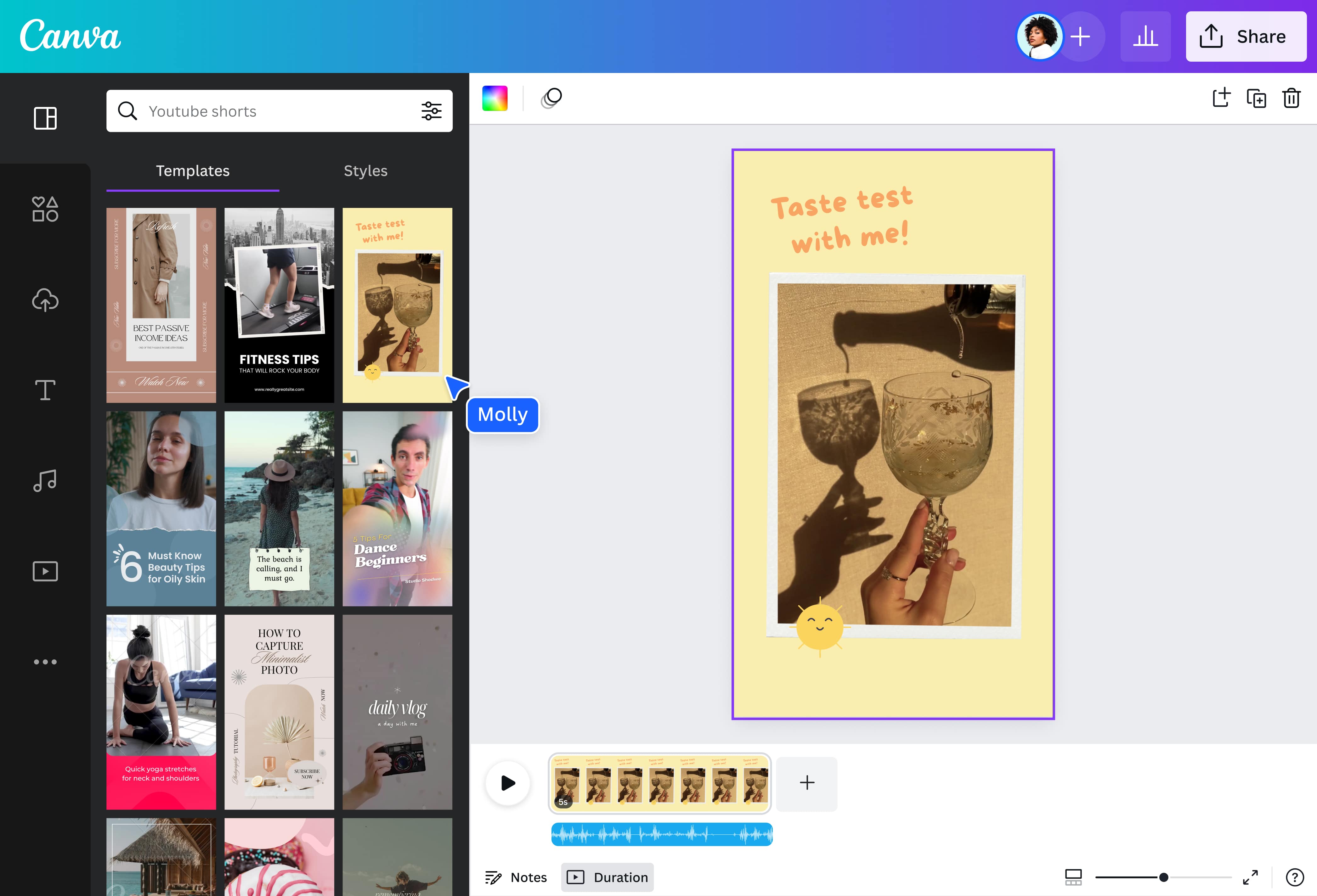
Do more in less time
For entrepreneurs and content creators, uploading frequent short videos can boost your online visibility and increase engagement. Capture the heart of your message with clean-looking visuals and a fitting sound to support your vibe without wasting time. Canva's powerful video editor(opens in a new tab or window) has everything you need to make short videos that hook your audience immediately.
Begin with professionally designed templates for YouTube Shorts(opens in a new tab or window), TikTok videos, Instagram Reels, and Stories. Then, customize it with a full suite of editing tools, an extensive music library, and plenty of graphics and elements to make your short video stand out. You can also use Canva's AI video editor(opens in a new tab or window) to instantly generate short videos.
Whether you're showcasing your brand's new products, sharing your hot take on a trending issue, or introducing a helpful hack, work on the go and produce a quick, compelling video in minutes with Canva's free online short video maker.
Create your own rhythm
Who says you need to hire a professional editor for your videos? Canva's user-friendly interface makes bringing a dynamic style to your videos easy. Don't just follow video trends online–take the lead and create your own!
Upload your tracks, photos, and clips for a personal touch. Or, record yourself(opens in a new tab or window) directly from the app for a more natural approach. Adjust the lengths of your frames, make your text dance on the page with animations(opens in a new tab or window), and tell a seamless story with cool transitions. With Beat Sync(opens in a new tab or window), Canva can intuitively edit your video to the beat of your chosen sound so you can keep your message brisk and snappy.
Your shortcut to captivating content
Don't feel boxed in by generic and overused layouts on social media platforms. Access our short video maker online to explore hundreds of templates for video shorts, all beautifully designed and ready for personalization. There's something for every industry and niche interest that you can fully edit to your heart's content.
Produce eye-catching product teasers for your Instagram story. Create a step-by-step tutorial to post on TikTok. Or share life moments like snippets of your last vacation or your current favorite recipe to connect with your YouTube audience. Our beginner-friendly short video maker equips you with all the tools and features to make your content creation process quick and straightforward—no video editing experience or complicated software required.
FAQ
You can upload video clips in the MOV, GIF, MP4, MPEG, MKV, and WEBM formats, with a maximum upload size of 1GB. If the video has a transparent background, we suggest uploading it as a GIF.
You can upload photos, too. If you’re uploading JPEG/JPG, PNG, HEIC/HEIF, or WebP images, make sure your file is:
- Under 50MB in size
- Not more than 250 million total pixels (width x height)
- If it’s a WebP, only static files are supported
If you’re uploading SVG images, make sure your file is:
- Under 3MB in size
- Between 150 to 200 pixels wide
- Saved with an SVG Profile of “SVG 1.1”
To learn more about our media upload requirements, check this guide.

@navneet4


