- Create Wedding Video Invitations
Free Wedding Invitation Video Maker


Easy drag-and-drop editor
1M+ professionally-designed templates
Generate content and media with AI
Invite others and design together
Your special day deserves a special invitation. Bring your wedding card to life using Canva’s online wedding invitation video maker. With customizable video templates and a beginner-friendly editor, creating a fantastic digital invitation is truly a piece of (wedding) cake.

Put a creative spin on your wedding invites
There’s nothing like a captivating video to showcase your love story and get your guests excited to witness your I dos. Skip traditional print invites, and make a wedding invitation video from thoughtfully-crafted templates on Canva. Choose from minimalist, floral, or cartoon-inspired designs, then customize away.
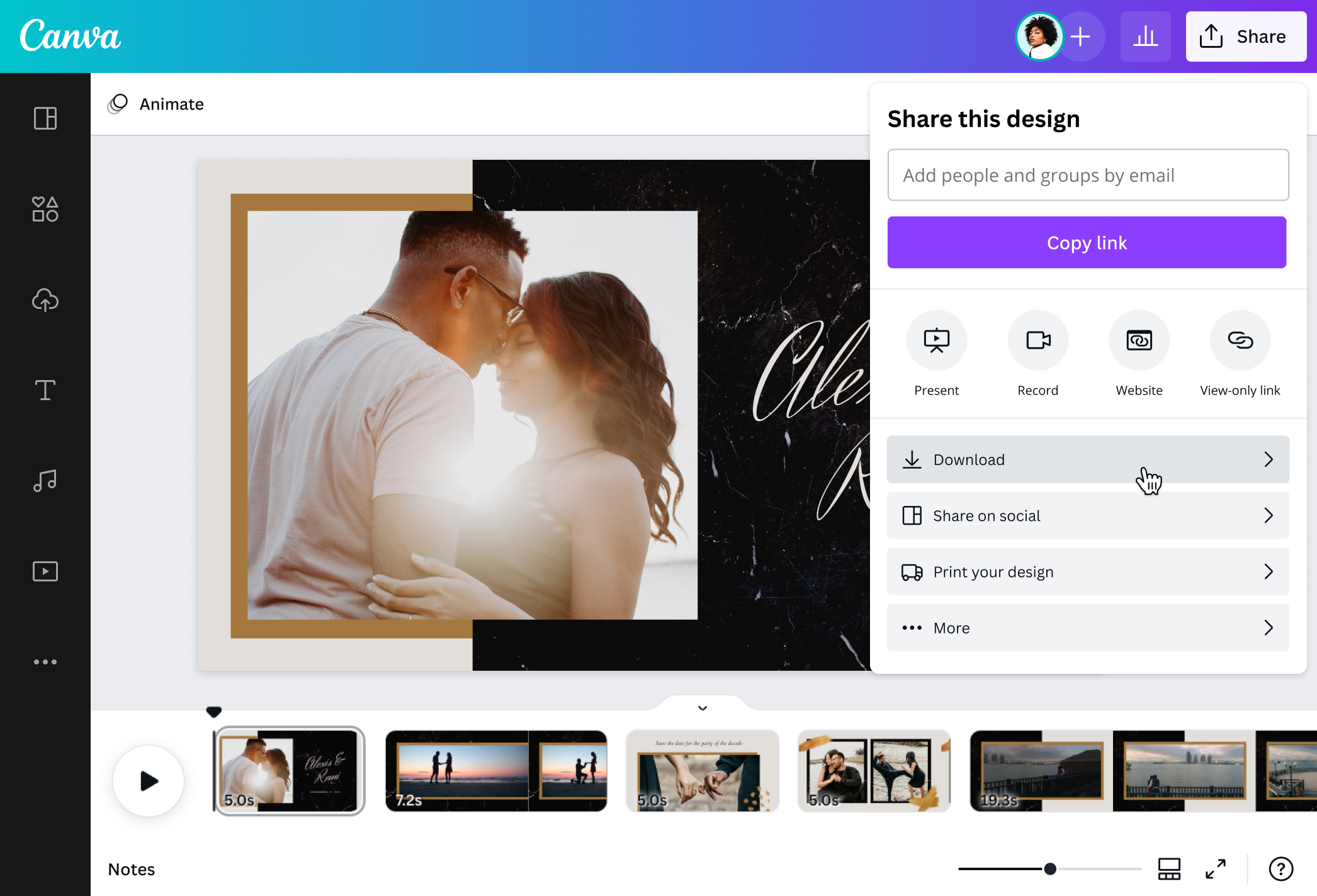
Forget expensive software or complicated video editing apps. Canva makes it easy to create a wedding invitation video in minutes. Put together your favorite photos and videos, edit the text(opens in a new tab or window) to include all the essential details of the day, then tie everything together with delightful music. Instantly send your save the date video(opens in a new tab or window) invite to your guest list or post it on your socials straight from the Canva dashboard.
How to make a wedding invitation video

Meet Magic Studio™: All the power of Canva’s AI
Magic Studio™ brings together the best AI-powered tools for you and your team to help you design with more ease, speed, and creativity.


Build up excitement for your dream day
Weddings are festive events in celebration of love and togetherness. Spark love in every guest with a romantic video you can share before the big day. Showcase your gorgeous engagement photos or highlight your sweetest memories with candid video clips to add a layer of intimacy and excitement.
Create a wedding invitation video as a stand-alone invite or to complement your physical invitation cards. Choose from Canva’s collection of beautifully designed templates, then customize it any way you like. Easily share your invitation video with guests and inspire everyone to celebrate with you.
Add a personal touch
Make a wedding invitation video that reflects your personality as a couple. Are watching movies your favorite date night activity? Maybe you met in a coffee shop or at the park while walking your dogs. Let your best moments shine through and be as creative as you want with our online wedding invitation video creator.
Tell your love story by weaving together images and clips, adding animated text(opens in a new tab or window), and uploading your theme song to play in the background. Adjust the font styles and color schemes, change up the order of the clips, or find illustrations, stickers(opens in a new tab or window), and other graphic elements in our massive library. Design your wedding invitation however you want and make it uniquely yours.
Invite guests with joy, love, and a dash of creativity
Creating invitation videos is simple, but sending them is even easier with Canva. Tick one thing off your to-do list(opens in a new tab or window) and share your video with the world. Email your wedding invite to your guests, upload it to your Facebook event page, or publish it on your Instagram, TikTok, and other social media accounts. You can also create a link or download your work as a high-quality MP4 and save it to your device. Do it all and more in one platform, so you can save time and get right back to planning your perfect day.
FAQ
You can upload video clips in the MOV, GIF, MP4, MPEG, MKV, and WEBM formats, with a maximum upload size of 1GB. If the video has a transparent background, we suggest uploading it as a GIF.
You can upload photos, too. If you’re uploading JPEG/JPG, PNG, HEIC/HEIF, or WebP images, make sure your file is:
- Under 50MB in size
- Not more than 250 million total pixels (width x height)
- If it’s a WebP, only static files are supported
If you’re uploading SVG images, make sure your file is:
- Under 3MB in size
- Between 150 to 200 pixels wide
- Saved with an SVG Profile of “SVG 1.1”
To learn more about our media upload requirements, check this guide.

@navneet4


