Learn about Canva's upload formats and requirements. See how we use your content in our Privacy Policy.
Make your content more accessible and engaging by converting PDF to PowerPoint. Use Canva's free online PDF to PowerPoint converter to turn your PDF files into fully editable PowerPoint presentations—with layouts, formats, and visual elements intact.
Try these document editing tools
Edit, convert, translate PDFs and more. All the PDF editing tools you need!
No need to worry about transferring the contents of your PDF files into a PowerPoint presentation. Skip hours of copying and pasting, and change PDF to PPT format for free on Canva. Retain everything after changing your files and make editing and adding details easier, too. Get constructive feedback on your report, and invite colleagues to comment on sections that could use improvement. With Canva’s PDF to PowerPoint converter, you can get what you need done in just a few clicks.
Make fascinating content for your audience
You've got the data, now bring your presentation to life. Supplement stats and numbers with engaging visuals. Replace plain-looking symbols with artful icons(opens in a new tab or window). Use colors and graphic elements to break words up into smaller chunks. Turning PDF into PPT also lets you animate text(opens in a new tab or window) to really drive your message home. Access these design functions with our free PDF to PowerPoint converter, and make your presentation look as good as it sounds.
Become a visual communicator
Get your ideas across from the classroom to the boardroom with the right visuals. Convert PDF to PowerPoint for free on Canva and create a dynamic presentation that will make people sit up and pay attention. Upload your branded assets and place them in the slides. Spruce up the layout by changing the font styles and adding relevant graphics and videos. Let your creative vision loose with no limits. Convert to PPT and quickly get a usable file for your campaign plan, project, or business proposal(opens in a new tab or window).
How to convert PDF to PPT
Frequently Asked Questions
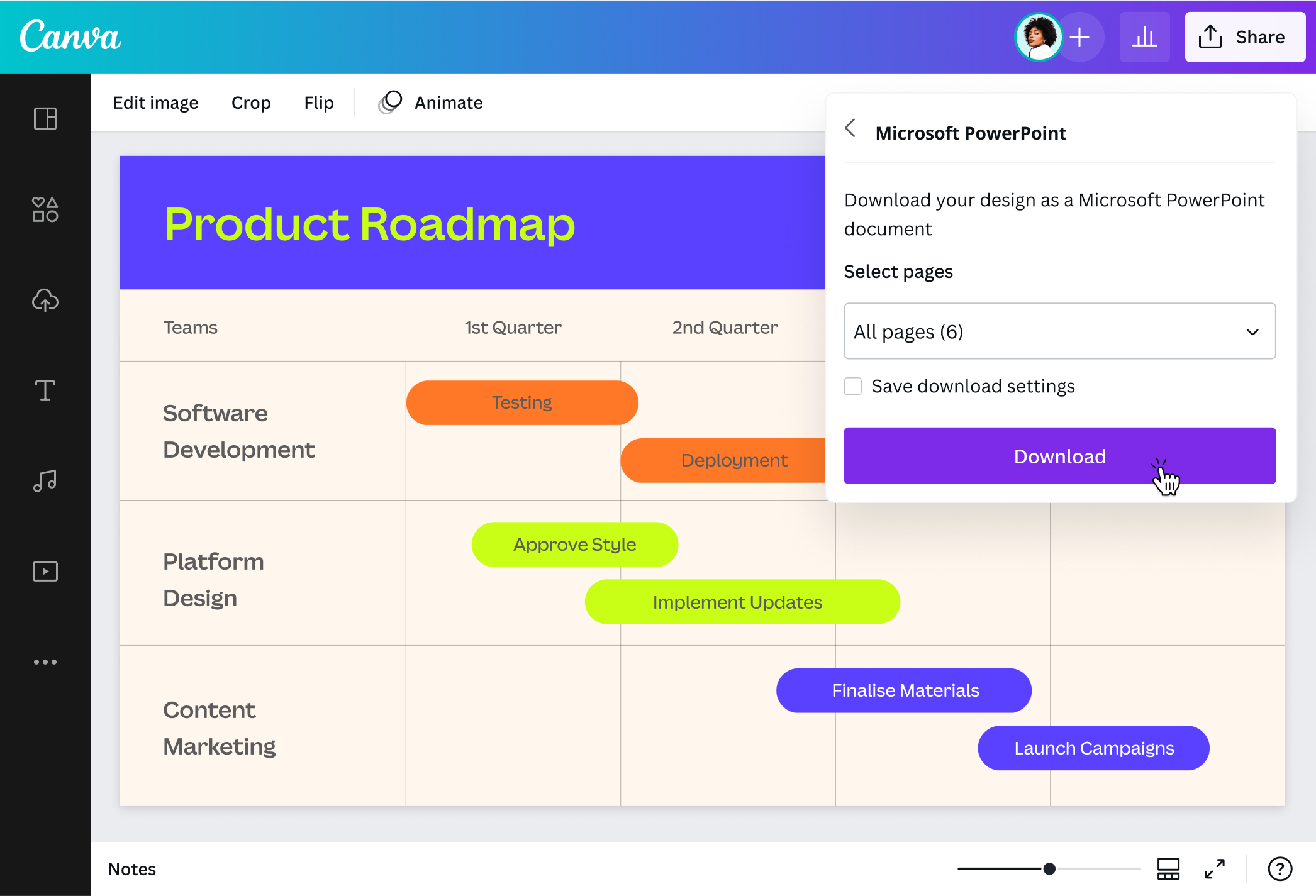
Convert your file using our PDF to PowerPoint converter on mobile or desktop. Upload your PDF file, and our platform will automatically turn it into a fully customizable design. Move your project from one device to another while making the most of the same tools and features. Edit as little or as much as you like before converting the finished product into a PowerPoint presentation.
PDF is great for read-only documents that can be compressed into more manageable file sizes. However, it's not as dynamic as PowerPoint presentations. Converting PDF to PPT allows you to add creative details, making your content more interesting to your audience. Colleagues can also access your file to make edits or leave feedback. Use our PDF to PPT converter and take advantage of our editing tools and media library to enhance your content. You can also convert PNG to PDF if you need to compile image files into document format, or organize your PDFs to rearrange pages before converting.
Insert a PDF file to a PowerPoint by creating a new presentation project or opening an existing one. Upload the PDF file you want to embed, then add it to a presentation slide. Fix its placement and add visual elements, such as borders, icons, and lines. Save your presentation once done, now with your PDF file included in it.
@canva is simply outstanding as a tool to create designs. Using Canva is such a seamless experience that once you sit down to design, you don't feel like getting up. It's addictive and useful. Keep going Canva. I use Canva every day – I couldn’t do my job without it. The ability to style logos is my favorite
@navneet4
@canva is such a life changing tool! One of the most well thought out websites I've ever seen. I use it to showcase my work with the community and it never ceases to amaze me! Kudos for all the love and effort you've put into its development! #canvadesigns
@mahimagirdhar
@canva is an incredible app for designing pretty much anything you need! A huge selection of templates, fonts and colours; endless choices at the tip of your fingers; easy editing and sending/sharing. Best app I’ve used for a long time. If you haven’t tried it... try it!
@SpotOnDomain
Omg I love you guys! Thanks for making it so easy for me to use your templates. There’s so many selections and your site and app are very easy to use and navigate !!! 🥇💓💓💓💓💓💓
@curlyfrosista
I don’t know where I was without @canva They have absolutely great graphics for any social media platform. Whether it be a YouTube thumbnail, an Instagram Post or whatever you want to create. Let @canva make the design process easier for you.