- Work Breakdown Structure
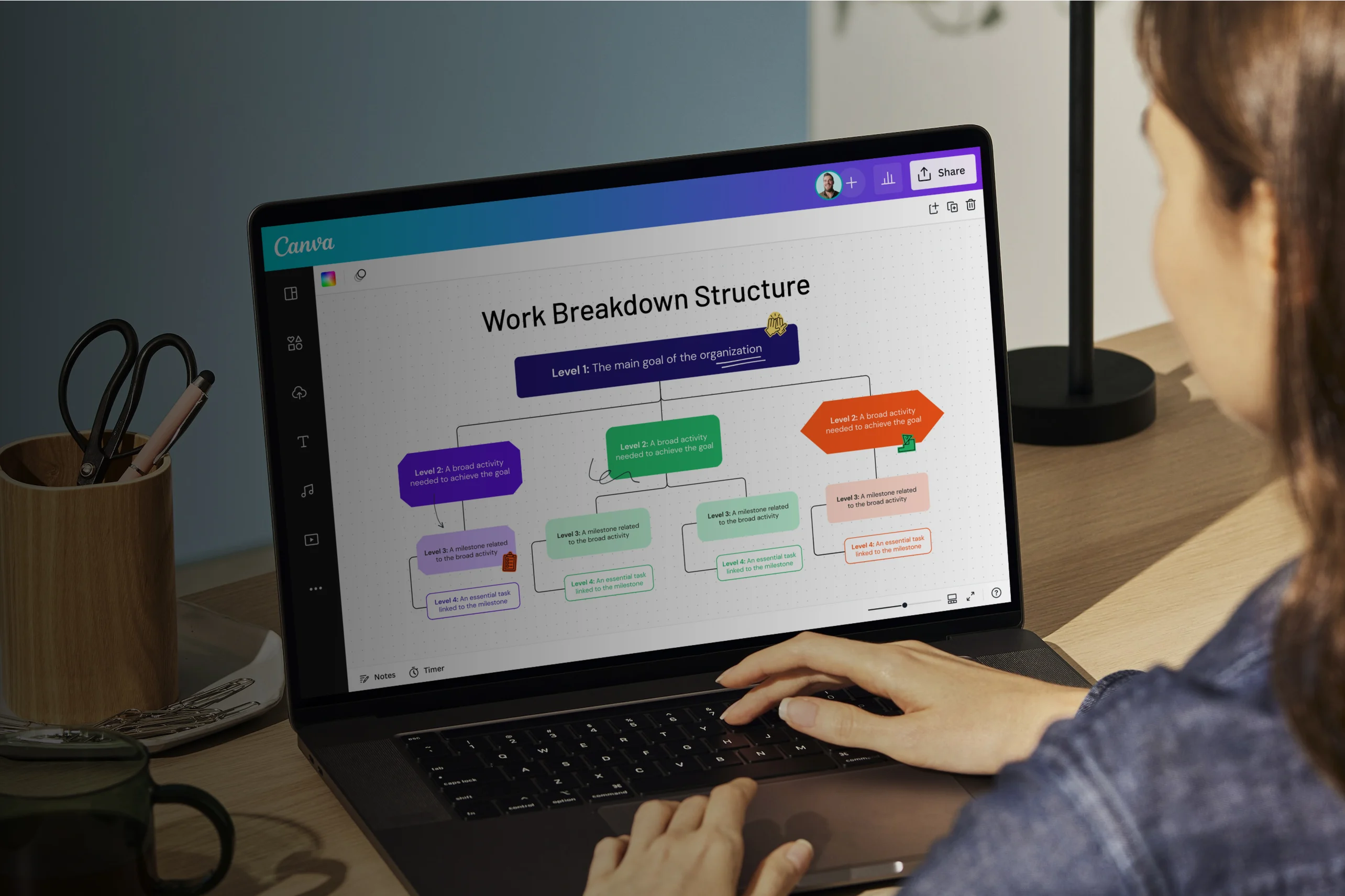
Free work breakdown structure online
Create a work breakdown structure online
Henry Ford was right: Nothing is particularly hard if you divide it into small jobs. And if you want to break a big project into smaller tasks, a work breakdown structure (WBS) is the perfect tool. Invite your team—or teams—and easily build a WBS with free templates on Canva Whiteboards.
Infinite space made for unlimited ideas
Professionally designed templates to fast-track your workflow
Share and ideate with anyone, anytime, on any device
Run a workshop with whiteboard elements, sticky notes, and a timer
Embed your work breakdown structure in Docs, presentations, and more easily
Easy online whiteboard tools and data visualization
How to create a work breakdown structure

What is a work breakdown structure?
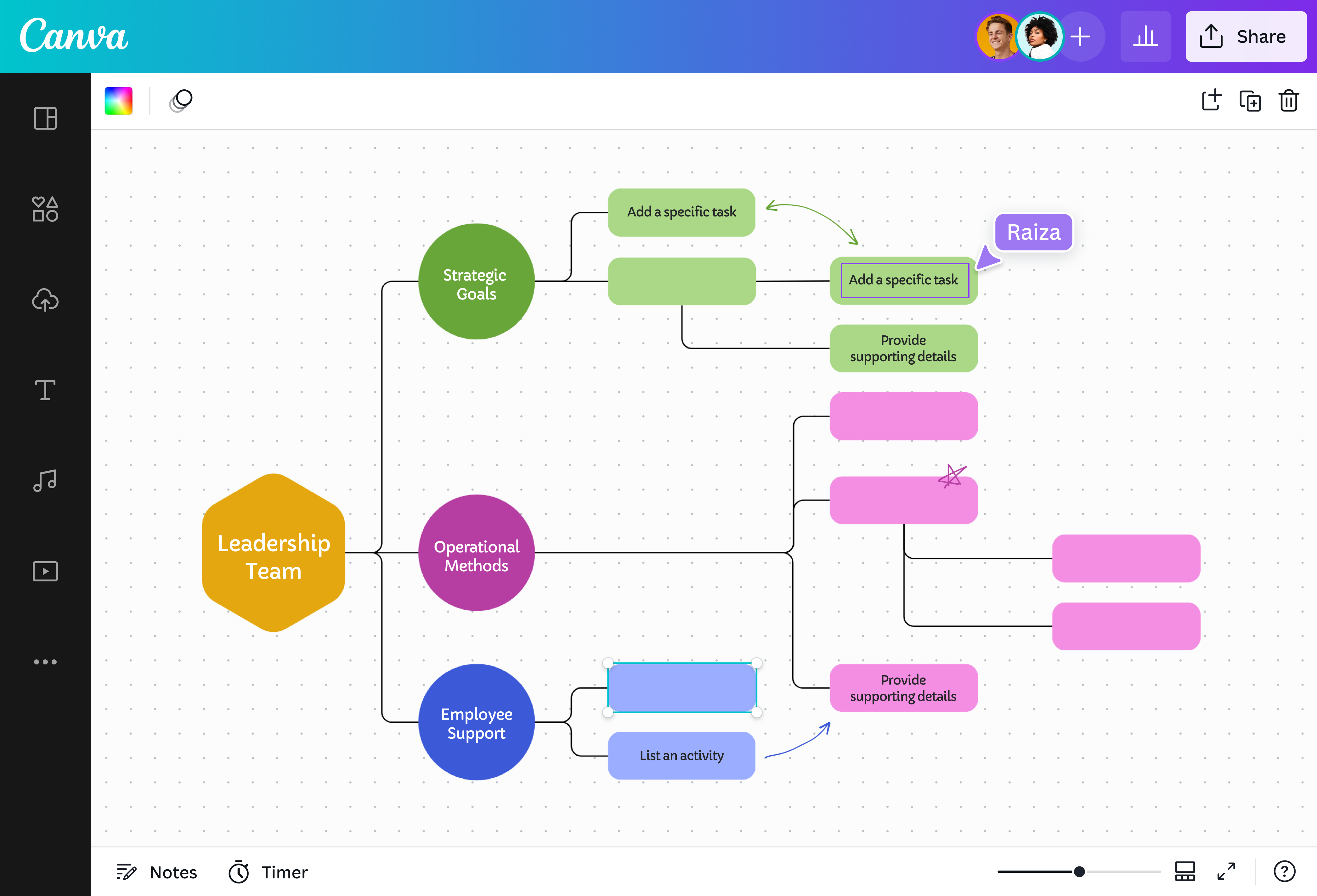
Ever had a task so big that you chopped it into smaller subtasks? That’s the spirit of a work breakdown structure (WBS). It’s a project management tool that divides the project scope into smaller items to make things easier to manage. It starts with the project’s major deliverables or phases, which are broken down into tasks and, if needed, into subtasks. The result? A hierarchical list of action items that you can easily assign and track.
Why use a WBS?

Anyone who's handled a large project involving a variety of teams and objectives knows how important it is to break down a big deliverable into manageable chunks. A work breakdown structure brings indispensable clarity to this chaos. It gives you a clear picture of the time and resources needed for each deliverable or phase of the project. More importantly, it organizes the work; it gives you the concrete steps required to achieve the project goal.
Dissect complex projects with ease

Your project may be complicated, but making a WBS isn’t. Canva Whiteboards has free, professional WBS templates you can edit according to your project, whether it involves a single deliverable or a massive undertaking with four levels of tasks. You also have an infinite canvas, so you can build a WBS chart that represents 100% of the project scope.
Build a clear, logical diagram

A WBS shows groupings by deliverable or project phase. Make each group distinct using arrows, lines, alignment features, and other Canva Whiteboard tools. Connect subtasks to their overarching task, and connect tasks to their overarching deliverable. Keep adding or deleting elements until you have a clear, hierarchical, easy-to-understand WBS diagram. For a more timeline-focused approach, you can also explore using a PERT chart(opens in a new tab or window) to visualize task sequencing and dependencies.
Spruce it up with colors and icons

Who says a WBS can’t be fun? Personalize yours with our awesome editing tools! Add fun icons like check marks and progress bars. Emphasize details by formatting the text — type them in bold, italics, or with an underline. Color-code each deliverable, too. Here’s an idea: you can color delayed tasks red and color on-track tasks green. This way, you can easily glean the health of the project.
Collaborate with your team

Creating a WBS is a team effort, requiring the input and perspective of different teams and project units. Give them access to edit or view your whiteboard so that everyone can collaborate on the WBS template. The team can pitch ideas on sticky notes, tag teammates on the comments, and apply changes to the diagram so you can all build a WBS that covers all bases and sets you up for success.

Assem A
Frequently Asked Questions
- You get more than two benefits when you create a WBS. A WBS organizes the work required for a project, ensuring you won’t miss any critical deliverables. It also becomes easier to allocate resources, make a project schedule, assign responsibilities, and coordinate among teams.
- A work breakdown structure comes in different formats, the most common of which is an hierarchical chart in which one item branches off into multiple items, and so on. A WBS could also come in an outline format. But regardless of format, a WBS will make project management easier.
- Designing in Canva is free! You have free WBS templates to choose from, plus endless customization options. Our WBS maker also has a library of free fonts, illustrations, and stock photos. But if you have a Pro or Canva for Teams subscription, you can unlock our premium features.
- Create an instantly recognizable work breakdown structure by uploading your logo, applying your brand colors, and using fonts your brand typically uses. If you’re on Pro or Canva for Teams, you can use Brand Kit to apply your branding across all designs seamlessly, WBS included.
- Yes, you can edit and save your work breakdown structure as often as you like. Your WBS whiteboard is automatically saved in your account so you can return and revise it later. You can also invite your team to view and edit that WBS diagram.